Discuss Scratch

![[RSS Feed]](http://cdn.scratch.mit.edu/scratchr2/static/__d235e7f35585482ca999583499337ccd__//djangobb_forum/img/feed-icon-small.png "[RSS Feed]")
- Theo372873
-
 Scratcher

30 posts
Windows XP/Vista/7
You might want to enter a 2.0 page by the way if you get it working or open the Supermium webpage and then install the browser from there. Internet Explorer doesn't load 3.0 pages
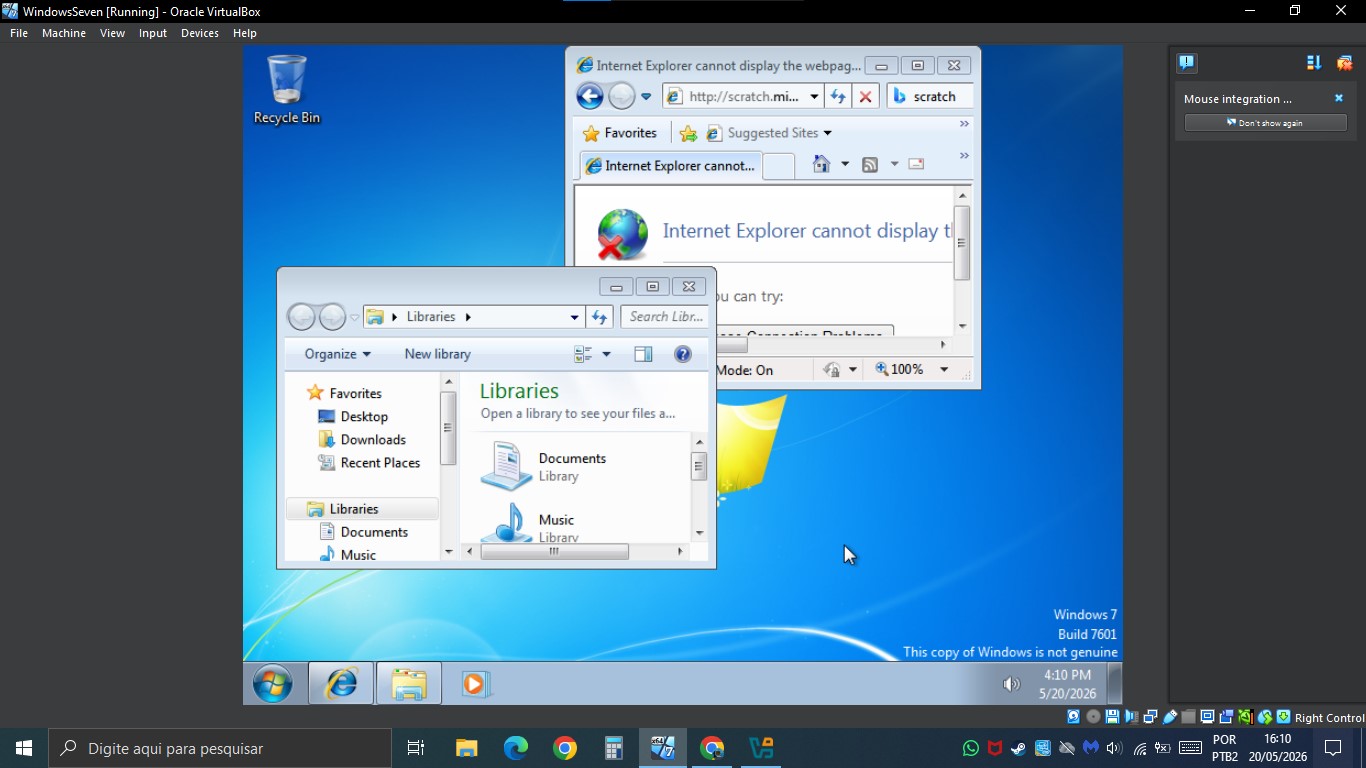
I could successfully load the windows 7 VM while trying to install a windows 3.1 VM, anyways here's some nostalgia juice
While trying to enter scratch.mit;edu i realized that it wasn't connected to the internet
Also, maybe try installing guest additions for Windows 7 and also changing VM network settings
How to do that in virtualbox oracle
- gem1001
-
 Scratcher

1000+ posts
Windows XP/Vista/7
How to do that in virtualbox oracleGo to change the virtual optical disc
Select the option that is something like ‘Inset Guest Additions ISO’
Run the appropriate installer from the disc inside the VM
- -AeroRB-
-
 Scratcher

45 posts
Windows XP/Vista/7
The chromium-for-windows-7-REWORK guy added a Brave version for one of the versions (148.0.7778.96)So I can install a windows 7 optimized version of the Brave browser??
Though the installer might not work, so try manually extracting
- Theo372873
-
Scratcher
30 posts
Windows XP/Vista/7
Actually, it's connected to a internet but it appears that IE refuses to load the scratch page
- medians
-
 Scratcher

1000+ posts
Windows XP/Vista/7
Actually, it's connected to a internet but it appears that IE refuses to load the scratch pageTry loading the Supermium website, and from there you should be able to download Supermium. You can then use that to download other browsers and load newer pages
Edit: should be on win32subsystem.live by the way
Edit 2: fixed typos
Edit 3: oh and if you have a shared folder, you can use that to put in browsers like Supermium, r3dfox, etc.
Last edited by medians (May 21, 2026 17:18:54)
- medians
-
Scratcher
1000+ posts
Windows XP/Vista/7
I mean you could try it XDThe chromium-for-windows-7-REWORK guy added a Brave version for one of the versions (148.0.7778.96)So I can install a windows 7 optimized version of the Brave browser??
Though the installer might not work, so try manually extracting
Also, it seems to only work on Vista SP2 and up for now.
- Theo372873
-
Scratcher
30 posts
Windows XP/Vista/7
Chrome page loaded fine, that means i can install chrome
- medians
-
Scratcher
1000+ posts
Windows XP/Vista/7
Chrome page loaded fine, that means i can install chromeDo note it will be Chrome 109 unless you have a modified OS or modified browser, so some websites might block you (even if they do work otherwise). Also, some websites may use web stuff that doesn't work in Chrome 109
You can get newer versions through stuff like chromium-for-windows-7-REWORK or Supermium though
Edit: oh and if you want to open the debug menu in scratch on windows 7 (on a VM or a real machine), you'll have to use some chrome or firefox flags bc they used css nesting
Last edited by medians (May 21, 2026 20:00:05)
- Theo372873
-
Scratcher
30 posts
Windows XP/Vista/7
I just realized the best way to do windows simulators is directly using the ISO and getting the icons straightly from it (Use 7-Zip, or command prompt)
- medians
-
Scratcher
1000+ posts
Windows XP/Vista/7
I just tested it and it actually works so far LOL (though it seems to say the revision is all 0s)The chromium-for-windows-7-REWORK guy added a Brave version for one of the versions (148.0.7778.96)So I can install a windows 7 optimized version of the Brave browser??
Though the installer might not work, so try manually extracting
Last edited by medians (May 22, 2026 14:38:17)
- encarta
-
 Scratcher

100+ posts
Windows XP/Vista/7
i have tried a windows 7 VM and it lagged only 1 timeatleast windows vista is laggier than windows 7, I tried to install in VMware and it lagged like stop motion. after I installed the tools and restart my vm, my (windows) vista vm is very laggy than before
- encarta
-
Scratcher
100+ posts
Windows XP/Vista/7
does installing TLS 2.0 or whatever TLS version still works?You might want to enter a 2.0 page by the way if you get it working or open the Supermium webpage and then install the browser from there. Internet Explorer doesn't load 3.0 pages
I could successfully load the windows 7 VM while trying to install a windows 3.1 VM, anyways here's some nostalgia juice
While trying to enter scratch.mit;edu i realized that it wasn't connected to the internet
Also, maybe try installing guest additions for Windows 7 and also changing VM network settings
- medians
-
Scratcher
1000+ posts
Windows XP/Vista/7
What are the specs of your VM and host computer?i have tried a windows 7 VM and it lagged only 1 timeatleast windows vista is laggier than windows 7, I tried to install in VMware and it lagged like stop motion. after I installed the tools and restart my vm, my (windows) vista vm is very laggy than before
- encarta
-
Scratcher
100+ posts
Windows XP/Vista/7
GPU: Intel(R) HD Graphics 530What are the specs of your VM and host computer?i have tried a windows 7 VM and it lagged only 1 timeatleast windows vista is laggier than windows 7, I tried to install in VMware and it lagged like stop motion. after I installed the tools and restart my vm, my (windows) vista vm is very laggy than before
RAM: 8,00 GB
CPU: Intel(R) Core(TM) i7-6700 CPU @ 3.40GHz
Operating system: Windows 10 pro
haven't check the VM specs, prob default specs like when I create my own VM
Last edited by encarta (May 22, 2026 15:33:04)

- Theo372873
-
Scratcher
30 posts
Windows XP/Vista/7
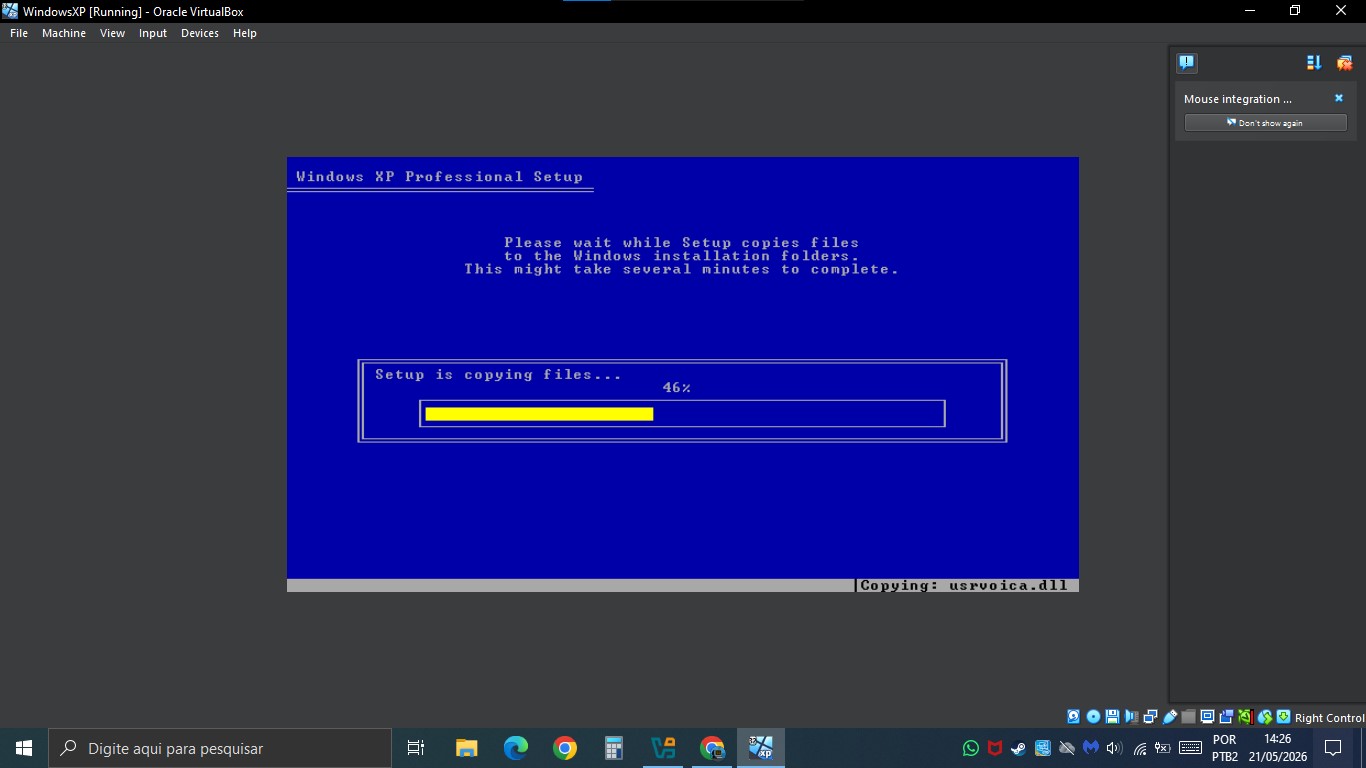
I finally installed the windows XP, I was hours stuck in the product key part until i found it
- encarta
-
Scratcher
100+ posts
Windows XP/Vista/7
I finally installed the windows XP, I was hours stuck in the product key part until i found itget the product key before installing windows
- medians
-
Scratcher
1000+ posts
Windows XP/Vista/7
Scratch Desktop will be ending compatibility for Windows 7 and 8.x in 3.32.0
Edit: fixed
Edit: fixed
Last edited by medians (May 27, 2026 16:11:35)