Discuss Scratch

- Discussion Forums
- » Bugs and Glitches
- » Glitched Scratch app if you drag a non-Scratch file into Scratch 3
![[RSS Feed]](//cdn.scratch.mit.edu/scratchr2/static/__d235e7f35585482ca999583499337ccd__//djangobb_forum/img/feed-icon-small.png "[RSS Feed]")
![[RSS Feed]](http://cdn.scratch.mit.edu/scratchr2/static/__d235e7f35585482ca999583499337ccd__//djangobb_forum/img/feed-icon-small.png "[RSS Feed]")
- 7e_x
-
 Scratcher

100+ posts
Glitched Scratch app if you drag a non-Scratch file into Scratch 3
My browser / operating system: Windows NT 10.0 (actually win 11), Chrome 143.0.0.0, No Flash versions detected
i wondered what would happen when i drag google chrome into the scratch app, and this happens:
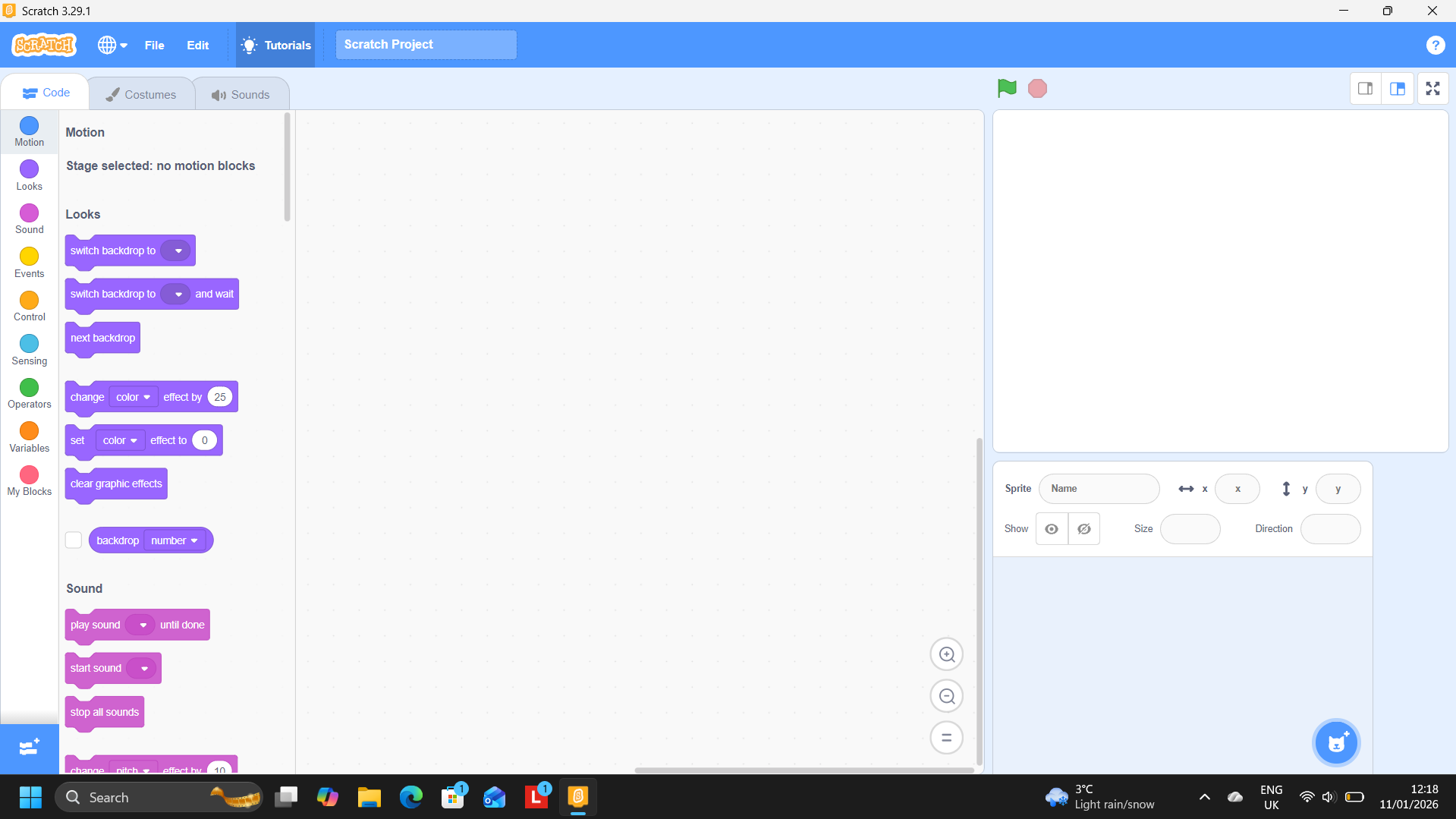
this glitched out version of the scratch app with absolutely 0 backdrops appears? why couldn't they throw out an error saying “incorrect file format”? please fix this bug
i wondered what would happen when i drag google chrome into the scratch app, and this happens:
this glitched out version of the scratch app with absolutely 0 backdrops appears? why couldn't they throw out an error saying “incorrect file format”? please fix this bug
- ScodexPerson
-
 Scratcher

1000+ posts
Glitched Scratch app if you drag a non-Scratch file into Scratch 3
Just don't do it.
- mtaka4
-
 Scratcher

500+ posts
Glitched Scratch app if you drag a non-Scratch file into Scratch 3
For me it just says “Could not import ptoject”. Also why is the editor blue
- medians
-
 Scratcher

1000+ posts
Glitched Scratch app if you drag a non-Scratch file into Scratch 3
For me it just says “Could not import ptoject”. Also why is the editor blueProbably direct download link, which is still an earlier version of Scratch 3.0 that has blue
Edit: yeah the screenshot says 3.29.1
Last edited by medians (Jan. 11, 2026 19:07:08)
- BegaMega4129
-
 Scratcher

39 posts
Glitched Scratch app if you drag a non-Scratch file into Scratch 3
Just don't do it.wdym?
- cookedasparagus8
-
 Scratcher

1000+ posts
Glitched Scratch app if you drag a non-Scratch file into Scratch 3
For me it just says “Could not import ptoject”. Also why is the editor blueThe editor is blue because the downloadable Scratch 3.0 was introduced before the high contrast update.
Also, you can only upload .sb, .sb2, and .sb3 files.
- medians
-
Scratcher
1000+ posts
Glitched Scratch app if you drag a non-Scratch file into Scratch 3
Yeah, oddly the MacOS direct download link is 3.31.1 (which does have the high contrast), but the Windows direct download link is 3.29.1.For me it just says “Could not import ptoject”. Also why is the editor blueThe editor is blue because the downloadable Scratch 3.0 was introduced before the high contrast update.
Also, you can only upload .sb, .sb2, and .sb3 files.
- dinoparty0
-
 Scratcher

1000+ posts
Glitched Scratch app if you drag a non-Scratch file into Scratch 3
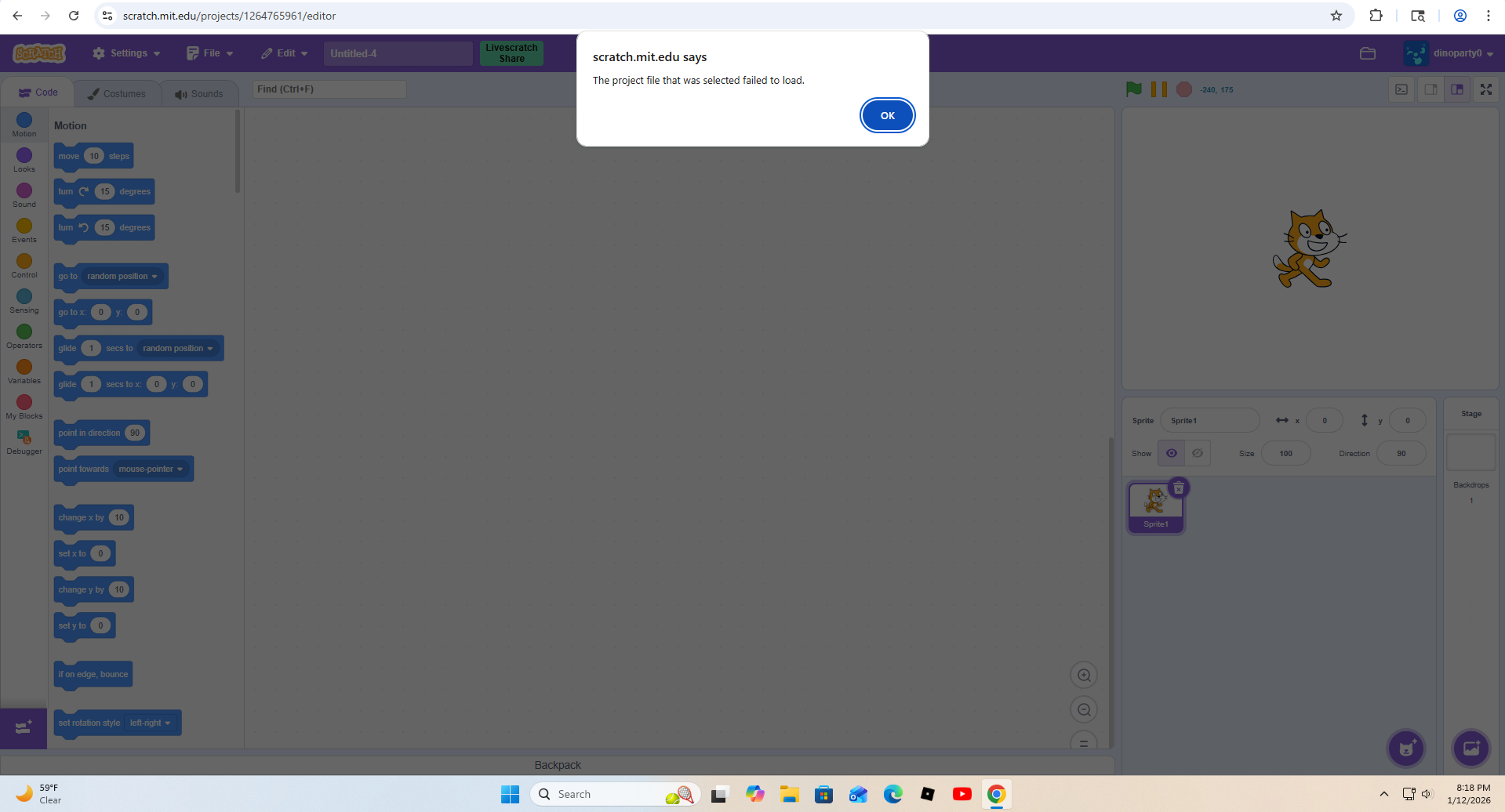
This is what happens to me. The project file that was selected failed to load
- medians
-
Scratcher
1000+ posts
Glitched Scratch app if you drag a non-Scratch file into Scratch 3
What happens in the offline editor, and what version are you using?
This is what happens to me. The project file that was selected failed to load
The topic creator likely already knows:For me it just says “Could not import ptoject”. Also why is the editor blueThe editor is blue because the downloadable Scratch 3.0 was introduced before the high contrast update.
Also, you can only upload .sb, .sb2, and .sb3 files.
this glitched out version of the scratch app with absolutely 0 backdrops appears? why couldn't they throw out an error saying “incorrect file format”? please fix this bug
- dinoparty0
-
Scratcher
1000+ posts
Glitched Scratch app if you drag a non-Scratch file into Scratch 3
Offline editor
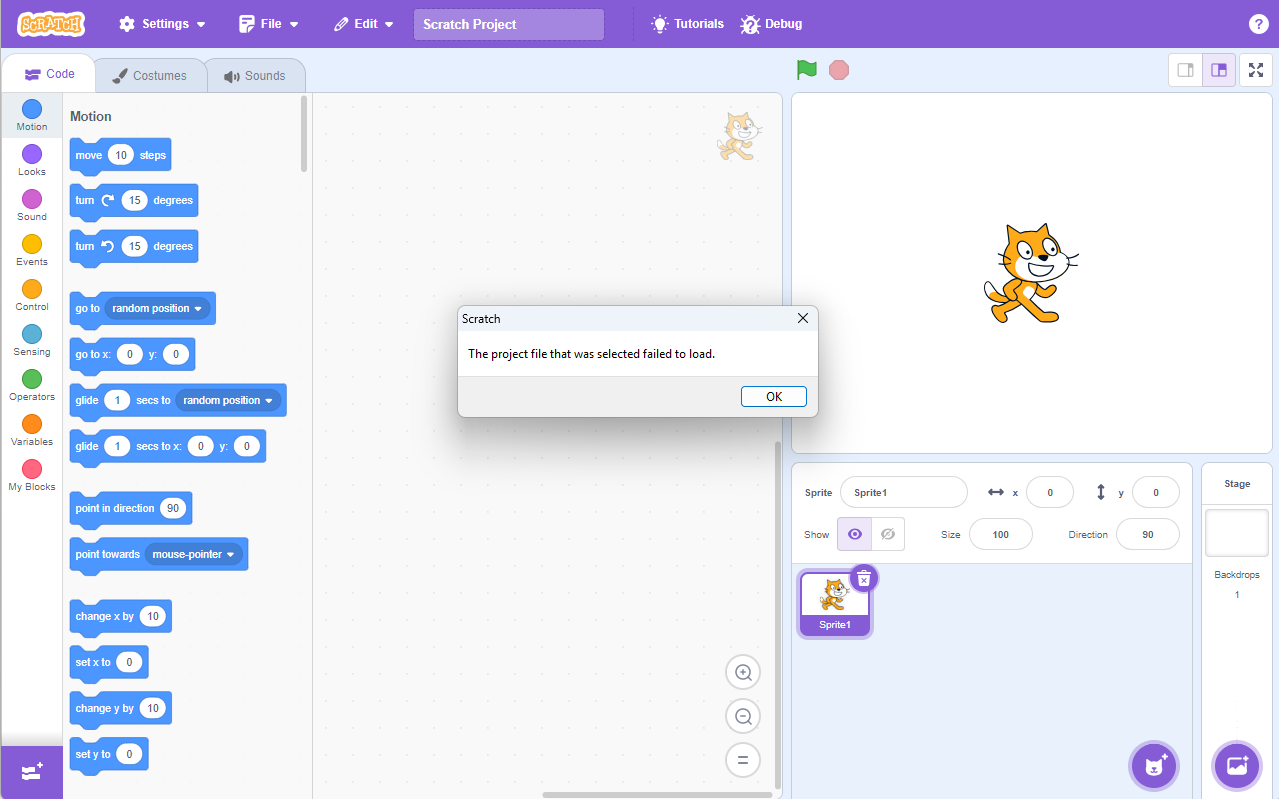
Version WDYM? I am just using the scratch site rn in the previous screenshot this time I'm using offline
Version WDYM? I am just using the scratch site rn in the previous screenshot this time I'm using offline
- medians
-
Scratcher
1000+ posts
Glitched Scratch app if you drag a non-Scratch file into Scratch 3
Offline editorThe offline editor has a specific version, and you seem to have the newest version because you have the purple (I'm assuming you're using the Microsoft Store version). Does it display anywhere for you?
Version WDYM? I am just using the scratch site rn in the previous screenshot this time I'm using offline
The topic creator has 3.29.1, which the direct download is currently stuck at
https://scratch.mit.edu/download
Can you try that version too and see if you have the same problem as the topic creator by the way?
Last edited by medians (Jan. 14, 2026 02:09:46)
- dinoparty0
-
Scratcher
1000+ posts
Glitched Scratch app if you drag a non-Scratch file into Scratch 3
The download you provided shows this now.
My browser / operating system: Windows NT 10.0,(Doesn't Matter browser lol since I'm using app) Chrome 143.0.0.0, No Flash versions detected
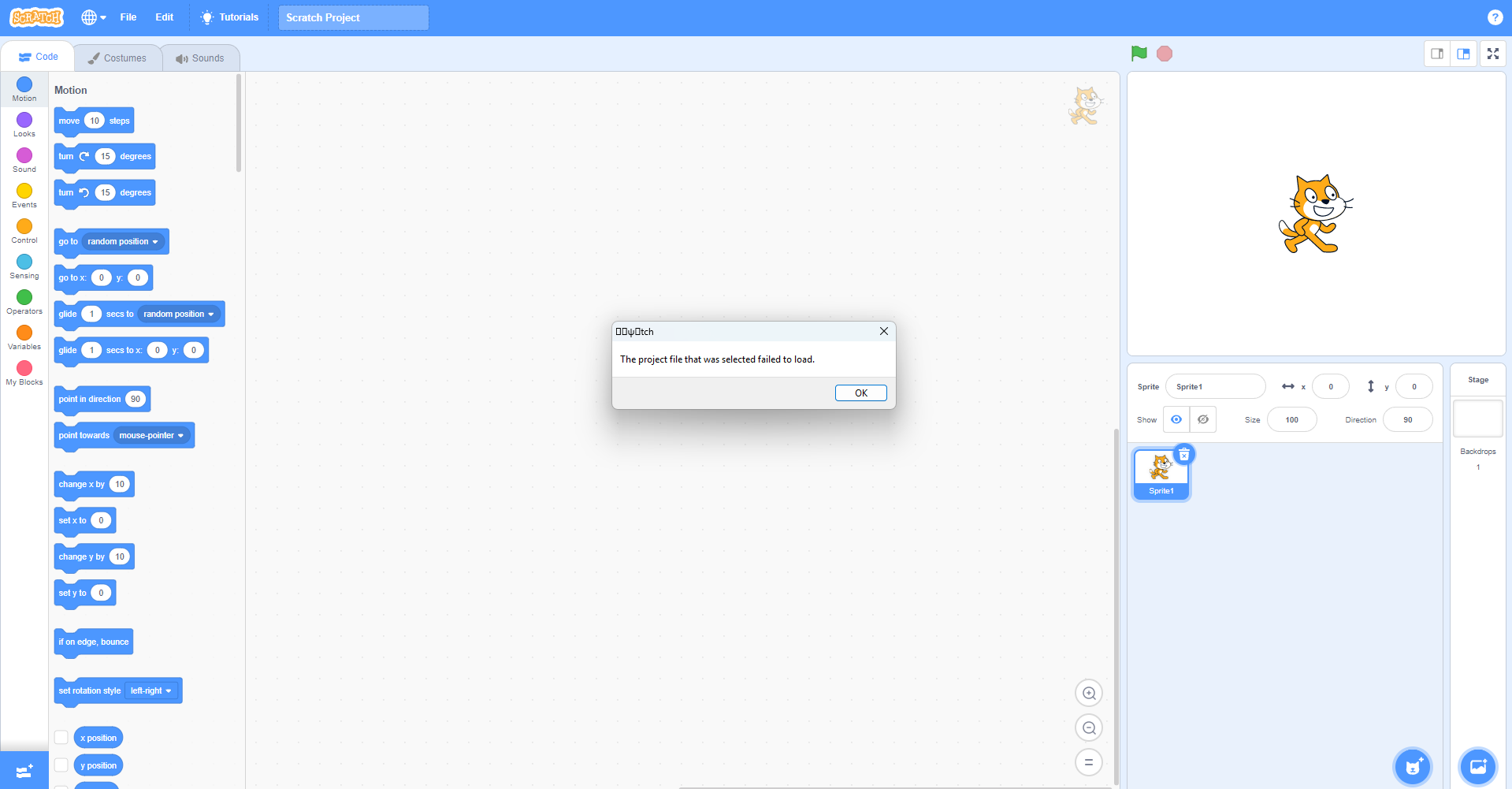
Everything still functions the same.
Edit: Only difference is that the heading of the dialog box shows a weird Scratch but instead it is just tch with some unique characters in the string
My browser / operating system: Windows NT 10.0,(Doesn't Matter browser lol since I'm using app) Chrome 143.0.0.0, No Flash versions detected
Everything still functions the same.
Edit: Only difference is that the heading of the dialog box shows a weird Scratch but instead it is just tch with some unique characters in the string
Last edited by dinoparty0 (Jan. 14, 2026 03:00:02)
- medians
-
Scratcher
1000+ posts
Glitched Scratch app if you drag a non-Scratch file into Scratch 3
The download you provided shows this now.I'll try testing it later on TurboWarp Desktop and regular 3.29.1 later then
My browser / operating system: Windows NT 10.0,(Doesn't Matter browser lol since I'm using app) Chrome 143.0.0.0, No Flash versions detected
Everything still functions the same.
Edit: Only difference is that the heading of the dialog box shows a weird Scratch but instead it is just tch with some unique characters in the string
I have them on here:
My browser / operating system: Windows 7, Chrome 109.0.0.0, No Flash versions detected
My browser / operating system: Windows Vista, Firefox 146.0, No Flash versions detected
- cookedasparagus8
-
Scratcher
1000+ posts
Glitched Scratch app if you drag a non-Scratch file into Scratch 3
That's strange since 3.3 added the color-contrast update.Yeah, oddly the MacOS direct download link is 3.31.1 (which does have the high contrast), but the Windows direct download link is 3.29.1.For me it just says “Could not import ptoject”. Also why is the editor blueThe editor is blue because the downloadable Scratch 3.0 was introduced before the high contrast update.
Also, you can only upload .sb, .sb2, and .sb3 files.
Please remember that I don't use MacOS
- dinoparty0
-
Scratcher
1000+ posts
Glitched Scratch app if you drag a non-Scratch file into Scratch 3
Turbowarp is IMPOSSIBLE to do this on(for me) because there is no chrome.exe to drag in. To bypass this on Scratch(default) you have to switch to all files because before it was sb3 sb2 and sb files. You just had to change the selection box to All files. For turbowarp, there is no “All Files” option. Idk if there is a way to get around it tho
- cookedasparagus8
-
Scratcher
1000+ posts
Glitched Scratch app if you drag a non-Scratch file into Scratch 3
Turbowarp is IMPOSSIBLE to do this on(for me) because there is no chrome.exe to drag in. To bypass this on Scratch(default) you have to switch to all files because before it was sb3 sb2 and sb files. You just had to change the selection box to All files. For turbowarp, there is no “All Files” option. Idk if there is a way to get around it thoTurbowarp is a bit smarter than scratch so it only allows ScratchBlocks files
- medians
-
Scratcher
1000+ posts
Glitched Scratch app if you drag a non-Scratch file into Scratch 3
This isn't happening to me (on same version.. I opened it just to test this LOL)
My browser / operating system: Windows 7, Chrome 109.0.0.0, No Flash versions detected
My browser / operating system: Windows Vista, Firefox 146.0, No Flash versions detected
My browser / operating system: Windows Vista, Firefox 146.0, No Flash versions detected
My browser / operating system: Windows 7, Chrome 109.0.0.0, No Flash versions detected
My browser / operating system: Windows Vista, Firefox 146.0, No Flash versions detected
Turbowarp is IMPOSSIBLE to do this on(for me) because there is no chrome.exe to drag in. To bypass this on Scratch(default) you have to switch to all files because before it was sb3 sb2 and sb files. You just had to change the selection box to All files. For turbowarp, there is no “All Files” option. Idk if there is a way to get around it thoSame thing when I tried here
My browser / operating system: Windows Vista, Firefox 146.0, No Flash versions detected
- cookedasparagus8
-
Scratcher
1000+ posts
Glitched Scratch app if you drag a non-Scratch file into Scratch 3
My browser / operating system: Windows 11 Home, Firefox 146.0, No Flash version detectedTurbowarp is IMPOSSIBLE to do this on(for me) because there is no chrome.exe to drag in. To bypass this on Scratch(default) you have to switch to all files because before it was sb3 sb2 and sb files. You just had to change the selection box to All files. For turbowarp, there is no “All Files” option. Idk if there is a way to get around it thoTurbowarp is a bit smarter than scratch so it only allows ScratchBlocks files
- Discussion Forums
- » Bugs and Glitches
-
» Glitched Scratch app if you drag a non-Scratch file into Scratch 3