Discuss Scratch
- Discussion Forums
- » Collaboration
- » SWEAT team Discussion
![[RSS Feed]](//cdn.scratch.mit.edu/scratchr2/static/__58c099573c1464cde31f353772e1d0e1__//djangobb_forum/img/feed-icon-small.png "[RSS Feed]")
![[RSS Feed]](http://cdn.scratch.mit.edu/scratchr2/static/__58c099573c1464cde31f353772e1d0e1__//djangobb_forum/img/feed-icon-small.png "[RSS Feed]")
- NIKI-KOLCHAGOV
-
 Scratcher
500+ posts
SWEAT team Discussion
idk i dont think it would be too hard to just start developing a native app for tablets and phones but your idea is probably better because why make a whole professional app that might not be usedIn the end, I want it to be most friendly for Tablet Devices. When we're ready to ship it, I'll package it to turbowarp and create a manifest document so we'll be able to add it as a pseudo app on devices. It will work on phones, but not well unfortunately. If enough people are interested in the pseudo app, I suppose that would be a sign to start developing a native app.Hey guys, long time no see.Yea it can be a big hassle to work and design so many themes i think for now we could do some of the harder but more important things like the workout explore page a search engine and the workout generator
Just got back into fitness recently.
I decided that we are only going to have one color, orange. I am making this decision because the l/d and theme are keeping me from working as it takes too long to make 6 different versions of every menu. So, we will have 2.
Maybe some changes soon? I will definitely have an announcement out soon.
also we could start making it on Android im currently interested in making apps there so we can try or you could try converting it somehow but i think that might require some design changes
also you said if enough people are interested but people cant be interested if they dont know it even exists so what im saying is that we should find a way to show it to others perhaps trough social media
- jayz33
-
 Scratcher

100+ posts
SWEAT team Discussion
Also we could start making it on Android im currently interested in making apps there so we can try or you could try converting it somehow but i think that might require some design changesThat actually might be a good idea! There's this great website that's owned by the MIT as well. It's called App Inventor and it can be used here.
- NIKI-KOLCHAGOV
-
Scratcher
500+ posts
SWEAT team Discussion
thanks for your recommendation i am aware about this siteAlso we could start making it on Android im currently interested in making apps there so we can try or you could try converting it somehow but i think that might require some design changesThat actually might be a good idea! There's this great website that's owned by the MIT as well. It's called App Inventor and it can be used here.
what im unsure about though is how it works and how well it will work in our sittuation
- p-p-p-p-p-p-p-p-p-p-
-
 Scratcher

1000+ posts
SWEAT team Discussion
Hello again guys.
Right now, the Plan is to have a Preview 3 out by this weekend, and to have a Preview 4 (which should be full release if no major bugs) out by Christmastime.
Usually, my plans do not work out. But we'll see how this one will go. At the very least, expect a Preview 3 by Thanksgiving. As of right now, it's nothing huge, but we'll see how far I get over this break.
Right now, the Plan is to have a Preview 3 out by this weekend, and to have a Preview 4 (which should be full release if no major bugs) out by Christmastime.
Usually, my plans do not work out. But we'll see how this one will go. At the very least, expect a Preview 3 by Thanksgiving. As of right now, it's nothing huge, but we'll see how far I get over this break.
- p-p-p-p-p-p-p-p-p-p-
-
Scratcher
1000+ posts
SWEAT team Discussion
Sike! Preview 3 is going to be much larger than I anticipated. No ETA on release, hoping before 2025.
This means it's unfortunately going to probably be the end of Build 310, meaning we won't see “AI” workouts in 2024.
This means it's unfortunately going to probably be the end of Build 310, meaning we won't see “AI” workouts in 2024.

- p-p-p-p-p-p-p-p-p-p-
-
Scratcher
1000+ posts
SWEAT team Discussion
Is anyone out there?
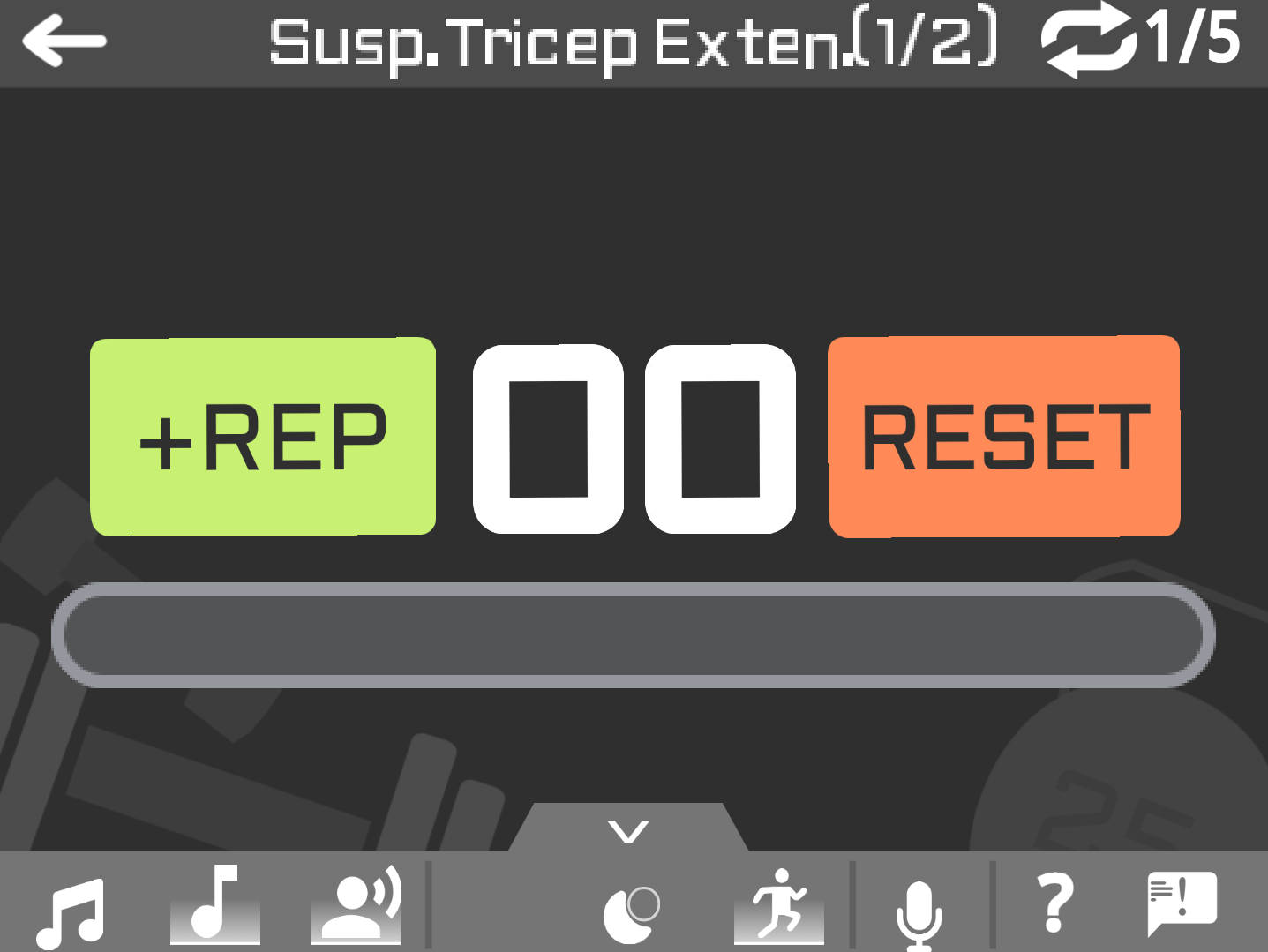
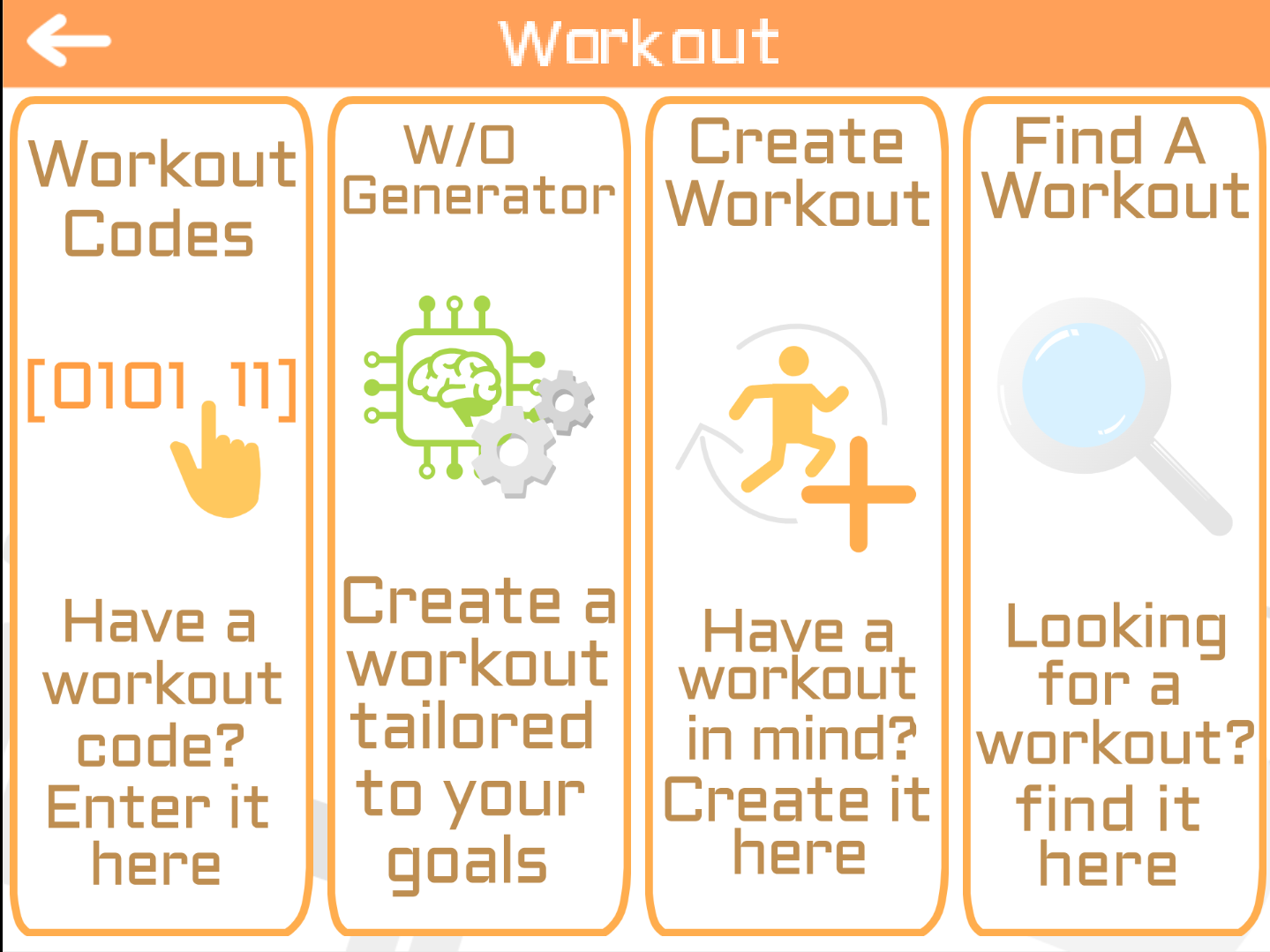
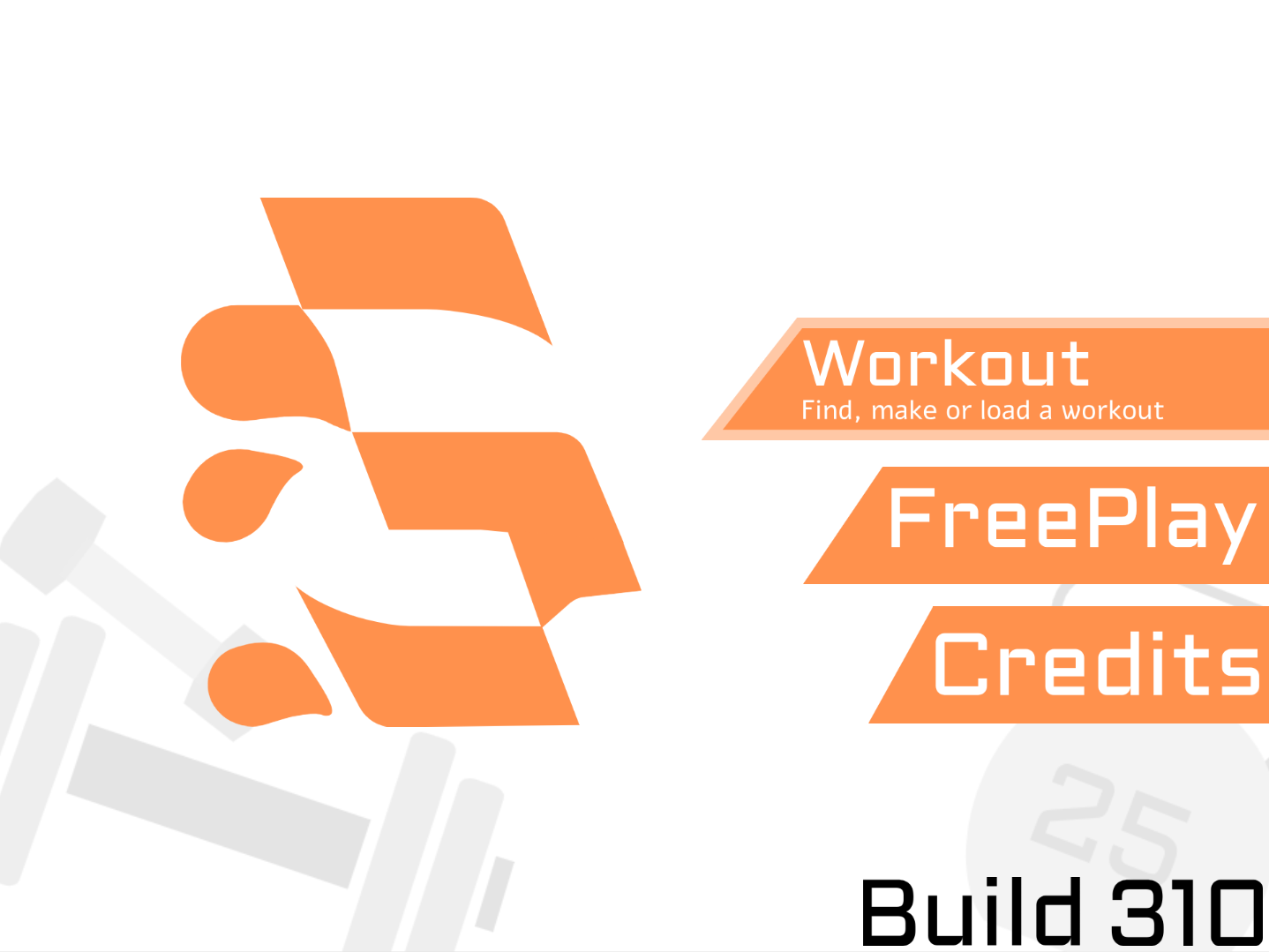
Things are still happening, trust me. Just maybe not at a fast speed like I used to be able to do.
Things are still happening, trust me. Just maybe not at a fast speed like I used to be able to do.
- p-p-p-p-p-p-p-p-p-p-
-
Scratcher
1000+ posts
SWEAT team Discussion
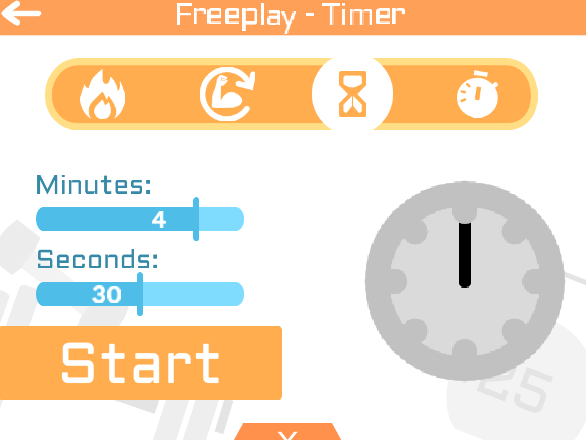
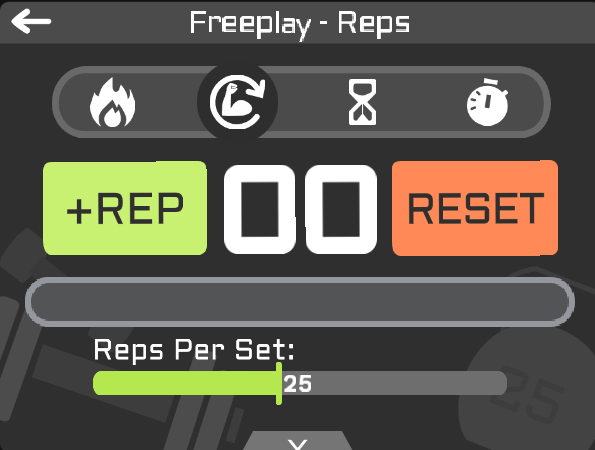
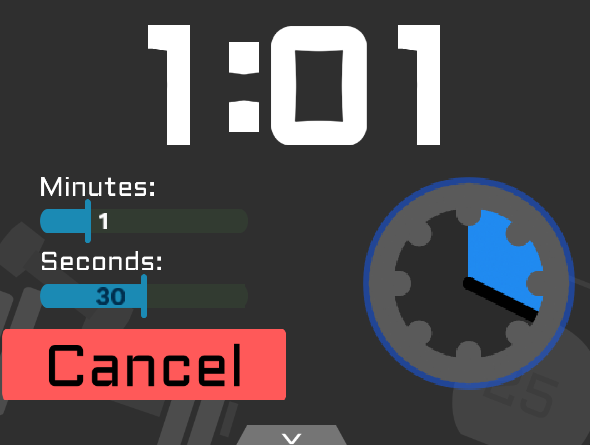
They are functional, but the timer/stopwatch sliders are causing a lot of lag and are occasionally glitching so might be some problems in the next preview if I try to get it out soon.
Edit: Nevermind, I was being an idiot lol. The problem is fixed and they should be functioning regularly now.
Last edited by p-p-p-p-p-p-p-p-p-p- (Dec. 30, 2024 15:19:24)

- p-p-p-p-p-p-p-p-p-p-
-
Scratcher
1000+ posts
SWEAT team Discussion
Please keep in mind that most of these UI's are designed for Freeplay mode, so they are going to look pretty bare if you try to do a workout in them FOR NOW. I will be making variations for workouts.
Not sure if I'll have time before my self-set release date for Preview 3 of Build 310. But 310 won't be shipped without it.
Also considering updating the main project soon to a new “version”. Not 2.0 yet since only 1/4 of the workout components currently function, but it might be a bit odd to ship a version where the only way to make workouts is to use an unofficial workout code generator.
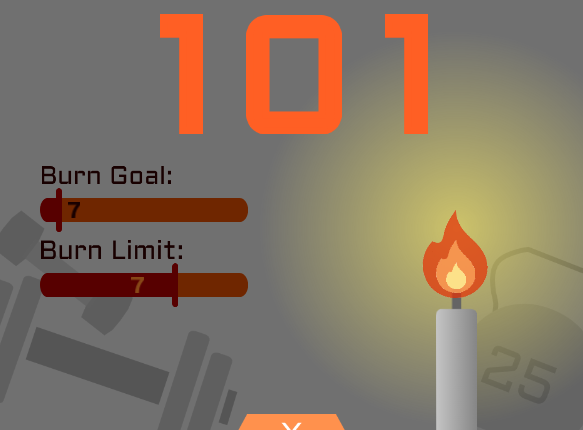
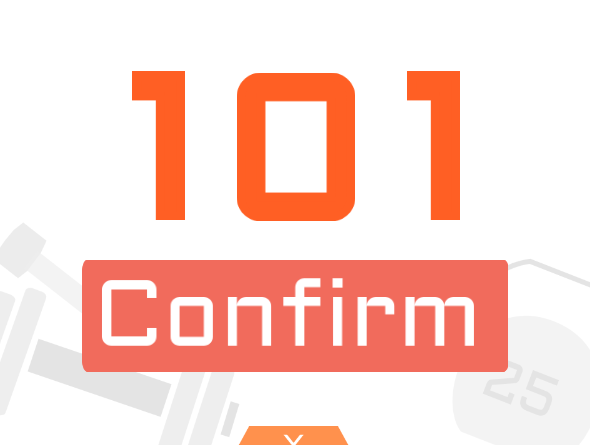
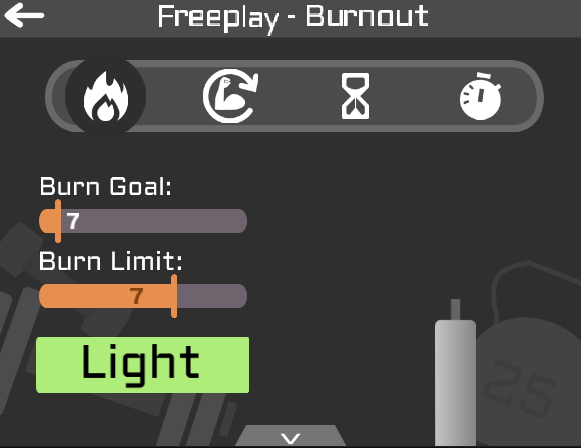
Not sure how I feel about this one. I will probably come back to it.
That was the last UI to update!! Time to get back to new features.
Not sure if I'll have time before my self-set release date for Preview 3 of Build 310. But 310 won't be shipped without it.
Also considering updating the main project soon to a new “version”. Not 2.0 yet since only 1/4 of the workout components currently function, but it might be a bit odd to ship a version where the only way to make workouts is to use an unofficial workout code generator.
Not sure how I feel about this one. I will probably come back to it.
That was the last UI to update!! Time to get back to new features.
Last edited by p-p-p-p-p-p-p-p-p-p- (Dec. 30, 2024 19:23:14)
- NIKI-KOLCHAGOV
-
Scratcher
500+ posts
SWEAT team Discussion
Is anyone out there?
Things are still happening, trust me. Just maybe not at a fast speed like I used to be able to do.
These look great its great that they are actually functional
with some minor tweaks we should be good to go
im not sure how good the stretched buttons look in the workout menu
usually when designing UI designs a UX - User Experience tip is to leave some space between the background and the buttons so theres so called breathing room for when you are clicking on the designs
also i think i could make the space between the movable part of the slider and the slider itself should be quite easy
- NIKI-KOLCHAGOV
-
Scratcher
500+ posts
SWEAT team Discussion
Please keep in mind that most of these UI's are designed for Freeplay mode, so they are going to look pretty bare if you try to do a workout in them FOR NOW. I will be making variations for workouts.Looks Great i really like the candle idea but i think just the fire would be more easily doable and would look more modern?
Not sure if I'll have time before my self-set release date for Preview 3 of Build 310. But 310 won't be shipped without it.
Also considering updating the main project soon to a new “version”. Not 2.0 yet since only 1/4 of the workout components currently function, but it might be a bit odd to ship a version where the only way to make workouts is to use an unofficial workout code generator.
Not sure how I feel about this one. I will probably come back to it.
That was the last UI to update!! Time to get back to new features.
you want it to be 2 separate windows / UIs one for setting it up and the other to show the burning icon and other text
- p-p-p-p-p-p-p-p-p-p-
-
Scratcher
1000+ posts
SWEAT team Discussion
also i think i could make the space between the movable part of the slider and the slider itself should be quite easyI could make a white slot, but it would look odd when the bar is over something else in the background if that makes sense.
- NIKI-KOLCHAGOV
-
Scratcher
500+ posts
SWEAT team Discussion
so i should probably redesign that as wellPlease keep in mind that most of these UI's are designed for Freeplay mode, so they are going to look pretty bare if you try to do a workout in them FOR NOW. I will be making variations for workouts.Looks Great i really like the candle idea but i think just the fire would be more easily doable and would look more modern?
Not sure if I'll have time before my self-set release date for Preview 3 of Build 310. But 310 won't be shipped without it.
Also considering updating the main project soon to a new “version”. Not 2.0 yet since only 1/4 of the workout components currently function, but it might be a bit odd to ship a version where the only way to make workouts is to use an unofficial workout code generator.
Not sure how I feel about this one. I will probably come back to it.
That was the last UI to update!! Time to get back to new features.
you want it to be 2 separate windows / UIs one for setting it up and the other to show the burning icon and other text
- p-p-p-p-p-p-p-p-p-p-
-
Scratcher
1000+ posts
SWEAT team Discussion
so i should probably redesign that as wellI am actually working on a change right now that might change your mind. Stay put til the preview releases
- NIKI-KOLCHAGOV
-
Scratcher
500+ posts
SWEAT team Discussion
Happy New Year Everyone

Last edited by NIKI-KOLCHAGOV (Dec. 31, 2024 23:10:50)
- p-p-p-p-p-p-p-p-p-p-
-
Scratcher
1000+ posts
SWEAT team Discussion
3… 2… 1… Happy New Year!!!
New Year, New SWEATFit Version. Here’s what’s new:
New Features:
There are some things to consider, however.
I am aware that there are performance issues. These will hopefully be mitigated throughout the releases until we get to 2.0.
I am also aware that the Advanced Graphics Toggle doesn’t work much in this new version. This is also something I am going to tackle next build.
There are a couple of features that I really just wanted to ship out, and I do not intend to release them in their current state, so I need desperate feedback on. That would be the new Set Progress Bar, and the Rest between Workout Sets.
There are 5 main things I want to work on before Build 310 releases. I expect to be done with these in late January or early February, but I have no idea anymore with school.
1.Fine Tuning all the features I just released.
2.”AI” Workout Generator
3.Performance Fixes, including a rework of Advanced Graphics
4.New Notification System with 5 current notification ideas but potentially more. This will also fill in the Help and Feedback options in the Everything Menu.
5.Reworking Sound Effects.
Wow! That’s a lot of new features!! Wondering how to access it? Check out this link below:
https://scratch.mit.edu/projects/1115685982/
Excited for the future of SWEATFit.
New Year, New SWEATFit Version. Here’s what’s new:
New Features:
- Completely New UIs. Every single UI was updated to this more modern design.
–Dark Mode has been completely redesigned so it now looks… appealing.
–Now, all the UI elements will be colorful (usually orange or blue) with a white background instead of bland elements on an orange background.
–Additionally, all UI’s now have variants when in Workout Mode. Here is a workout code to let you easily preview the new workout menus: OneofEach#0010512502220025105027524400 - Added a Navbar to the top of every menu (excluding the start menu) with details about what you’re doing. This includes current workouts and progress in a workout on Workout Mode, an indicator of what menu you are in when selecting how you are going to workout, and an indicator of what your next set is when you are taking a break.
- Added a Transition Screen between menus.
- Added a Mute/Unmute on the Main Menu
- Revamped Sliders. These now use a lot less code and are really easy to add more of, but may be more intensive on the project.
- Removed CONFIRM Button from prematurely reseting a set. If this becomes something important, I will add it back, but I didn't see a large use case.
- Added larger sensitivity for all the buttons on the Everything Menu and the Mode Selector.
- Changed the Workout Icon buttons from Square to Banners. This is open to feedback, but the old menu looked a little funky.
- Temporarily removed all transitions between modes.
- Changed the Set Indicator when doing Reps in a Workout from Circles to a tiered progress bar.
- Removed the Theme button in the Everything UI. Currently unsure of what to replace it with, and I will remove the space if we don’t find anything before release.
- Replace JustBreathe with a “Rest” Cooldown and preview of the next workout. Unfortunately, JustBreathe was not a good fit for SWEATFit after consideration.
- Fixed a bug where subtracting a rep would cause minor lag.
- Fixed a bug where the +REP button will rotate even when not incrementing, for example when holding the space button down.
- Unintentionally fixed (and probably created) a lot of bugs when converting to the new ui.
- Everything that uses the pen is now synchronized and erased every 0.03 seconds (to achieve a 30 fps). This is in order to have multiple different UI elements utilizing stamping or pen drawings without them interfering with each other.
There are some things to consider, however.
I am aware that there are performance issues. These will hopefully be mitigated throughout the releases until we get to 2.0.
I am also aware that the Advanced Graphics Toggle doesn’t work much in this new version. This is also something I am going to tackle next build.
There are a couple of features that I really just wanted to ship out, and I do not intend to release them in their current state, so I need desperate feedback on. That would be the new Set Progress Bar, and the Rest between Workout Sets.
There are 5 main things I want to work on before Build 310 releases. I expect to be done with these in late January or early February, but I have no idea anymore with school.
1.Fine Tuning all the features I just released.
2.”AI” Workout Generator
3.Performance Fixes, including a rework of Advanced Graphics
4.New Notification System with 5 current notification ideas but potentially more. This will also fill in the Help and Feedback options in the Everything Menu.
5.Reworking Sound Effects.
Wow! That’s a lot of new features!! Wondering how to access it? Check out this link below:
https://scratch.mit.edu/projects/1115685982/
Excited for the future of SWEATFit.
Last edited by p-p-p-p-p-p-p-p-p-p- (Jan. 1, 2025 05:37:14)
- NIKI-KOLCHAGOV
-
Scratcher
500+ posts
SWEAT team Discussion
3… 2… 1… Happy New Year!!!Looks great but i definitely want to make some changes
New Year, New SWEATFit Version. Here’s what’s new:
New Features:Changes:
- Completely New UIs. Every single UI was updated to this more modern design.
–Dark Mode has been completely redesigned so it now looks… appealing.
–Now, all the UI elements will be colorful (usually orange or blue) with a white background instead of bland elements on an orange background.
–Additionally, all UI’s now have variants when in Workout Mode. Here is a workout code to let you easily preview the new workout menus: OneofEach#0010512502220025105027524400- Added a Navbar to the top of every menu (excluding the start menu) with details about what you’re doing. This includes current workouts and progress in a workout on Workout Mode, an indicator of what menu you are in when selecting how you are going to workout, and an indicator of what your next set is when you are taking a break.
- Added a Transition Screen between menus.
- Added a Mute/Unmute on the Main Menu
- Revamped Sliders. These now use a lot less code and are really easy to add more of, but may be more intensive on the project.
Bug Fixes:
- Removed CONFIRM Button from prematurely reseting a set. If this becomes something important, I will add it back, but I didn't see a large use case.
- Added larger sensitivity for all the buttons on the Everything Menu and the Mode Selector.
- Changed the Workout Icon buttons from Square to Banners. This is open to feedback, but the old menu looked a little funky.
- Temporarily removed all transitions between modes.
- Changed the Set Indicator when doing Reps in a Workout from Circles to a tiered progress bar.
- Removed the Theme button in the Everything UI. Currently unsure of what to replace it with, and I will remove the space if we don’t find anything before release.
- Replace JustBreathe with a “Rest” Cooldown and preview of the next workout. Unfortunately, JustBreathe was not a good fit for SWEATFit after consideration.
Technical Changes:
- Fixed a bug where subtracting a rep would cause minor lag.
- Fixed a bug where the +REP button will rotate even when not incrementing, for example when holding the space button down.
- Unintentionally fixed (and probably created) a lot of bugs when converting to the new ui.
Woah, that is a lot of new stuff!!
- Everything that uses the pen is now synchronized and erased every 0.03 seconds (to achieve a 30 fps). This is in order to have multiple different UI elements utilizing stamping or pen drawings without them interfering with each other.
There are some things to consider, however.
I am aware that there are performance issues. These will hopefully be mitigated throughout the releases until we get to 2.0.
I am also aware that the Advanced Graphics Toggle doesn’t work much in this new version. This is also something I am going to tackle next build.
There are a couple of features that I really just wanted to ship out, and I do not intend to release them in their current state, so I need desperate feedback on. That would be the new Set Progress Bar, and the Rest between Workout Sets.
There are 5 main things I want to work on before Build 310 releases. I expect to be done with these in late January or early February, but I have no idea anymore with school.
1.Fine Tuning all the features I just released.
2.”AI” Workout Generator
3.Performance Fixes, including a rework of Advanced Graphics
4.New Notification System with 5 current notification ideas but potentially more. This will also fill in the Help and Feedback options in the Everything Menu.
5.Reworking Sound Effects.
Wow! That’s a lot of new features!! Wondering how to access it? Check out this link below:
https://scratch.mit.edu/projects/1115685982/
Excited for the future of SWEATFit.
So i will remix your project and post a changelog
- NIKI-KOLCHAGOV
-
Scratcher
500+ posts
SWEAT team Discussion
Another change we should do is the animations for a scratch project they are fine but i think the animations should be more of like an app you download on your phone instead of looking like a scratch game if that makes sense some are good but some are obnoxious / off putting3… 2… 1… Happy New Year!!!Looks great but i definitely want to make some changes
New Year, New SWEATFit Version. Here’s what’s new:
New Features:Changes:
- Completely New UIs. Every single UI was updated to this more modern design.
–Dark Mode has been completely redesigned so it now looks… appealing.
–Now, all the UI elements will be colorful (usually orange or blue) with a white background instead of bland elements on an orange background.
–Additionally, all UI’s now have variants when in Workout Mode. Here is a workout code to let you easily preview the new workout menus: OneofEach#0010512502220025105027524400- Added a Navbar to the top of every menu (excluding the start menu) with details about what you’re doing. This includes current workouts and progress in a workout on Workout Mode, an indicator of what menu you are in when selecting how you are going to workout, and an indicator of what your next set is when you are taking a break.
- Added a Transition Screen between menus.
- Added a Mute/Unmute on the Main Menu
- Revamped Sliders. These now use a lot less code and are really easy to add more of, but may be more intensive on the project.
Bug Fixes:
- Removed CONFIRM Button from prematurely reseting a set. If this becomes something important, I will add it back, but I didn't see a large use case.
- Added larger sensitivity for all the buttons on the Everything Menu and the Mode Selector.
- Changed the Workout Icon buttons from Square to Banners. This is open to feedback, but the old menu looked a little funky.
- Temporarily removed all transitions between modes.
- Changed the Set Indicator when doing Reps in a Workout from Circles to a tiered progress bar.
- Removed the Theme button in the Everything UI. Currently unsure of what to replace it with, and I will remove the space if we don’t find anything before release.
- Replace JustBreathe with a “Rest” Cooldown and preview of the next workout. Unfortunately, JustBreathe was not a good fit for SWEATFit after consideration.
Technical Changes:
- Fixed a bug where subtracting a rep would cause minor lag.
- Fixed a bug where the +REP button will rotate even when not incrementing, for example when holding the space button down.
- Unintentionally fixed (and probably created) a lot of bugs when converting to the new ui.
Woah, that is a lot of new stuff!!
- Everything that uses the pen is now synchronized and erased every 0.03 seconds (to achieve a 30 fps). This is in order to have multiple different UI elements utilizing stamping or pen drawings without them interfering with each other.
There are some things to consider, however.
I am aware that there are performance issues. These will hopefully be mitigated throughout the releases until we get to 2.0.
I am also aware that the Advanced Graphics Toggle doesn’t work much in this new version. This is also something I am going to tackle next build.
There are a couple of features that I really just wanted to ship out, and I do not intend to release them in their current state, so I need desperate feedback on. That would be the new Set Progress Bar, and the Rest between Workout Sets.
There are 5 main things I want to work on before Build 310 releases. I expect to be done with these in late January or early February, but I have no idea anymore with school.
1.Fine Tuning all the features I just released.
2.”AI” Workout Generator
3.Performance Fixes, including a rework of Advanced Graphics
4.New Notification System with 5 current notification ideas but potentially more. This will also fill in the Help and Feedback options in the Everything Menu.
5.Reworking Sound Effects.
Wow! That’s a lot of new features!! Wondering how to access it? Check out this link below:
https://scratch.mit.edu/projects/1115685982/
Excited for the future of SWEATFit.
So i will remix your project and post a changelog
otherwise it looks great and performance wise its noticeable that its properly made and well optimized
Last edited by NIKI-KOLCHAGOV (Jan. 1, 2025 12:08:44)
- p-p-p-p-p-p-p-p-p-p-
-
Scratcher
1000+ posts
SWEAT team Discussion
I am posting this preview on the main SWEATFit page since it is a fully functional build. The “preview” I've been planning will be Build 320.
Edit: Scratch that. I am going to wait til this weekend, do some optimization (clean up the code a little bit) and make any minor changes necessary and then release it.
Edit: Scratch that. I am going to wait til this weekend, do some optimization (clean up the code a little bit) and make any minor changes necessary and then release it.
Last edited by p-p-p-p-p-p-p-p-p-p- (Jan. 1, 2025 16:05:45)
- NIKI-TESTS
-
 Scratcher

2 posts
SWEAT team Discussion
I am posting this preview on the main SWEATFit page since it is a fully functional build. The “preview” I've been planning will be Build 320.I feel extra dumb today i didnt put a lot of thought into my plans for what im gonna do today for SWEATFit
Edit: Scratch that. I am going to wait til this weekend, do some optimization (clean up the code a little bit) and make any minor changes necessary and then release it.
I made a whole new slider thingy which took Hours to make just to realize i could have done a very simple and easy to do fix on yours that would have took like 3 minutes
Now i understand why you kept it like that and what you meant by
Some of the things in the design are impossible very hard to make in scratch
Last edited by NIKI-TESTS (Jan. 1, 2025 18:53:40)