Discuss Scratch

- Discussion Forums
- » Help with Scripts
- » How do I make an animation?
![[RSS Feed]](//cdn.scratch.mit.edu/scratchr2/static/__d235e7f35585482ca999583499337ccd__//djangobb_forum/img/feed-icon-small.png "[RSS Feed]")
![[RSS Feed]](http://cdn.scratch.mit.edu/scratchr2/static/__d235e7f35585482ca999583499337ccd__//djangobb_forum/img/feed-icon-small.png "[RSS Feed]")
- ultracesar
-
 Scratcher

12 posts
How do I make an animation?
I've been trying to look on Youtube for tutorials, but they're either from 2019 or 2020, I also tried to look into one, but it's from 2014. Can anyone help?
- TeenySpoon
-
 Scratcher

1000+ posts
How do I make an animation?
What kind of animation? If you intend to draw each frame by hand (not code an animation, but actually draw it), non-Scratch related tutorials work quite well.
- ultracesar
-
Scratcher
12 posts
How do I make an animation?
Well I just want to code an animation, sorry for not being that specific, but the main problem is I don't really know how to code all the frames together without it looking a bit too cluttered.
- TeenySpoon
-
Scratcher
1000+ posts
How do I make an animation?
Well I just want to code an animation, sorry for not being that specific, but the main problem is I don't really know how to code all the frames together without it looking a bit too cluttered.I see. Do you already have the frames and you just want to connect them, or you have one image (e.g. a ball) and you want to use code to move it around?
- scratchcode1_2_3
-
 Scratcher

1000+ posts
How do I make an animation?
Have you tried using ease in and ease out?
Ease in is when the animation starts slow, and gradually speeds up to the end of the animation. This can help when simulating gravity or just making smooth animations. Here's an example of ease in:

Ease out is the exact opposite of ease in, meaning that it starts fast, and gradually slows down. Here's an example of ease out:

You can also combine both!

You can make all sorts of cool flips with this! Like with my character, even though he's not human:

Hope this helps!
Ease in is when the animation starts slow, and gradually speeds up to the end of the animation. This can help when simulating gravity or just making smooth animations. Here's an example of ease in:
Ease out is the exact opposite of ease in, meaning that it starts fast, and gradually slows down. Here's an example of ease out:
You can also combine both!
You can make all sorts of cool flips with this! Like with my character, even though he's not human:
Hope this helps!
- ultracesar
-
Scratcher
12 posts
How do I make an animation?
Well I basically have sort of a storyboard for it, even if right now it's just a sprite.Well I just want to code an animation, sorry for not being that specific, but the main problem is I don't really know how to code all the frames together without it looking a bit too cluttered.I see. Do you already have the frames and you just want to connect them, or you have one image (e.g. a ball) and you want to use code to move it around?
For @scratchcode1_2_3's thing, that seems like a good idea, can you send me a code example for it, if you can?
Edit: just finished the main sprite.
Last edited by ultracesar (July 13, 2023 22:26:18)
- TeenySpoon
-
Scratcher
1000+ posts
How do I make an animation?
Could you please share the storyboard? It would help so that I can explain what to code for each scene.Well I basically have sort of a storyboard for it, even if right now it's just a sprite.Well I just want to code an animation, sorry for not being that specific, but the main problem is I don't really know how to code all the frames together without it looking a bit too cluttered.I see. Do you already have the frames and you just want to connect them, or you have one image (e.g. a ball) and you want to use code to move it around?
For @scratchcode1_2_3's thing, that seems like a good idea, can you send me a code example for it, if you can?
As for @scratchcode1_2_3's idea, there's a simple math formula you can use; you can search it up to see.
Enjoy!
- scratchcode1_2_3
-
Scratcher
1000+ posts
How do I make an animation?
(#6)The truth is, that there is almost no code! XD
For @scratchcode1_2_3's thing, that seems like a good idea, can you send me a code example for it, if you can?
Anyways, for the first two I only used something like this:
when flag clicked
switch costume to [costume1 v]
repeat (number of frames - 1 :: #000099) // it isn't a real block, just look at how many frames there are and type that number minus 1
next costume

end
But, if you still need it, here are all the links to the examples I sent you:
Ease in: https://scratch.mit.edu/projects/874320741/
Ease out: https://scratch.mit.edu/projects/874323043/
Ease in AND ease out: https://scratch.mit.edu/projects/874325245/
Backflip thing with my OC: https://scratch.mit.edu/projects/874327801/
- ultracesar
-
Scratcher
12 posts
How do I make an animation?
so scratch is being a jerk to me, because I followed all of the instructions in the Scratch Wiki and yet it doesn't accept it.
- ultracesar
-
Scratcher
12 posts
How do I make an animation?
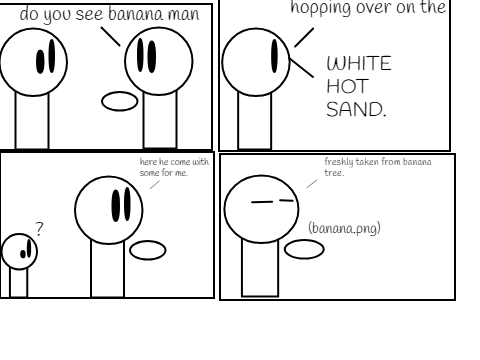
https://i.ibb.co/M2qkc5j/Bananba.png
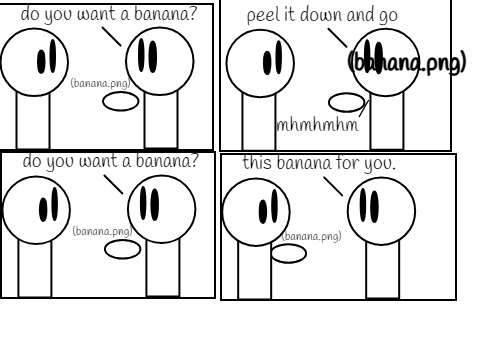
https://i.ibb.co/YhbLnns/bananab.png
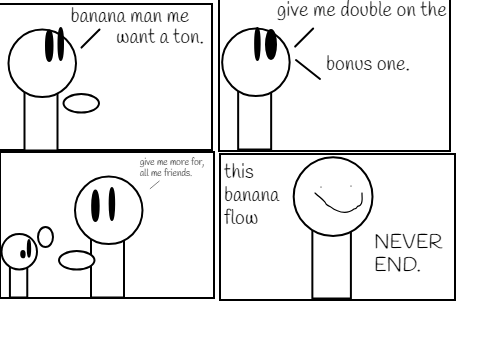
https://i.ibb.co/1ZsJRFq/banana.png
This is what I have, please tell me if they don't work
Edit: Just found out they're in reverse hopefully this should fix it.
https://i.ibb.co/YhbLnns/bananab.png
https://i.ibb.co/1ZsJRFq/banana.png
This is what I have, please tell me if they don't work
Edit: Just found out they're in reverse hopefully this should fix it.
Last edited by ultracesar (July 13, 2023 22:55:28)
- TeenySpoon
-
Scratcher
1000+ posts
How do I make an animation?
https://i.ibb.co/M2qkc5j/Bananba.pngCool story! You can use the storyboard to flesh out each frame, and then use this code in the sprite (modified version of @scratchcode1_2_3's):
https://i.ibb.co/YhbLnns/bananab.png
https://i.ibb.co/1ZsJRFq/banana.png
This is what I have, please tell me if they don't work
Edit: Just found out they're in reverse hopefully this should fix it.
when green flag clicked
switch costume to [frame 1 v]
forever
next costume
wait ((1) / (FPS)) secs //FPS is frames per second, most animations are at 24-30 FPS
end
There's another method, too, that uses the timer.
- Discussion Forums
- » Help with Scripts
-
» How do I make an animation?