Discuss Scratch

- Discussion Forums
- » Questions about Scratch
- » How to add images to discussion forums?
![[RSS Feed]](//cdn.scratch.mit.edu/scratchr2/static/__d235e7f35585482ca999583499337ccd__//djangobb_forum/img/feed-icon-small.png "[RSS Feed]")
![[RSS Feed]](http://cdn.scratch.mit.edu/scratchr2/static/__d235e7f35585482ca999583499337ccd__//djangobb_forum/img/feed-icon-small.png "[RSS Feed]")
- -YourLocalPhantom-
-
 Scratcher

1000+ posts
How to add images to discussion forums?
How to add images to discussion forums?
- -Valtren-
-
 Scratcher

1000+ posts
How to add images to discussion forums?
using an image tag and an image host

[img]https://assets.scratch.mit.edu/get_image/.%2E/391834a21c22a133ca3de9e9bb13d736.gif[/img]
- Oumuamua
-
 Scratcher

1000+ posts
How to add images to discussion forums?
How to add images to discussion forums?
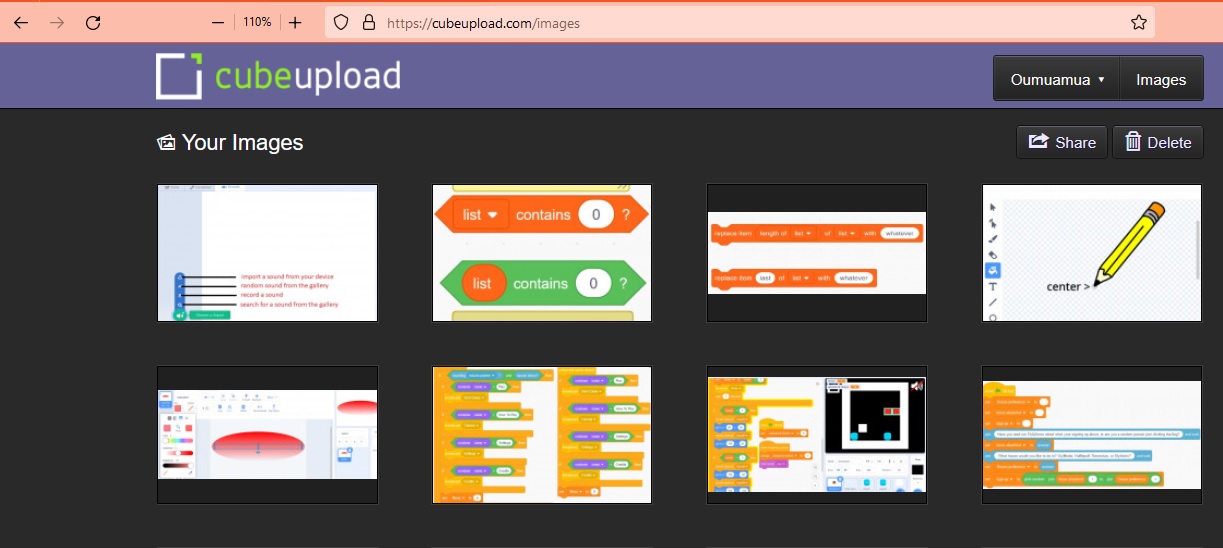
I recommend you https://cubeupload.com it is free images hosting and allowed by Scratch.

- kanarakanara_
-
 Scratcher
25 posts
How to add images to discussion forums?
っj
Last edited by kanarakanara_ (Oct. 29, 2022 12:19:16)
- -Squiggle
-
 Scratcher

500+ posts
How to add images to discussion forums?
use an image hosting site such as CubeUpload.
upload your image there, and copy the URL of the image.
then click on the green painting button in Scratch's forum post editor (the 5th button along) and paste the URL.
you can click the green tick (far right of the menu) to check if it worked properly.
for scratch project/studio/user thumbnails, you don't have to upload it to an image hosting site, you can just right click the thumbnail and click “copy image address”.
upload your image there, and copy the URL of the image.
then click on the green painting button in Scratch's forum post editor (the 5th button along) and paste the URL.
you can click the green tick (far right of the menu) to check if it worked properly.
for scratch project/studio/user thumbnails, you don't have to upload it to an image hosting site, you can just right click the thumbnail and click “copy image address”.
- OrangeOS-
-
 Scratcher

100+ posts
How to add images to discussion forums?
use an image hosting site such as CubeUpload.i need an option that isn't CubeUpload
upload your image there, and copy the URL of the image.
then click on the green painting button in Scratch's forum post editor (the 5th button along) and paste the URL.
you can click the green tick (far right of the menu) to check if it worked properly.
for scratch project/studio/user thumbnails, you don't have to upload it to an image hosting site, you can just right click the thumbnail and click “copy image address”.
- Sine_Modder
-
 Scratcher

100+ posts
How to add images to discussion forums?
Here's a list of hosting services that are allowed by the ST.use an image hosting site such as CubeUpload.i need an option that isn't CubeUpload
upload your image there, and copy the URL of the image.
then click on the green painting button in Scratch's forum post editor (the 5th button along) and paste the URL.
you can click the green tick (far right of the menu) to check if it worked properly.
for scratch project/studio/user thumbnails, you don't have to upload them to an image hosting site, you can just right-click the thumbnail and click “copy image address”.
Last edited by Sine_Modder (Dec. 4, 2022 18:16:15)

- Discussion Forums
- » Questions about Scratch
-
» How to add images to discussion forums?