Discuss Scratch

- Discussion Forums
- » Help with Scripts
- » Problem detecting if touching clones because clones with different size apparently have different colors
![[RSS Feed]](//cdn.scratch.mit.edu/scratchr2/static/__d235e7f35585482ca999583499337ccd__//djangobb_forum/img/feed-icon-small.png "[RSS Feed]")
![[RSS Feed]](http://cdn.scratch.mit.edu/scratchr2/static/__d235e7f35585482ca999583499337ccd__//djangobb_forum/img/feed-icon-small.png "[RSS Feed]")
- -MyNewAccount-
-
 Scratcher

1000+ posts
Problem detecting if touching clones because clones with different size apparently have different colors
Hello there, I'm making a project in which different words at different places & sizes show in the screen, using one sprite's costumes as words and clones. These are my scripts:
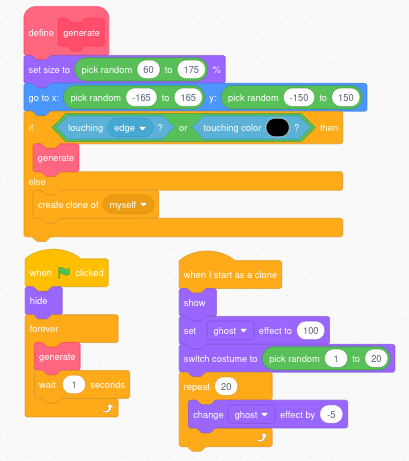
here is the translation if it's too small:
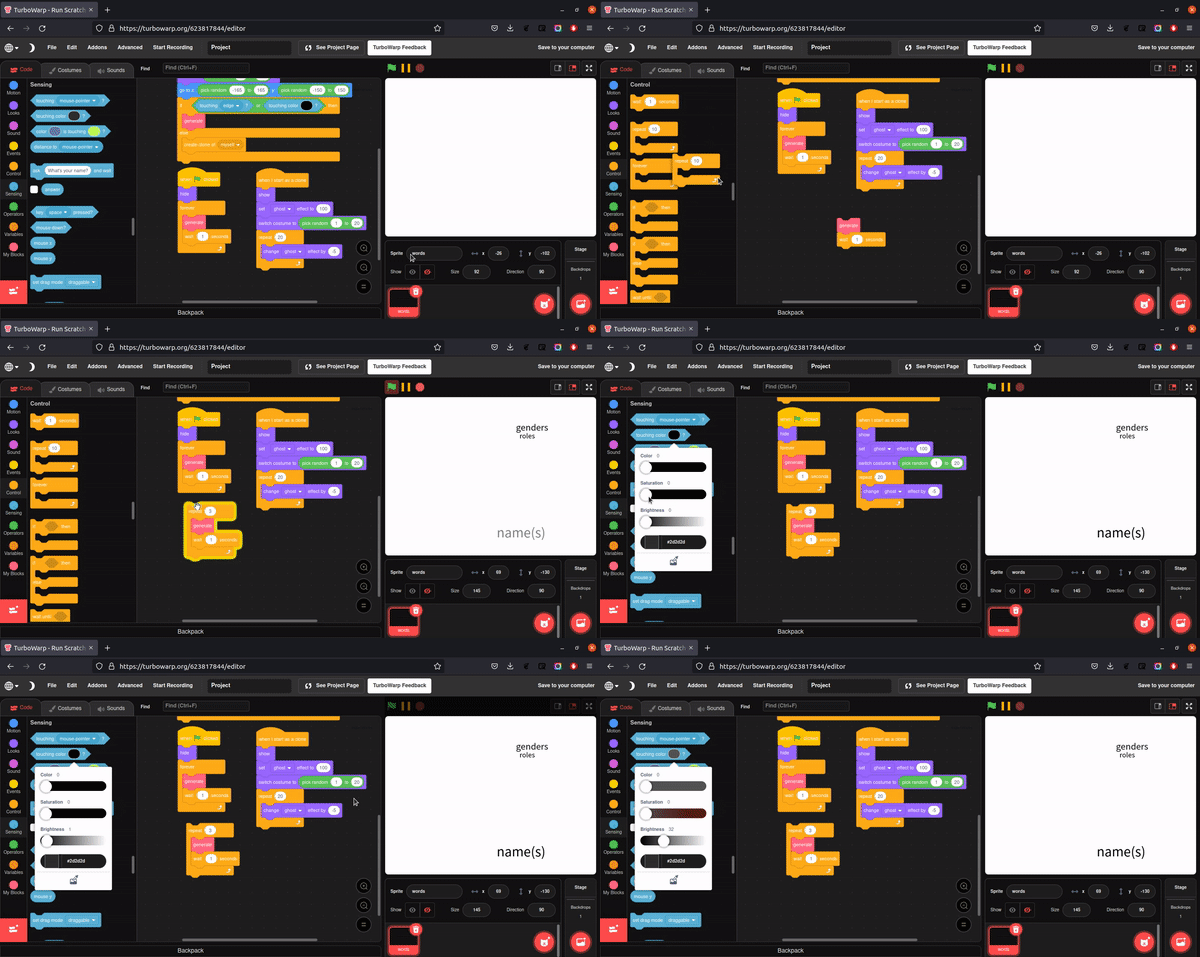
Also, here's a link to the project in TurboWarp.
here is the translation if it's too small:
define generateThe problem I have is that when the size changes, somehow the displayed color is different… I want to know if (and how) can I detect if the sprite is touching an already existing clone if the color is different.
set size to (pick random (60) to (175)) %
go to x: (pick random (-165) to (165)) y: (pick random (-150) to (150))
if <<touching [edge v] ?> or <touching color [#000000] ?>> then
generate ::more blocks
else
create clone of [myself v]
end
when green flag clicked
hide
forever
generate ::more blocks
wait (1) secs
end
when I start as a clone
show
set [ghost v] effect to (100)
switch costume to (pick random (1) to (20)
repeat (20)
change [ghost v] effect by (-5)
end
Also, here's a link to the project in TurboWarp.
- deck26
-
 Scratcher

1000+ posts
Problem detecting if touching clones because clones with different size apparently have different colors
But why use touching colour instead of touching sprite? If you want a clone of spriteA to detect touching another clone of spriteA or the sprite itself the touching sprite block will work. The only trick required is to copy the block from another sprite. Eg spriteB will show spriteA as an option in the dropdown menu but spriteA will not.
- benk_b4b
-
 Scratcher

100+ posts
Problem detecting if touching clones because clones with different size apparently have different colors
The reason is because of the ghost effect. They aren't black, they are transparent black. Like @deck26 said, try using the touching sprite block.
Last edited by benk_b4b (Jan. 4, 2022 19:57:24)
- -MyNewAccount-
-
Scratcher
1000+ posts
Problem detecting if touching clones because clones with different size apparently have different colors
But why use touching colour instead of touching sprite? If you want a clone of spriteA to detect touching another clone of spriteA or the sprite itself the touching sprite block will work. The only trick required is to copy the block from another sprite. Eg spriteB will show spriteA as an option in the dropdown menu but spriteA will not.Thanks! I'll try that.
- -MyNewAccount-
-
Scratcher
1000+ posts
Problem detecting if touching clones because clones with different size apparently have different colors
The reason is because of the ghost effect. They aren't black, they are transparent black.Hmm, when the clones are created, the ghost effect is set to 100, and it decreases by 5 20 times (20x5=100) so that shouldn't be causing the problem.
- -MyNewAccount-
-
Scratcher
1000+ posts
Problem detecting if touching clones because clones with different size apparently have different colors
Doesn't seem to be working…But why use touching colour instead of touching sprite? If you want a clone of spriteA to detect touching another clone of spriteA or the sprite itself the touching sprite block will work. The only trick required is to copy the block from another sprite. Eg spriteB will show spriteA as an option in the dropdown menu but spriteA will not.Thanks! I'll try that.
- Discussion Forums
- » Help with Scripts
-
» Problem detecting if touching clones because clones with different size apparently have different colors