Discuss Scratch

- Discussion Forums
- » Questions about Scratch
- » Making the code window full screen
![[RSS Feed]](//cdn.scratch.mit.edu/scratchr2/static/__0658a36e9581019c3b12e5c74cd164da__//djangobb_forum/img/feed-icon-small.png "[RSS Feed]")
![[RSS Feed]](http://cdn.scratch.mit.edu/scratchr2/static/__0658a36e9581019c3b12e5c74cd164da__//djangobb_forum/img/feed-icon-small.png "[RSS Feed]")
- genevaeagles
-
 Teacher

1 post
Making the code window full screen
Is there a way to make the code window full screen? I've been teaching scratch to middle school students for quite a while and when scribing code, it would be so beneficial for students to be able to see a full screen code window without having to click and drag to move to see other code. We are creating a platformer, and it is a lot of code to write.
- 82BITMYSTERY
-
 Scratcher

500+ posts
Making the code window full screen
I totally get why you'd want a full-screen code window, especially when working on a complex project like a platformer with a lot of code. Unfortunately, Scratch doesn't have a built-in feature for this.
- BigNate469
-
 Scratcher

1000+ posts
Making the code window full screen
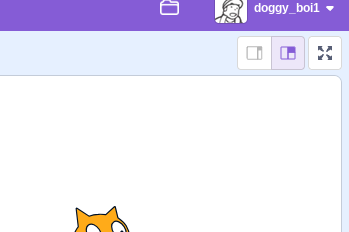
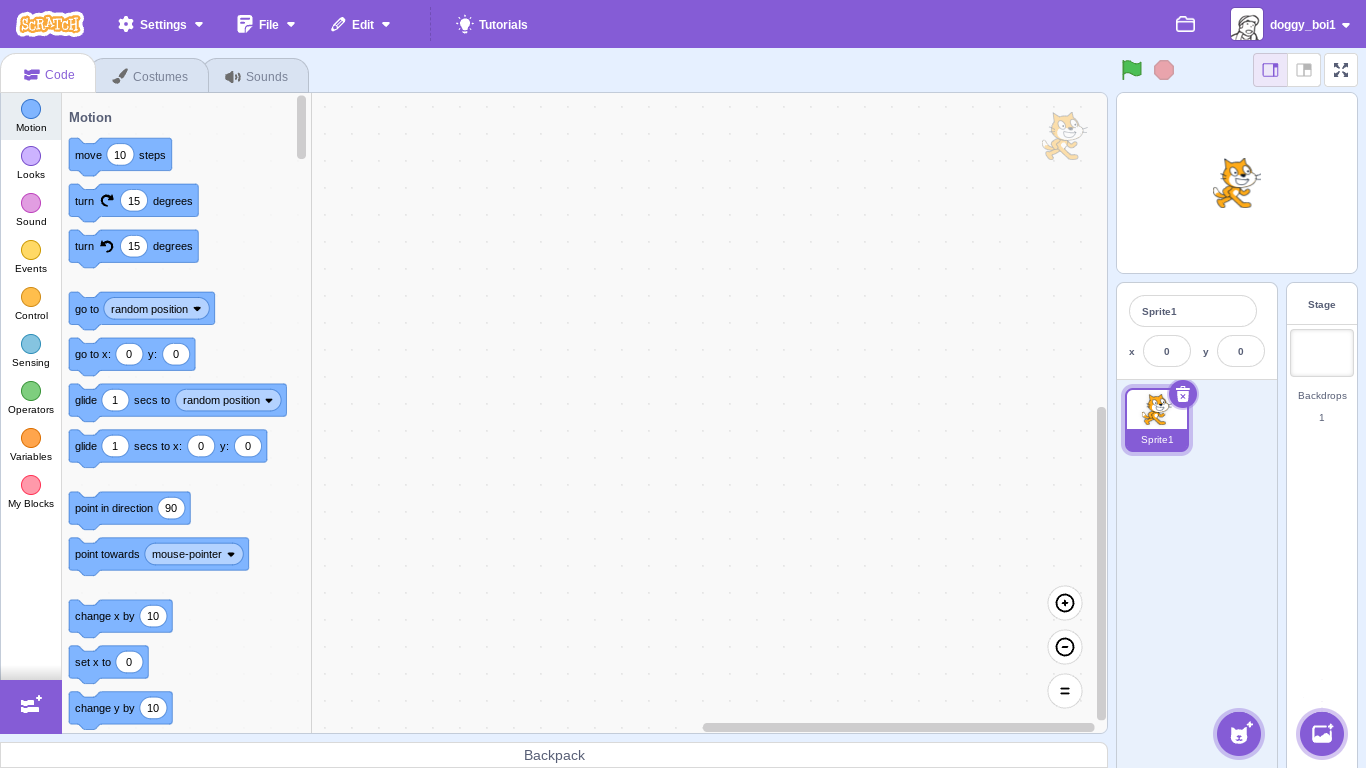
I totally get why you'd want a full-screen code window, especially when working on a complex project like a platformer with a lot of code. Unfortunately, Scratch doesn't have a built-in feature for this.You can, however, click the button next to the fullscreen (stage) button in the editor to make the code window larger, and the stage smaller.
For more info on that, see https://en.scratch-wiki.info/wiki/User_Interface#Small_Stage_Layout
You can also zoom out using the + and - buttons in the bottom right of the code window
- doggy_boi1
-
 Scratcher

1000+ posts
Making the code window full screen
You can't make it full screen, but you can minimize everything else and make the window bigger with these buttons
Afterward, your screen should look like this
Afterward, your screen should look like this
- Discussion Forums
- » Questions about Scratch
-
» Making the code window full screen