Discuss Scratch

- Discussion Forums
- » Suggestions
- » Variable Watcher Improvements
![[RSS Feed]](//cdn.scratch.mit.edu/scratchr2/static/__ff7229f036c458728e45c39b0751aa44__//djangobb_forum/img/feed-icon-small.png "[RSS Feed]")
![[RSS Feed]](http://cdn.scratch.mit.edu/scratchr2/static/__ff7229f036c458728e45c39b0751aa44__//djangobb_forum/img/feed-icon-small.png "[RSS Feed]")
- gg05232011
-
 Scratcher

13 posts
Variable Watcher Improvements
In Scratch, variables are essential for storing and manipulating data within projects. However, managing and monitoring variables effectively, especially in complex projects, can be challenging. Enhancing the variable watcher functionality would provide users with more robust tools for monitoring and debugging their projects.
Implementation:
1. Resizable and Movable Watcher Panes: Users should be able to resize and reposition variable watcher panes within the Scratch interface according to their preferences. This flexibility allows for better customization of the workspace to accommodate varying project needs and screen sizes.
2. Variable Grouping and Sorting: Introduce the ability to group variables based on categories or functionality, such as player stats, game settings, or level progress. Additionally, provide options for sorting variables alphabetically or by data type to facilitate easier navigation and organization within the variable watcher.
3. Tooltip Information: Incorporate tooltip functionality to display additional information about variables when hovering over them in the watcher panes. This information could include variable descriptions, initial values, or usage notes, helping users understand the purpose and context of each variable within the project.
Benefits:
1. Improved Project Monitoring: Enhanced variable watcher functionality allows users to monitor the state of variables more effectively during project execution, enabling quicker identification of errors, inconsistencies, or unexpected behavior.
2. Enhanced Workspace Customization: Resizable and movable watcher panes empower users to tailor the Scratch interface to their workflow preferences, optimizing screen space utilization and improving overall workspace ergonomics.
3. Streamlined Debugging Process: Grouping, sorting, and live updating features streamline the debugging process by providing users with organized, up-to-date information about project variables, reducing the time and effort required to identify and resolve issues.
4. Educational Tool: The tooltip information feature serves as an educational tool for beginners, offering additional context and explanations about project variables directly within the Scratch interface, helping users understand programming concepts more comprehensively.
Example Use Case:
Consider a Scratch game project where variables are used to track player score, health, and inventory items. With the enhanced variable watcher functionality, the user can group these variables into categories such as “Player Stats” and “Inventory,” and easily monitor their values in real-time as the game progresses. This allows for efficient debugging and optimization of gameplay mechanics, ultimately enhancing the overall gaming experience.
Implementation:
1. Resizable and Movable Watcher Panes: Users should be able to resize and reposition variable watcher panes within the Scratch interface according to their preferences. This flexibility allows for better customization of the workspace to accommodate varying project needs and screen sizes.
2. Variable Grouping and Sorting: Introduce the ability to group variables based on categories or functionality, such as player stats, game settings, or level progress. Additionally, provide options for sorting variables alphabetically or by data type to facilitate easier navigation and organization within the variable watcher.
3. Tooltip Information: Incorporate tooltip functionality to display additional information about variables when hovering over them in the watcher panes. This information could include variable descriptions, initial values, or usage notes, helping users understand the purpose and context of each variable within the project.
Benefits:
1. Improved Project Monitoring: Enhanced variable watcher functionality allows users to monitor the state of variables more effectively during project execution, enabling quicker identification of errors, inconsistencies, or unexpected behavior.
2. Enhanced Workspace Customization: Resizable and movable watcher panes empower users to tailor the Scratch interface to their workflow preferences, optimizing screen space utilization and improving overall workspace ergonomics.
3. Streamlined Debugging Process: Grouping, sorting, and live updating features streamline the debugging process by providing users with organized, up-to-date information about project variables, reducing the time and effort required to identify and resolve issues.
4. Educational Tool: The tooltip information feature serves as an educational tool for beginners, offering additional context and explanations about project variables directly within the Scratch interface, helping users understand programming concepts more comprehensively.
Example Use Case:
Consider a Scratch game project where variables are used to track player score, health, and inventory items. With the enhanced variable watcher functionality, the user can group these variables into categories such as “Player Stats” and “Inventory,” and easily monitor their values in real-time as the game progresses. This allows for efficient debugging and optimization of gameplay mechanics, ultimately enhancing the overall gaming experience.
Last edited by gg05232011 (March 29, 2024 00:52:05)
- pinkypoo2
-
 Scratcher

100+ posts
Variable Watcher Improvements
2. Variable Grouping and Sorting: Introduce the ability to group variables based on categories or functionality, such as player stats, game settings, or level progress. Additionally, provide options for sorting variables alphabetically or by data type to facilitate easier navigation and organization within the variable watcher.
Currently possible using alphabeticals.
For a variable in player stats
ps_(variablename)
all of the player stats variables would therefore be together
if you wanted this to be at the top of your variable page, you could do
a_ps_(variablename)
- medians
-
 Scratcher

1000+ posts
Variable Watcher Improvements
1. Repositioning is a thing, just there are no blocks for it. However, there are topics for it:
https://scratch.mit.edu/discuss/topic/13663/
https://scratch.mit.edu/discuss/topic/516871/
2. A bit related to the grouping and sorting thing: In prototypes of 1.0, sprite only and for all sprites variables had different colors.
3. Is this an AI thing?
https://scratch.mit.edu/discuss/topic/13663/
https://scratch.mit.edu/discuss/topic/516871/
2. A bit related to the grouping and sorting thing: In prototypes of 1.0, sprite only and for all sprites variables had different colors.
3. Is this an AI thing?
Last edited by medians (March 29, 2024 01:02:12)
- gg05232011
-
Scratcher
13 posts
Variable Watcher Improvements
Those are highly inaccurate.3. Is this an AI thing?It is. I put it through an AI checker (scribbr) and it said 100%
- medians
-
Scratcher
1000+ posts
Variable Watcher Improvements
1. There could be blocks relating to lists too.
2. Maybe the tooltip stuff could be added to Notes and Credits?
3. As I stated before, repositioning is still a thing (blocks have already been suggested).
2. Maybe the tooltip stuff could be added to Notes and Credits?
3. As I stated before, repositioning is still a thing (blocks have already been suggested).
I mean, it looks AI generated to me, so I asked.Those are highly inaccurate.3. Is this an AI thing?It is. I put it through an AI checker (scribbr) and it said 100%
Last edited by medians (March 29, 2024 01:16:52)
- -Valtren-
-
 Scratcher

1000+ posts
Variable Watcher Improvements
(#6)Almost every AI checker I used indicated that it was 100% or at least partially AI:
1. There could be blocks relating to lists too.
2. Maybe the tooltip stuff could be added to Notes and Credits?
3. As I stated before, repositioning is still a thing (blocks have already been suggested).I mean, it looks AI generated to me, so I asked.Those are highly inaccurate.3. Is this an AI thing?It is. I put it through an AI checker (scribbr) and it said 100%
(images will appear once cubeupload is running again.)
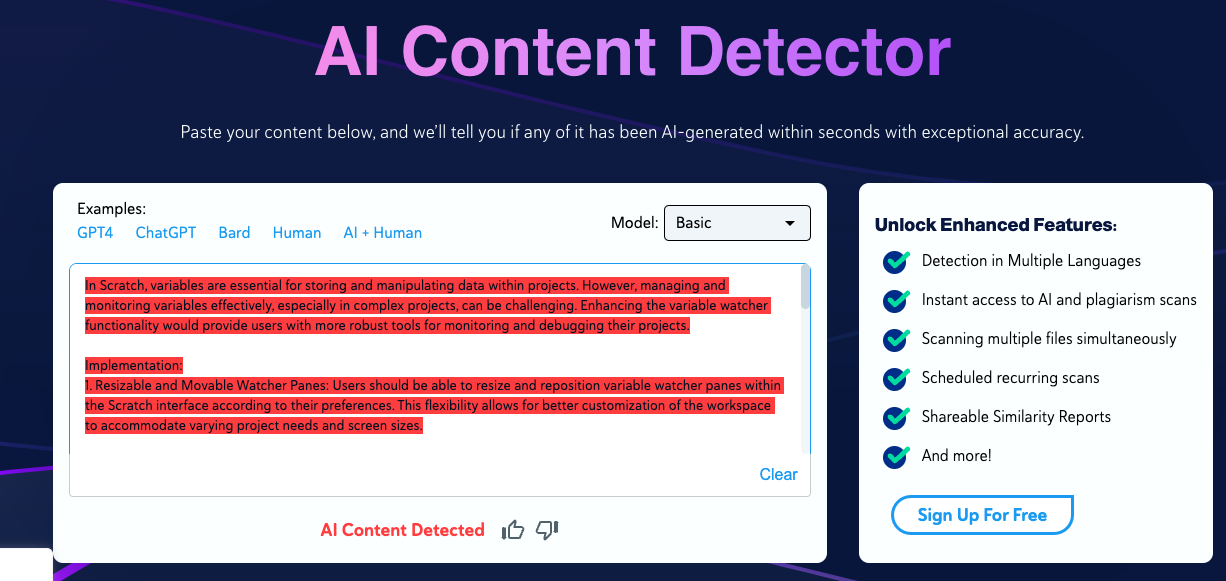
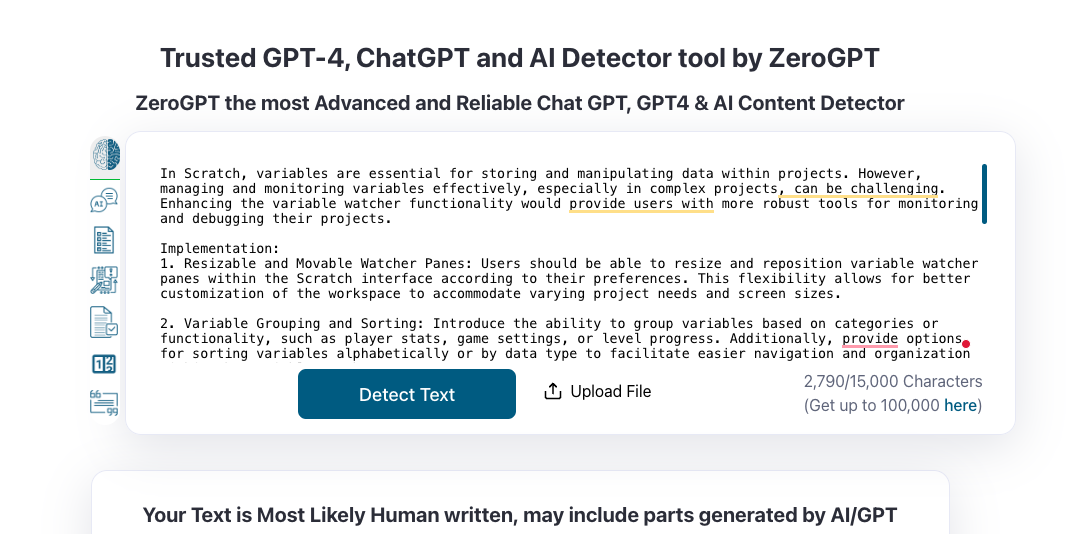
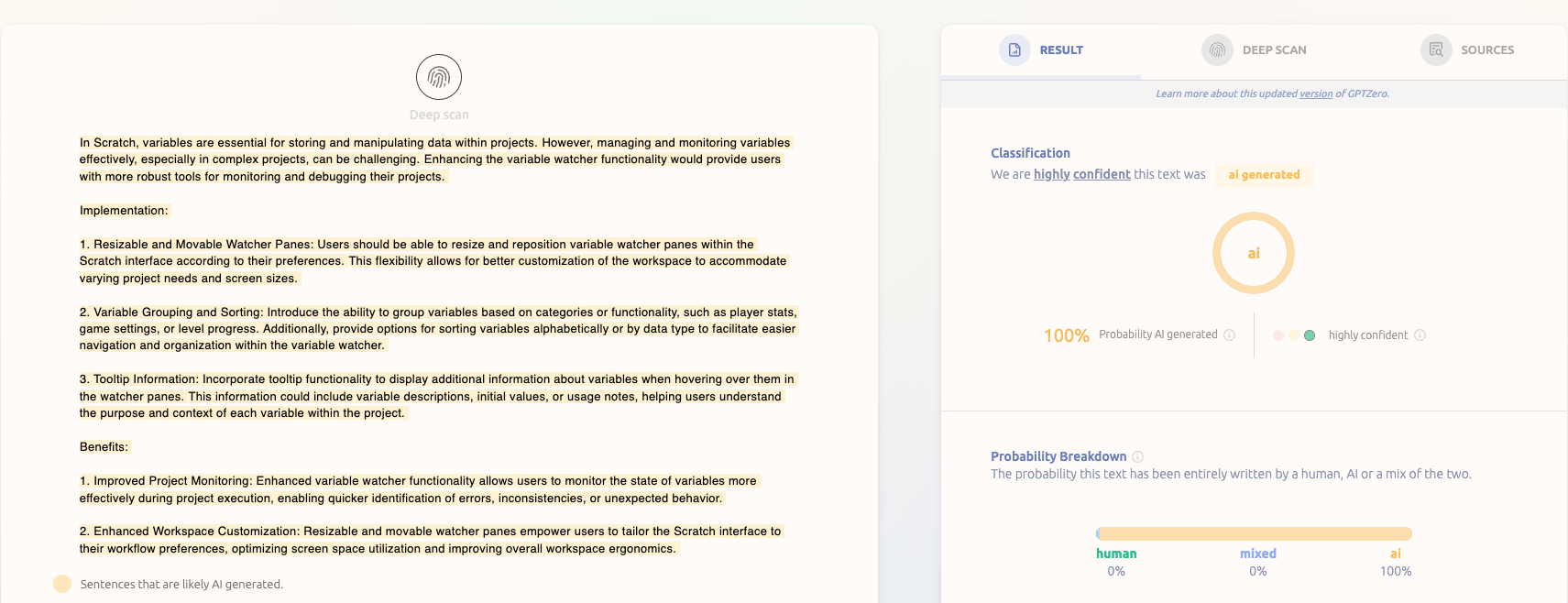

Also, this style of writing does differ slightly(although by not very much) from their usual style of writing based on their comments and previous posts.
As far as I know, there's no rules against using AI to make a suggestion, but the moral implications may vary.
Last edited by -Valtren- (March 29, 2024 03:27:14)
- Discussion Forums
- » Suggestions
-
» Variable Watcher Improvements