Discuss Scratch

- Discussion Forums
- » Help with Scripts
- » Mouse camera control?
![[RSS Feed]](//cdn.scratch.mit.edu/scratchr2/static/__ff7229f036c458728e45c39b0751aa44__//djangobb_forum/img/feed-icon-small.png "[RSS Feed]")
![[RSS Feed]](http://cdn.scratch.mit.edu/scratchr2/static/__ff7229f036c458728e45c39b0751aa44__//djangobb_forum/img/feed-icon-small.png "[RSS Feed]")
- 404-FileNotFound
-
 Scratcher

68 posts
Mouse camera control?
I am making a tycoon game and need to use the mouse to drag the camera around, like in an interface if that makes sense. Is this possible and if so how can I do it?
Last edited by 404-FileNotFound (Jan. 4, 2024 21:28:41)
- Arctevious
-
 Scratcher

500+ posts
Mouse camera control?
I am making a tycoon game and need to use the mouse to drag the camera around, like in an interface if that makes sense. Is this possible and if so how can I do it?
im sorry to express that the scratch team denied this feature, they say people could abuse the curser lock by putting it in a forever loop, making it impossible to escape the page by normal means. this was for obvious reasons a good excuse to put this feature in the dark. so if you wish to simulate a screen lock, you must parallax your game. this will not give you what you desire entirely, but its the best you can do, unfortunately

Last edited by Arctevious (Jan. 4, 2024 21:39:48)
- 404-FileNotFound
-
Scratcher
68 posts
Mouse camera control?
not a cursor lock, more like a drag and drop camera system for a top down game where you place objects, similar to how minimaps work in some games.I am making a tycoon game and need to use the mouse to drag the camera around, like in an interface if that makes sense. Is this possible and if so how can I do it?
im sorry to express that the scratch team denied this feature, they say people could abuse the curser lock by putting it in a forever loop, making it impossible to escape the page by normal means. this was for obvious reasons a good excuse to put this feature in the dark. so if you wish to simulate a screen lock, you must parallax your game. this will not give you what you desire entirely, but its the best you can do, unfortunately
- Arctevious
-
Scratcher
500+ posts
Mouse camera control?
drag and drop…? again your going to need to explain in depth what your trying to acheive. once i understand i will provide the best solution i can.not a cursor lock, more like a drag and drop camera system for a top down game where you place objects, similar to how minimaps work in some games.I am making a tycoon game and need to use the mouse to drag the camera around, like in an interface if that makes sense. Is this possible and if so how can I do it?
im sorry to express that the scratch team denied this feature, they say people could abuse the curser lock by putting it in a forever loop, making it impossible to escape the page by normal means. this was for obvious reasons a good excuse to put this feature in the dark. so if you wish to simulate a screen lock, you must parallax your game. this will not give you what you desire entirely, but its the best you can do, unfortunately
- 404-FileNotFound
-
Scratcher
68 posts
Mouse camera control?
so I'm making a museum game, and I will need an edit feature to create objects. When the mouse is used, the map (place where the objects are) will move with the cursor, like panning. You would drag the UI around to pan and change where the map is. If you use a minimap in a game, you use the mouse to drag around the map with your cursor. Alternatively, if you have a piece of paper, and put one finger on it, when you move ur finger the rest of the paper will move.drag and drop…? again your going to need to explain in depth what your trying to acheive. once i understand i will provide the best solution i can.not a cursor lock, more like a drag and drop camera system for a top down game where you place objects, similar to how minimaps work in some games.I am making a tycoon game and need to use the mouse to drag the camera around, like in an interface if that makes sense. Is this possible and if so how can I do it?
im sorry to express that the scratch team denied this feature, they say people could abuse the curser lock by putting it in a forever loop, making it impossible to escape the page by normal means. this was for obvious reasons a good excuse to put this feature in the dark. so if you wish to simulate a screen lock, you must parallax your game. this will not give you what you desire entirely, but its the best you can do, unfortunately
- PhiPhenomenon
-
 Scratcher

500+ posts
Mouse camera control?
It seems like it's just redesigning a scrolling script with mouse controls.
Here's my script:
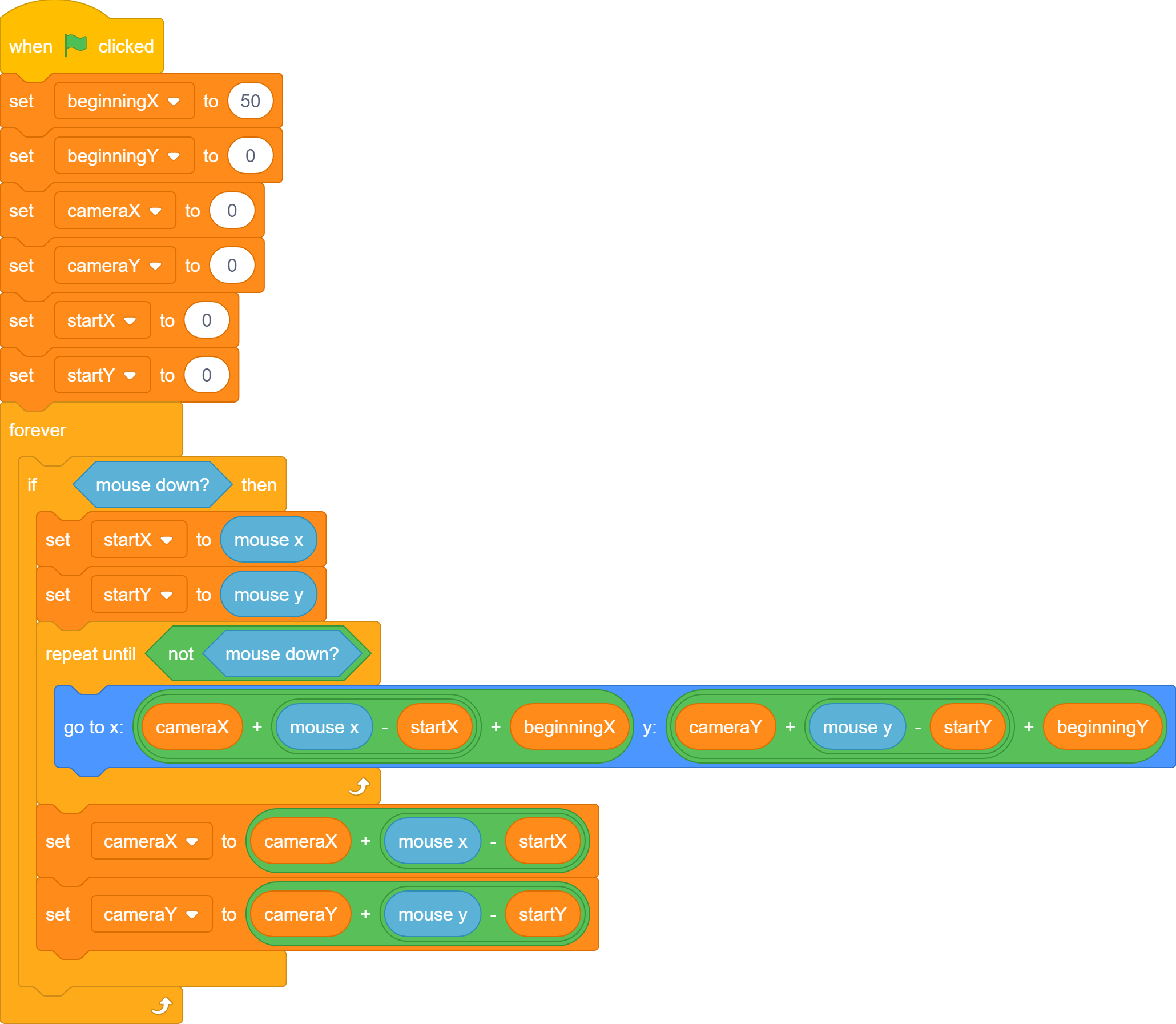
It looks like a lot of variables, but it's necessary. The camera variables affect the coordinates the camera is taken from. The start variables track where the first click is so that we can move the screen relative to that position. The beginning variables simply say where the sprite should appear first. So currently, the sprite will appear at (50,0).
Considering you're making a map, that's likely unnecessary. Just start it at (0,0).
Here's a demo (it didn't record my mouse but you get the idea):
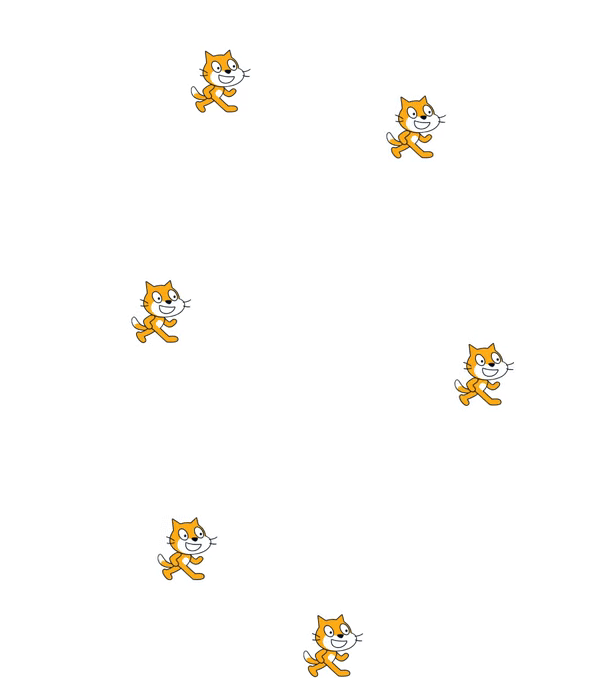
Here's my script:
It looks like a lot of variables, but it's necessary. The camera variables affect the coordinates the camera is taken from. The start variables track where the first click is so that we can move the screen relative to that position. The beginning variables simply say where the sprite should appear first. So currently, the sprite will appear at (50,0).
Considering you're making a map, that's likely unnecessary. Just start it at (0,0).
Here's a demo (it didn't record my mouse but you get the idea):
Last edited by PhiPhenomenon (Jan. 4, 2024 21:53:47)
- 404-FileNotFound
-
Scratcher
68 posts
Mouse camera control?
It seems like it's just redesigning a scrolling script with mouse controls.Alr, I understand. thanks! that solves my problem, but now i need it to control a rendered grid :\ anyway, I'll figure it out from here, thanks so much!
Here's my script:
It looks like a lot of variables, but it's necessary. The camera variables affect the coordinates the camera is taken from. The start variables track where the first click is so that we can move the screen relative to that position. The beginning variables simply say where the sprite should appear first. So currently, the sprite will appear at (50,0).
Considering you're making a map, that's likely unnecessary. Just start it at (0,0).
Here's a demo (it didn't record my mouse but you get the idea):
- PhiPhenomenon
-
Scratcher
500+ posts
Mouse camera control?
Alr, I understand. thanks! that solves my problem, but now i need it to control a rendered grid :\ anyway, I'll figure it out from here, thanks so much!It's the same concept except you should shift your rendering by the camera values. If it's pen, you should just add cameraX and cameraY to your go to blocks.
- Discussion Forums
- » Help with Scripts
-
» Mouse camera control?