Discuss Scratch
- Discussion Forums
- » Connecting to the Physical World
- » Remote Sensor Connections Trouble
![[RSS Feed]](//cdn.scratch.mit.edu/scratchr2/static/__5f750b17a17db0b5d7ffaf5afb2e7e2b__//djangobb_forum/img/feed-icon-small.png "[RSS Feed]")
![[RSS Feed]](http://cdn.scratch.mit.edu/scratchr2/static/__5f750b17a17db0b5d7ffaf5afb2e7e2b__//djangobb_forum/img/feed-icon-small.png "[RSS Feed]")
- PullJosh
-
 Scratcher

1000+ posts
Remote Sensor Connections Trouble
UPDATE: For future readers, I would like to let you know that I solved this issue with some help from Clintonb (the super awesome guy who made enchanting, and is now working on enchanting 2). His tip was to use scratchpy, which worked perfectly!I've been messing around with remote sensor connections and python (2.7), and I've been having some trouble. This is the script that I'm using is this:
import socket
HOST = 'localhost'
PORT = 42001
s = socket.socket(socket.AF_INET, socket.SOCK_STREAM)
s.connect((HOST, PORT))
def sendCMD(cmd):
    n = len(cmd)
    a = []
    a.append((n >> 24) & 0xFF)
    a.append((n >> 16) & 0xFF)
    a.append((n >> 8) & 0xFF)
    a.append(n & 0xFF)
    b = ''
    for i in list(range(len(a))):
        b  += str(a[i])
    s.send(bytes([b + cmd,['UTF-8']]))
sendCMD('broadcast"hello"') #Should broadcast "hello"
This is working fine, no errors are thrown (unless I forget to turn on remote sensor connections in scratch). The problem, though, appears to be scratch (downloaded from here). When I run the script, I get an error message like this in scratch:
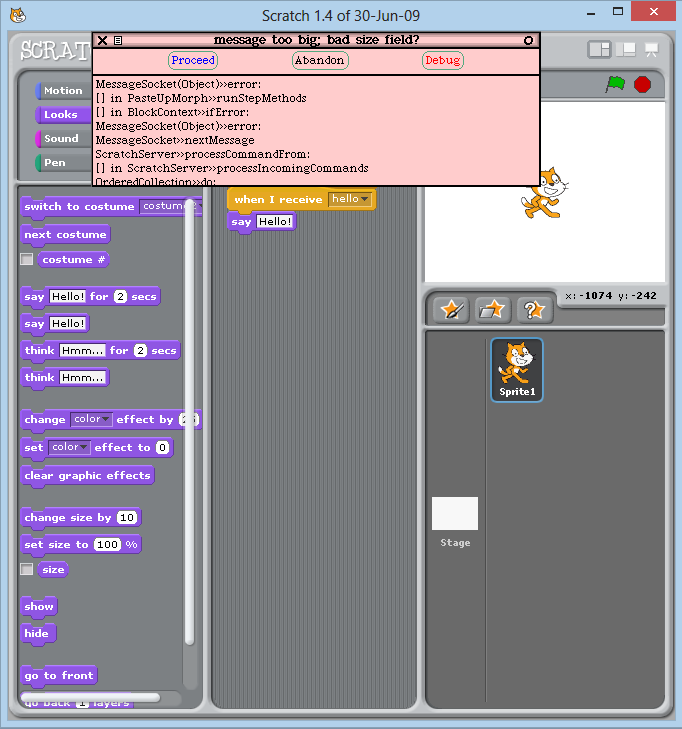
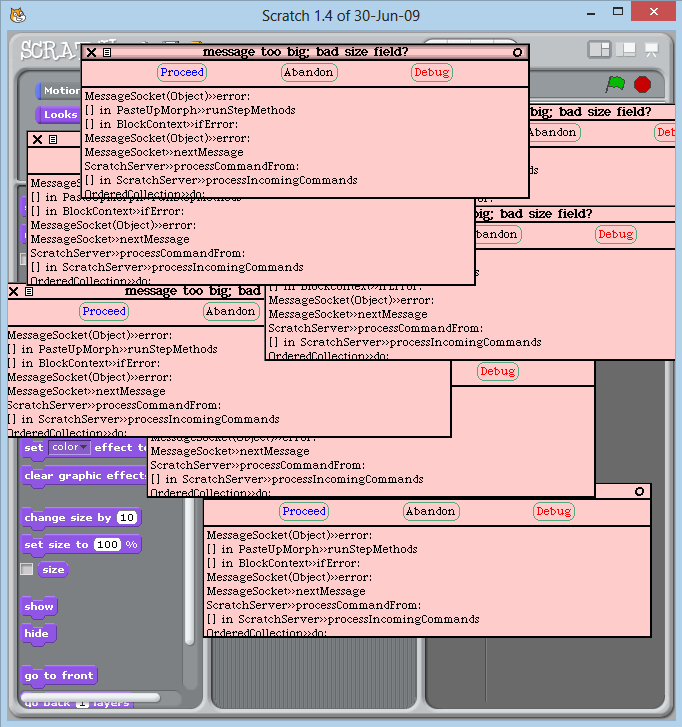
After getting the first error, anything I do causes another one to appear (that includes running scripts and trying to close scratch, which I end up having to do via task manager.)
Does anybody know how to fix this?
Last edited by PullJosh (Aug. 24, 2014 18:43:06)
- clintonb
-
 Scratcher

19 posts
Remote Sensor Connections Trouble
Hi PullJosh.
I recommend using a library where someone already has it working, like this one, mentioned in the sticky thread on hardware and software.
I'd have to study the protocol again – I think Scratch is complaining about the length of the message. It is not entirely clear to me that you are actually putting the values as a sequence of bytes on the wire in the way you'd like, and I haven't had time to try your code. (I'd take a look at this question and answers)
Also, you'll need a space between broadcast and the word being broadcast:
not
I recommend using a library where someone already has it working, like this one, mentioned in the sticky thread on hardware and software.
I'd have to study the protocol again – I think Scratch is complaining about the length of the message. It is not entirely clear to me that you are actually putting the values as a sequence of bytes on the wire in the way you'd like, and I haven't had time to try your code. (I'd take a look at this question and answers)
Also, you'll need a space between broadcast and the word being broadcast:
sendCMD('broadcast "hello"') not
sendCMD('broadcast"hello"') - bobbybee
-
 Scratcher

1000+ posts
Remote Sensor Connections Trouble
I don't remember exactly, but try flipping the order of the length.
a.append(n & 0xFF)
a.append((n >> 8) & 0xFF)
a.append((n >> 16) & 0xFF)
a.append((n >> 24) & 0xFF)
a.append(n & 0xFF)
a.append((n >> 8) & 0xFF)
a.append((n >> 16) & 0xFF)
a.append((n >> 24) & 0xFF)
- PullJosh
-
Scratcher
1000+ posts
Remote Sensor Connections Trouble
I don't remember exactly, but try flipping the order of the length.Actually, I managed to get scratchpy working, so I think I'm good. Still, thanks for the info!
a.append(n & 0xFF)
a.append((n >> 8) & 0xFF)
a.append((n >> 16) & 0xFF)
a.append((n >> 24) & 0xFF)

- DigiTechs
-
 Scratcher

500+ posts
Remote Sensor Connections Trouble
If it's still worth anything, here's how I did it in Lua:
function getMessageHeader(msg)
	local len = #msg -- The message's length
	local ret = ""
	-- 'string.char' takes a value (0-255) and turns it into an ASCII character of that value.
	ret = ret..string.char(bit.band(bit.rshift(len, 24), 0xFF))
	ret = ret..string.char(bit.band(bit.rshift(len, 16), 0xFF))
	ret = ret..string.char(bit.band(bit.rshift(len,  8), 0xFF))
	ret = ret..string.char(bit.band(           len,      0xFF))
	return ret
end
Last edited by DigiTechs (Aug. 24, 2014 18:01:25)
- Discussion Forums
- » Connecting to the Physical World
-
» Remote Sensor Connections Trouble