Discuss Scratch

- Discussion Forums
- » Bugs and Glitches
- » Scratch desktop shows blank screen on Mac
![[RSS Feed]](//cdn.scratch.mit.edu/scratchr2/static/__d99df16e04aff6222b0d15eae35ae560__//djangobb_forum/img/feed-icon-small.png "[RSS Feed]")
![[RSS Feed]](http://cdn.scratch.mit.edu/scratchr2/static/__d99df16e04aff6222b0d15eae35ae560__//djangobb_forum/img/feed-icon-small.png "[RSS Feed]")
- TimHao
-
 Scratcher

8 posts
Scratch desktop shows blank screen on Mac
My browser / operating system: MacOS Macintosh X 10.15.5, Chrome 83.0.4103.116, No Flash version detected
I have got these flash versions below from system preference.
NPAPI Plug-in version 32.0.0.387 is installed.
PAPI Plug-in version 32.0.0.387 is installed.
I have downloaded the latest Scratch desktop from the APP store for my mac. It shows blank on the stage after I opened it.
Scratch Desktop
Version 3.12.0
Electron 8.2.5
Chrome 80.0.3987.165
I have tried to reinstall the Scratch and update the Adobe flash player after doing some google.
But the stage was still blank.
Anything suggestions?
Thanks
Tim's Dad
I have got these flash versions below from system preference.
NPAPI Plug-in version 32.0.0.387 is installed.
PAPI Plug-in version 32.0.0.387 is installed.
I have downloaded the latest Scratch desktop from the APP store for my mac. It shows blank on the stage after I opened it.
Scratch Desktop
Version 3.12.0
Electron 8.2.5
Chrome 80.0.3987.165
I have tried to reinstall the Scratch and update the Adobe flash player after doing some google.
But the stage was still blank.
Anything suggestions?
Thanks
Tim's Dad
- Madcatofdoom
-
 Scratcher

500+ posts
Scratch desktop shows blank screen on Mac
My browser / operating system: MacOS Macintosh X 10.15.3, Chrome 83.0.4103.116, No Flash version detected
Works for me.
Version 3.12.0
Electron 8.2.5
Chrome 80.0.3987.165
Scratch 3.0 does not need flash anymore.
But that doesn't matter.
You do not need to update flash, and flash will be discontinued in December 2020.
Works for me.
Version 3.12.0
Electron 8.2.5
Chrome 80.0.3987.165
Scratch 3.0 does not need flash anymore.
But that doesn't matter.
You do not need to update flash, and flash will be discontinued in December 2020.
- TimHao
-
Scratcher
8 posts
Scratch desktop shows blank screen on Mac
My browser / operating system: MacOS Macintosh X 10.15.3, Chrome 83.0.4103.116, No Flash version detected
Works for me.
Version 3.12.0
Electron 8.2.5
Chrome 80.0.3987.165
Scratch 3.0 does not need flash anymore.
But that doesn't matter.
You do not need to update flash, and flash will be discontinued in December 2020.
It seems we just have a difference on the macOS version, What should I try to make scratch show something?
- apple502j
-
 Scratcher

1000+ posts
Scratch desktop shows blank screen on Mac
So, the stage shows blank, like this?

- TimHao
-
Scratcher
8 posts
Scratch desktop shows blank screen on Mac
So, the stage shows blank, like this?
Yes,always blank.
- packy2333
-
New Scratcher
7 posts
Scratch desktop shows blank screen on Mac
The same problem as me,not found any solutions
- TimHao
-
Scratcher
8 posts
Scratch desktop shows blank screen on Mac
The same problem as me,not found any solutions
What should we try?
- BrycedTea
-
 Scratcher

100+ posts
Scratch desktop shows blank screen on Mac
What type of mac are you using? If you select the Apple menu and choose “About this mac” it will tell you a model version and a year. i.e. “Macbook Pro (15-inch, 2017)”
- TimHao
-
Scratcher
8 posts
Scratch desktop shows blank screen on Mac
What type of mac are you using? If you select the Apple menu and choose “About this mac” it will tell you a model version and a year. i.e. “Macbook Pro (15-inch, 2017)”
MacBook Pro (Retina, 15-inch, Mid 2015)
- Breddy2000
-
New Scratcher
1 post
Scratch desktop shows blank screen on Mac
Same here. Blank stage on a MacBook Pro Retina (13-inch, Late 2013).
But works fine on a MacBook Pro (13-inch 2017).
Both with newest macOS 10.15.5
Both running scratch desktop 3.12.0 / Electron 8.2.5 / Chrome 80.0.3987.165
But works fine on a MacBook Pro (13-inch 2017).
Both with newest macOS 10.15.5
Both running scratch desktop 3.12.0 / Electron 8.2.5 / Chrome 80.0.3987.165
- --Explosion--
-
 Scratcher

1000+ posts
Scratch desktop shows blank screen on Mac
What version? Like, 10.6.6 is what I'm using.What type of mac are you using? If you select the Apple menu and choose “About this mac” it will tell you a model version and a year. i.e. “Macbook Pro (15-inch, 2017)”
MacBook Pro (Retina, 15-inch, Mid 2015)
- TimHao
-
Scratcher
8 posts
Scratch desktop shows blank screen on Mac
What version? Like, 10.6.6 is what I'm using.What type of mac are you using? If you select the Apple menu and choose “About this mac” it will tell you a model version and a year. i.e. “Macbook Pro (15-inch, 2017)”
MacBook Pro (Retina, 15-inch, Mid 2015)
10.15.5
- FlashDiv3r
-
New Scratcher
1 post
Scratch desktop shows blank screen on Mac
I am having this same issue–running macOS Catalina–version 10.15.6
Cleaned up my storage, uninstalled & reinstalled scratch desktop, restarted… still no stage.
Cleaned up my storage, uninstalled & reinstalled scratch desktop, restarted… still no stage.
- god286
-
 Scratcher

1000+ posts
Scratch desktop shows blank screen on Mac
Let me try. I'm on a mac right now:
My browser / operating system: MacOS Macintosh X 10.15.6, Safari 13.1.2, No Flash version detected
Edit: That's odd…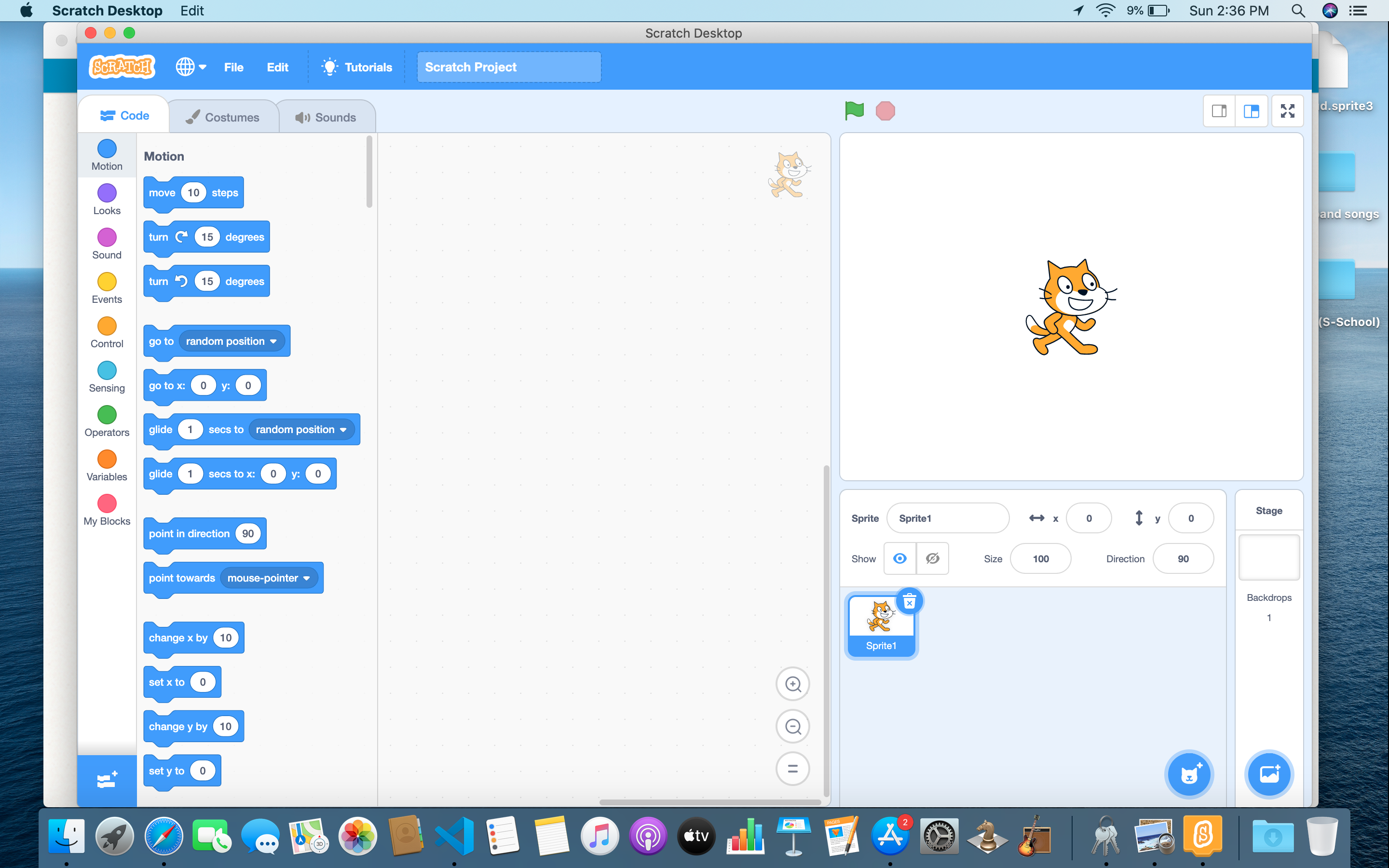
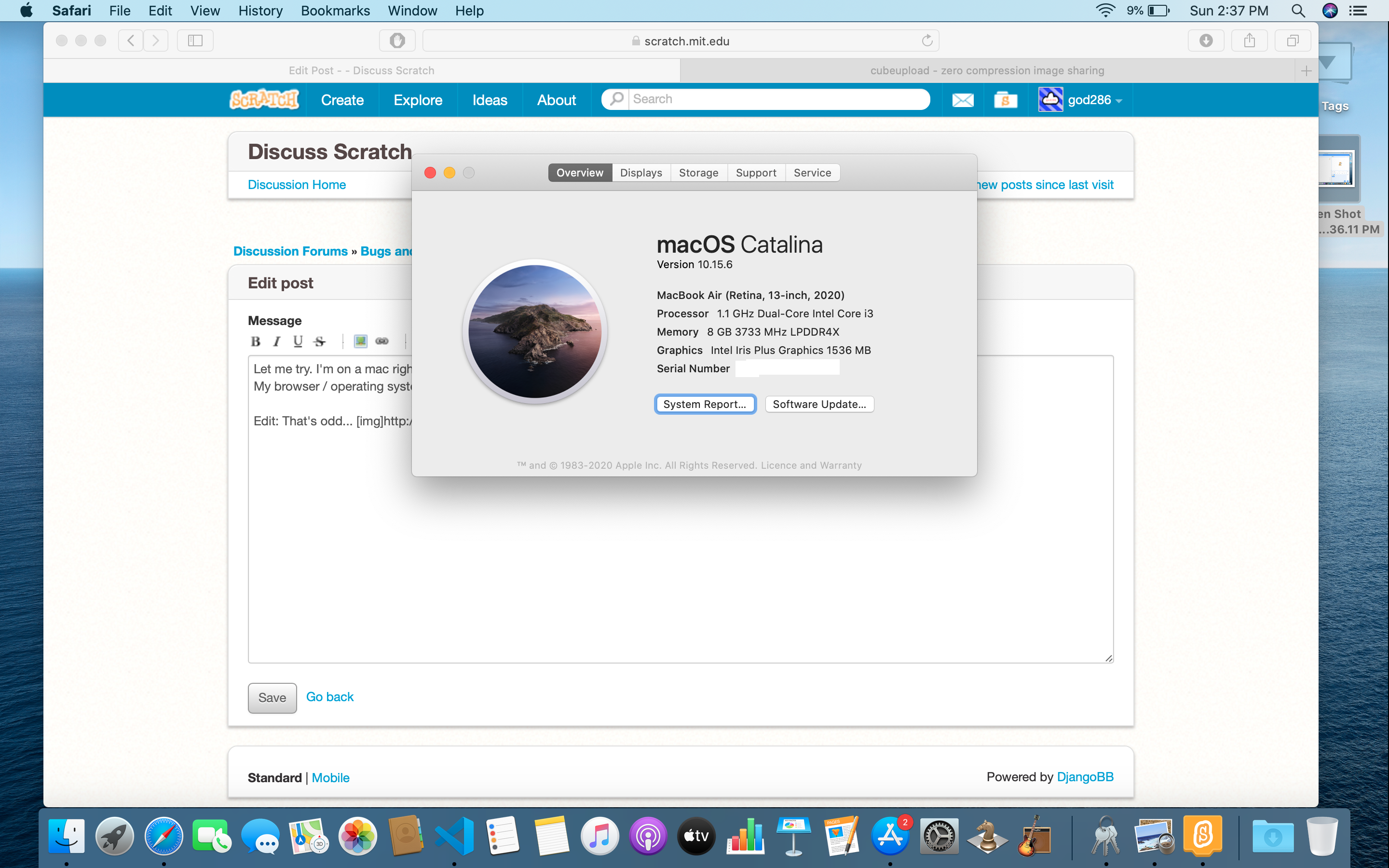
My browser / operating system: MacOS Macintosh X 10.15.6, Safari 13.1.2, No Flash version detected
Edit: That's odd…
Last edited by god286 (Sept. 13, 2020 02:42:07)
- god286
-
Scratcher
1000+ posts
Scratch desktop shows blank screen on Mac
Let me try. I'm on a mac right now:Don't mind me for having 9% battery
My browser / operating system: MacOS Macintosh X 10.15.6, Safari 13.1.2, No Flash version detected
Edit: That's odd… -snip-]

- Discussion Forums
- » Bugs and Glitches
-
» Scratch desktop shows blank screen on Mac