Discuss Scratch
- Discussion Forums
- » Bugs and Glitches
- » Your browser does not support WebGL
![[RSS Feed]](//cdn.scratch.mit.edu/scratchr2/static/__5b3e40ec58a840b41702360e9891321b__//djangobb_forum/img/feed-icon-small.png "[RSS Feed]")
![[RSS Feed]](http://cdn.scratch.mit.edu/scratchr2/static/__5b3e40ec58a840b41702360e9891321b__//djangobb_forum/img/feed-icon-small.png "[RSS Feed]")
- PizzaAddict4Life
-
 Scratcher

1000+ posts
Your browser does not support WebGL
My browser / operating system: ChromeOS 13020.82.0, Chrome 83.0.4103.112, No Flash version detected
Ok, so I have a problem.
I was trying to test this game so I could help someone, but then I got this error message:
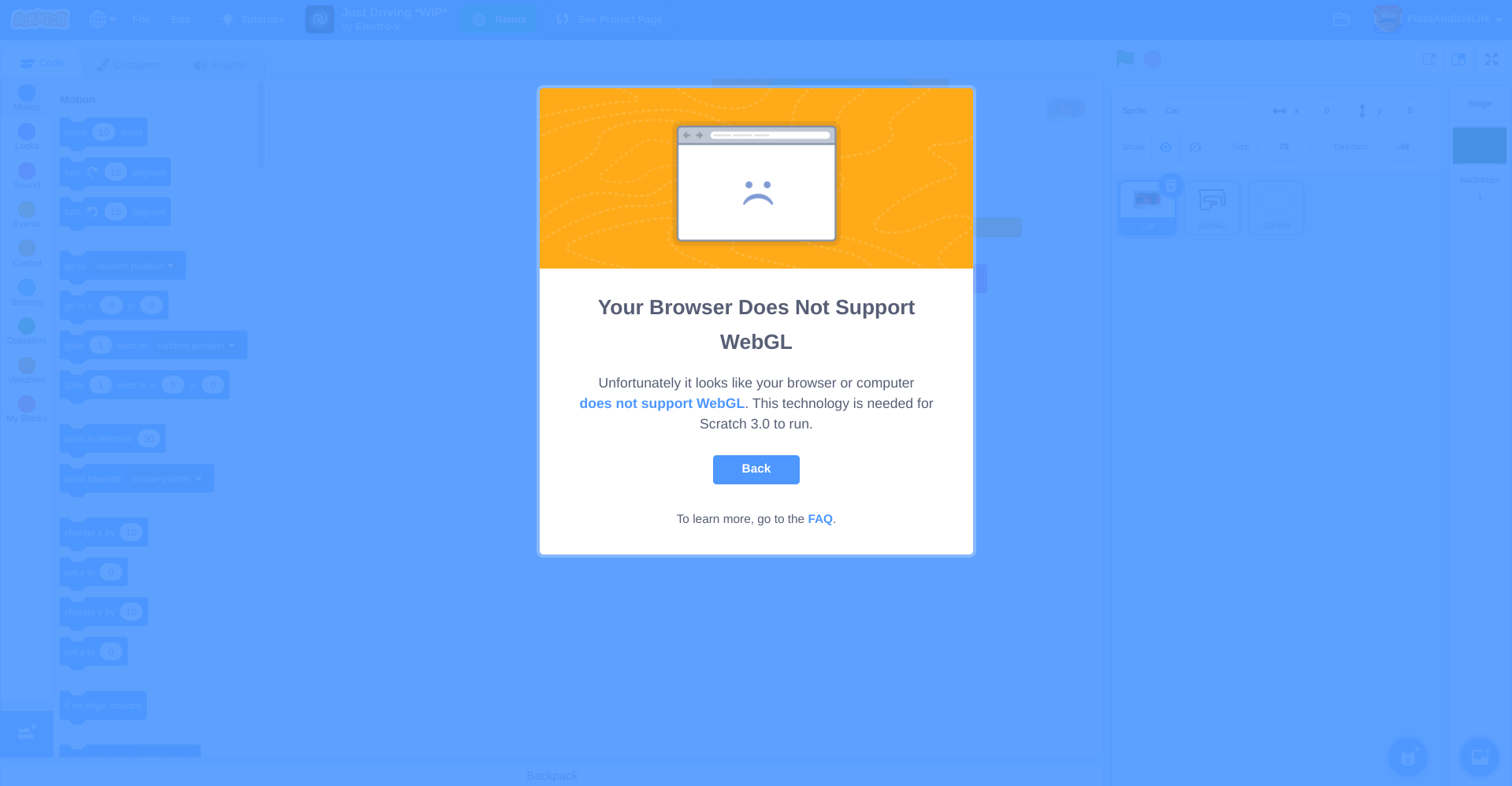
The problem is, this only happens for this game (I think, I will have to test this other places) and this problem has never occurred before.
When I clicked on the link it provided, I got redirected here, and it says that I should see a spinning cube, in which I do.
After messing with that game for a bit, my computer froze (except for my mouse) for maybe 15 seconds, went black, and then went back to the normal screen.
What is the problem here, and how can I fix it?
Ok, so I have a problem.
I was trying to test this game so I could help someone, but then I got this error message:
The problem is, this only happens for this game (I think, I will have to test this other places) and this problem has never occurred before.
When I clicked on the link it provided, I got redirected here, and it says that I should see a spinning cube, in which I do.
After messing with that game for a bit, my computer froze (except for my mouse) for maybe 15 seconds, went black, and then went back to the normal screen.
What is the problem here, and how can I fix it?
Last edited by PizzaAddict4Life (July 3, 2020 00:03:56)
- Boomer001
-
 Scratcher

1000+ posts
Your browser does not support WebGL
There might be other tabs, windows, and programs which affect WebGL. Try closing them or stopping the process of them (with the task manager)?
- zedthehedgehog
-
 Scratcher

1000+ posts
Your browser does not support WebGL
It works generally fine for me. I see you're using a Chromebook. Chromebooks generally give me errors about WebGL when I try to open a project sometimes. (My school uses Chromebooks) I don't get that error because I'm using my home PC, running Windows
My browser / operating system: Windows NT 10.0, Chrome 83.0.4103.116, No Flash version detected
I think it's a Chromebook problem, maybe see the Google Chrome Help Page or the Chromebook Help Page
My browser / operating system: Windows NT 10.0, Chrome 83.0.4103.116, No Flash version detected
I think it's a Chromebook problem, maybe see the Google Chrome Help Page or the Chromebook Help Page
- PizzaAddict4Life
-
Scratcher
1000+ posts
Your browser does not support WebGL
It works generally fine for me. I see you're using a Chromebook. Chromebooks generally give me errors about WebGL when I try to open a project sometimes. (My school uses Chromebooks) I don't get that error because I'm using my home PC, running Windows
My browser / operating system: Windows NT 10.0, Chrome 83.0.4103.116, No Flash version detected
I think it's a Chromebook problem, maybe see the Google Chrome Help Page or the Chromebook Help Page
Ill check that out, but this is the first time I have ever encountered that problem, and I have had this chromebook for over two years.
There might be other tabs, windows, and programs which affect WebGL. Try closing them or stopping the process of them (with the task manager)?
Ill try that too.
- Abigblueworld
-
 Scratcher

500+ posts
Your browser does not support WebGL
My browser / operating system: ChromeOS 13020.82.0, Chrome 83.0.4103.112, No Flash version detectedMaybe it’s a scratch 1.0 game that support old graphics, this must be the error.
Ok, so I have a problem.
I was trying to test this game so I could help someone, but then I got this error message:
The problem is, this only happens for this game (I think, I will have to test this other places) and this problem has never occurred before.
When I clicked on the link it provided, I got redirected here, and it says that I should see a spinning cube, in which I do.
After messing with that game for a bit, my computer froze (except for my mouse) for maybe 15 seconds, went black, and then went back to the normal screen.
What is the problem here, and how can I fix it?
- PizzaAddict4Life
-
Scratcher
1000+ posts
Your browser does not support WebGL
-snip-
Maybe it’s a scratch 1.0 game that support old graphics, this must be the error.
No, it was definitely 3.0
- Abigblueworld
-
Scratcher
500+ posts
Your browser does not support WebGL
Is it the software of your computer, this must be unsupported.-snip-
Maybe it’s a scratch 1.0 game that support old graphics, this must be the error.
No, it was definitely 3.0
- PizzaAddict4Life
-
Scratcher
1000+ posts
Your browser does not support WebGL
Is it the software of your computer, this must be unsupported.-snip-
Maybe it’s a scratch 1.0 game that support old graphics, this must be the error.
No, it was definitely 3.0
Sorry for the late response…
No, I don't think so. I have been able to use scratch projects well in the past
- SithDarthVader
-
 Scratcher

1 post
Your browser does not support WebGL
My browser / operating system: ChromeOS 13020.82.0, Chrome 83.0.4103.112, No Flash version detectedMaybe it’s a scratch 1.0 game that support old graphics, this must be the error.
Ok, so I have a problem.
I was trying to test this game so I could help someone, but then I got this error message:
The problem is, this only happens for this game (I think, I will have to test this other places) and this problem has never occurred before.
When I clicked on the link it provided, I got redirected here, and it says that I should see a spinning cube, in which I do.
After messing with that game for a bit, my computer froze (except for my mouse) for maybe 15 seconds, went black, and then went back to the normal screen.
What is the problem here, and how can I fix it?
I too but the link shown that webgl not supported this link never work how can I fix it in Window 7My browser / operating system: ChromeOS 13020.82.0, Chrome 83.0.4103.112, No Flash version detectedMaybe it’s a scratch 1.0 game that support old graphics, this must be the error.
Ok, so I have a problem.
I was trying to test this game so I could help someone, but then I got this error message:
The problem is, this only happens for this game (I think, I will have to test this other places) and this problem has never occurred before.
When I clicked on the link it provided, I got redirected here, and it says that I should see a spinning cube, in which I do.
After messing with that game for a bit, my computer froze (except for my mouse) for maybe 15 seconds, went black, and then went back to the normal screen.
What is the problem here, and how can I fix it?
- Krokophant
-
 Scratcher

100+ posts
Your browser does not support WebGL
This happened me once! People told me to buy a new computer, but the thing started working again later.
- PizzaAddict4Life
-
Scratcher
1000+ posts
Your browser does not support WebGL
-snip-
I too but the link shown that webgl not supported this link never work how can I fix it in Window 7
This happened me once! People told me to buy a new computer, but the thing started working again later.
Hey guys, this post is pretty old, so I am going to close it. Please make sure to look at the date for the future next time before you post to make sure it isn't old!
- Discussion Forums
- » Bugs and Glitches
-
» Your browser does not support WebGL