Discuss Scratch
- Discussion Forums
- » Help with Scripts
- » Curved Corners
![[RSS Feed]](//cdn.scratch.mit.edu/scratchr2/static/__ff7229f036c458728e45c39b0751aa44__//djangobb_forum/img/feed-icon-small.png "[RSS Feed]")
![[RSS Feed]](http://cdn.scratch.mit.edu/scratchr2/static/__ff7229f036c458728e45c39b0751aa44__//djangobb_forum/img/feed-icon-small.png "[RSS Feed]")
- theanonymousweirdo
-
 Scratcher

500+ posts
Curved Corners
Is there any way to give rectangles curved corners in Scratch 3?
- PizzaAddict4Life
-
 Scratcher

1000+ posts
Curved Corners
I don't believe there is a good way in the editor… but you can create some with google drawings pretty easily by adding a rounded corner shape!
- Oumuamua
-
 Scratcher

1000+ posts
Curved Corners
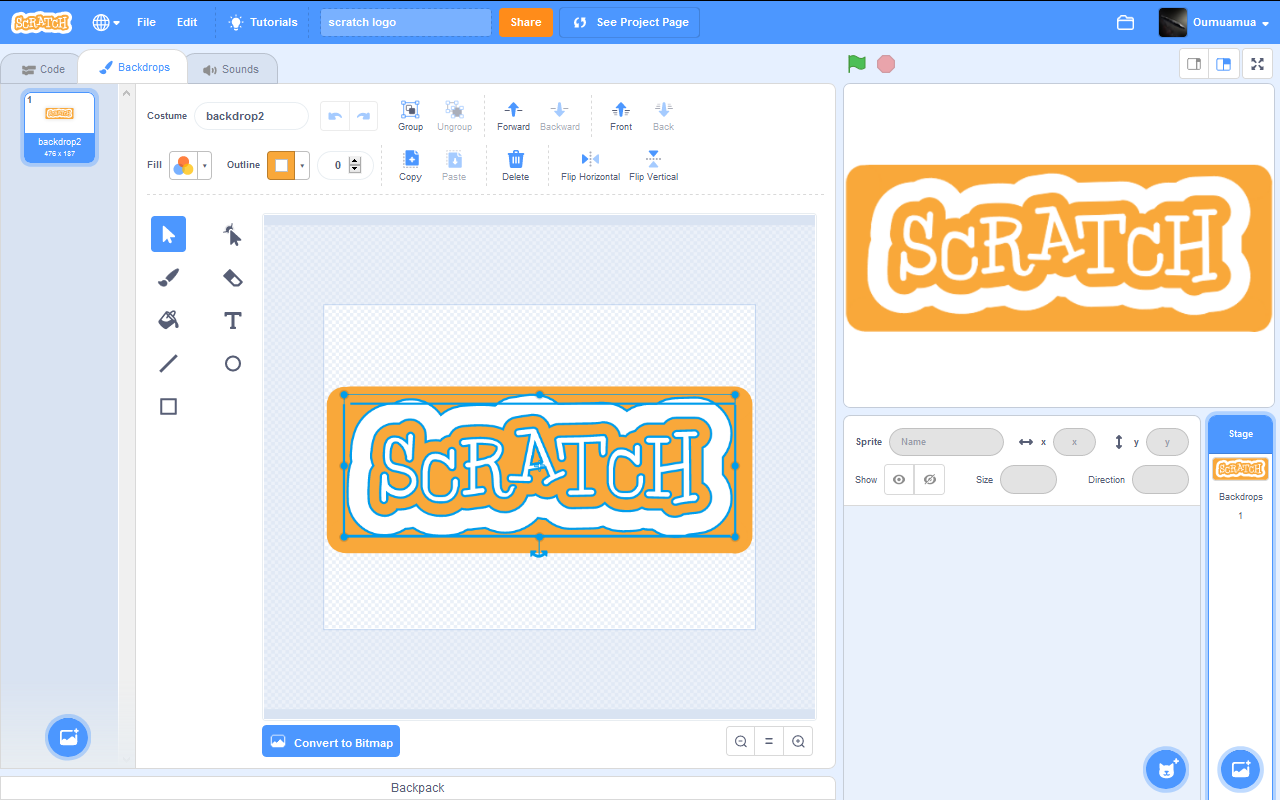
I did it by drawing non connected individual lines, in the image below you may see Scratch logo surrounded by four straight lines.
- Byron_Inc
-
 Scratcher

1000+ posts
Curved Corners
First, you have to make a rectangle. Switch to reshape tool. Then choose an angle and make two dots at both sides that forms the angle (They shouldn't be too near of too far, should form a 45 degrees angle to the sides.) After that, hold SHIFT and click on the dots you made and the angle dot. Click ‘Curved’ and delete the original edge. You can adjust them later. Do this to the other edges. If you don't understand, you can go YouTube and find Funut Tutorials (Professor Blue). They have a tutorial for that.
- cnorm1443
-
 New Scratcher

1 post
Curved Corners
IDK I've been trying to do this for like uuuuuuuummmmmmmm forever
- Discussion Forums
- » Help with Scripts
-
» Curved Corners