Discuss Scratch

- Discussion Forums
- » Bugs and Glitches
- » AHAHAHHAHAHAHAHAAHAHAH
![[RSS Feed]](//cdn.scratch.mit.edu/scratchr2/static/__ff7229f036c458728e45c39b0751aa44__//djangobb_forum/img/feed-icon-small.png "[RSS Feed]")
![[RSS Feed]](http://cdn.scratch.mit.edu/scratchr2/static/__ff7229f036c458728e45c39b0751aa44__//djangobb_forum/img/feed-icon-small.png "[RSS Feed]")
- Carbide12
-
 Scratcher

13 posts
AHAHAHHAHAHAHAHAAHAHAH
My browser / operating system: Windows 7, Chrome 70.0.3538.67, Flash 31.0 (release 0)
I AM ABOUT TO QUIT SCRATCH YOU WANT TO KNOW WHY EVERY TIME I SAVE MY SPRITES TO PUT THEM IN A GAME OR MOVIE THEY ALWAYS COME OUT IN BITMAT AND ARE SO PIXLY CAUSE I DO THEM IN VECTOR AND THEY ARE SO SMALL FIX THIS NOW
I AM ABOUT TO QUIT SCRATCH YOU WANT TO KNOW WHY EVERY TIME I SAVE MY SPRITES TO PUT THEM IN A GAME OR MOVIE THEY ALWAYS COME OUT IN BITMAT AND ARE SO PIXLY CAUSE I DO THEM IN VECTOR AND THEY ARE SO SMALL FIX THIS NOW
- clarence112
-
 Scratcher

500+ posts
AHAHAHHAHAHAHAHAAHAHAH
are you clicking the “convert to vector” button before importing?
- Carbide12
-
Scratcher
13 posts
AHAHAHHAHAHAHAHAAHAHAH
What do u mean i only do my work in vector and never in bitmap i never convert it.
- Seam49
-
 Scratcher

500+ posts
AHAHAHHAHAHAHAHAAHAHAH
What do u mean i only do my work in vector and never in bitmap i never convert it.You have to click it before you press import.
- --_Nova_--
-
 Scratcher

1000+ posts
AHAHAHHAHAHAHAHAAHAHAH
Make sure you're in vector.
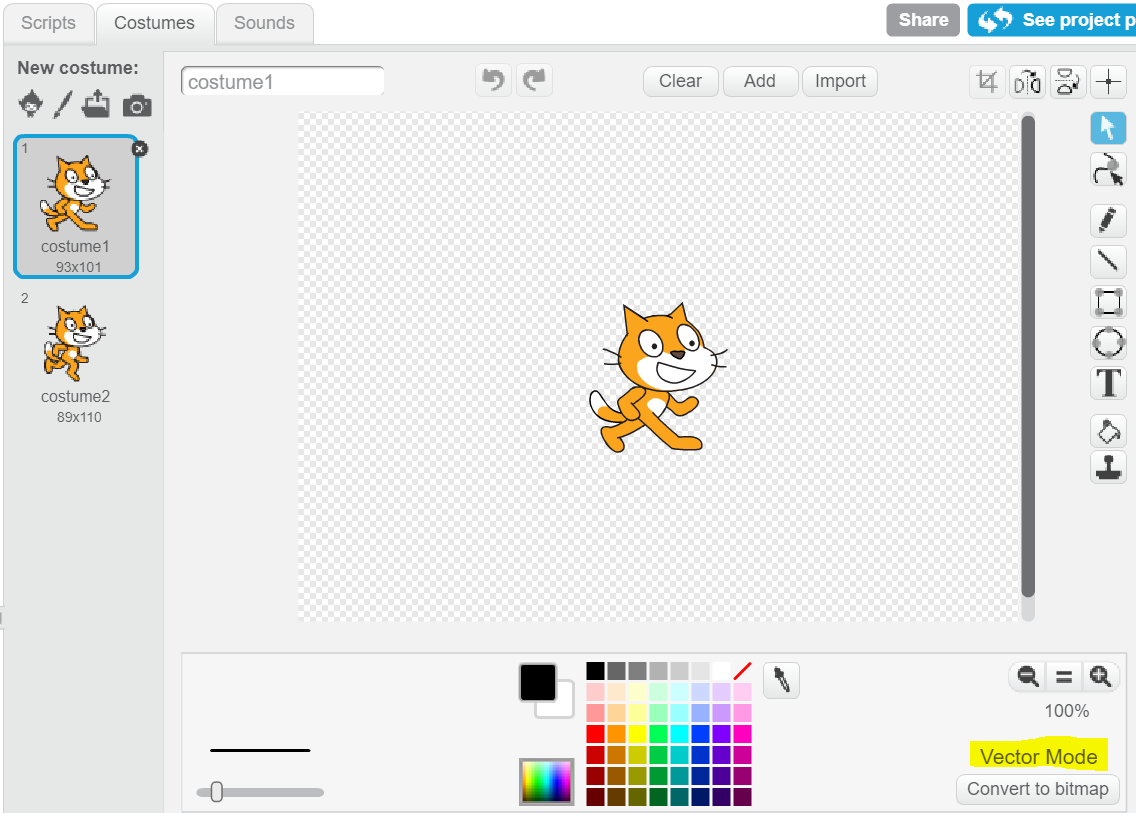
If the highlighted text says vector, click import. If it says bitmap, click the highlighted button:
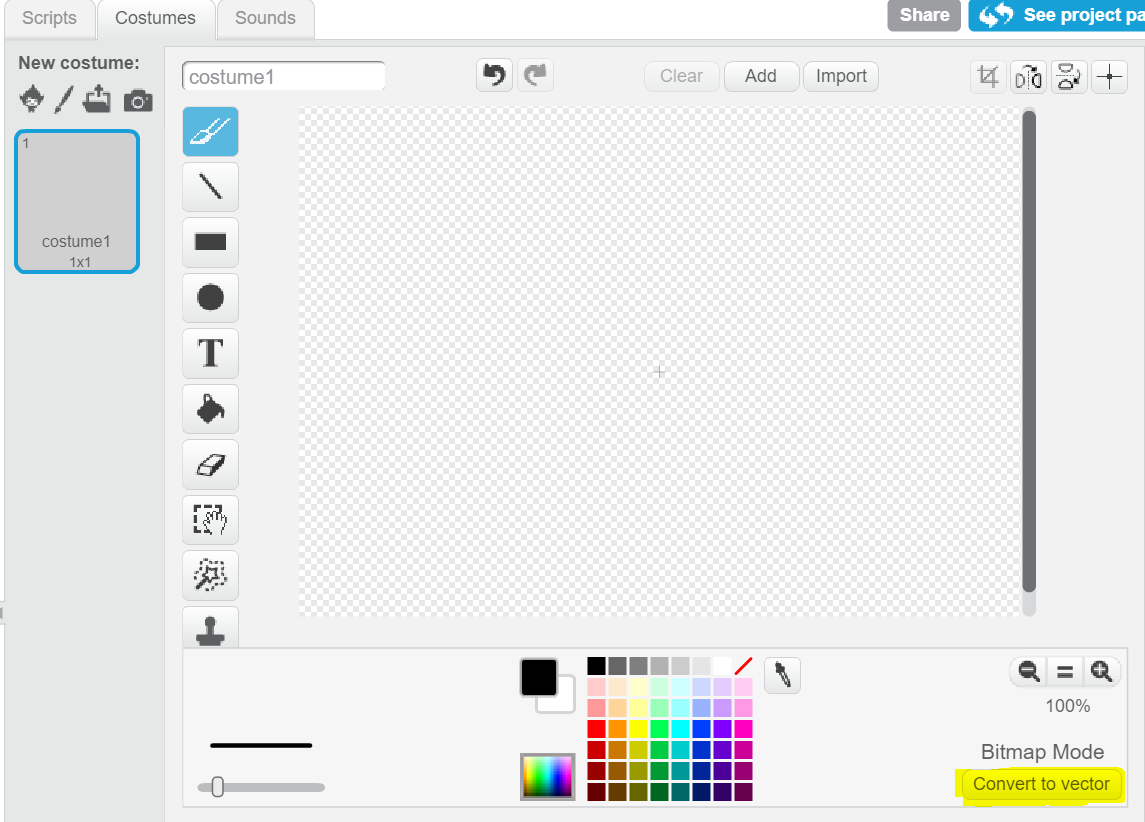
After you're in vector, click import and select the file.
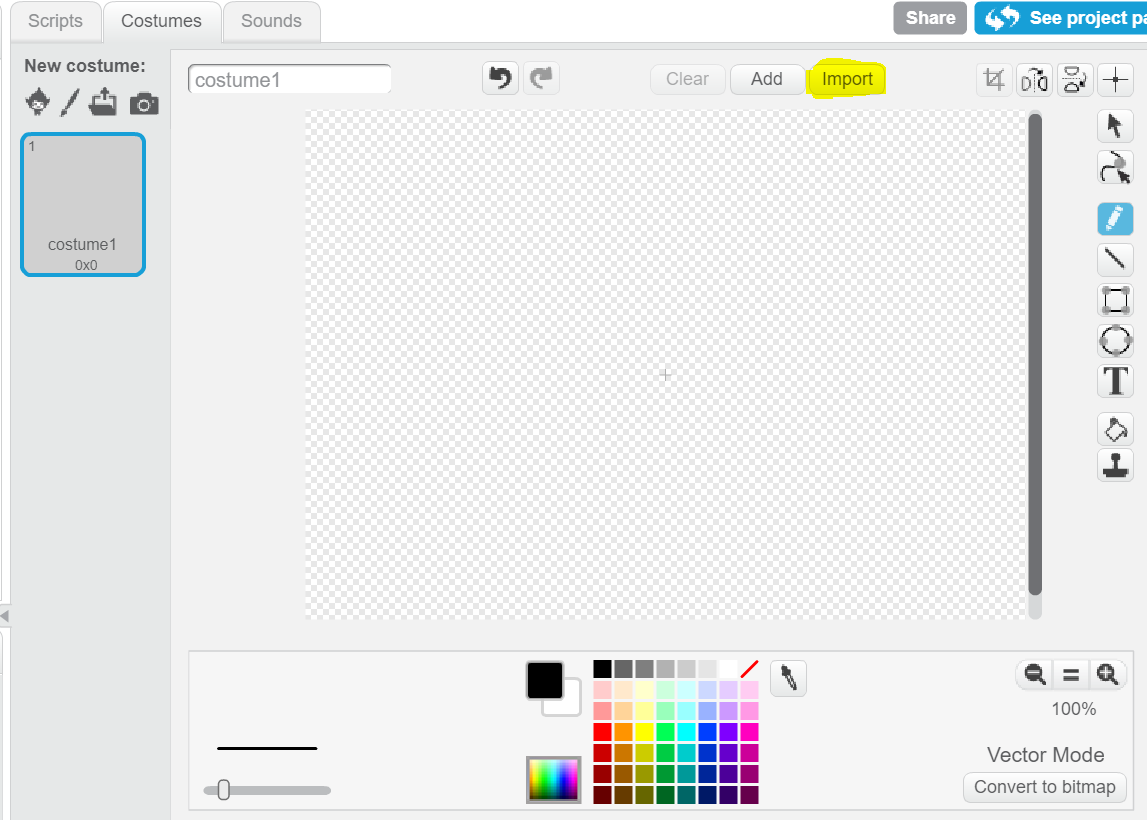
If the highlighted text says vector, click import. If it says bitmap, click the highlighted button:
After you're in vector, click import and select the file.
- Carbide12
-
Scratcher
13 posts
AHAHAHHAHAHAHAHAAHAHAH
okay thanks I'll try it and why do they not have an eraser in vector
- MejihaLiMelhik
-
 Scratcher

66 posts
AHAHAHHAHAHAHAHAAHAHAH
okay thanks I'll try it and why do they not have an eraser in vectorIt's because the erasing feature is hard to implement, i mean they just provide only some basic options in the Scratch vector editor (or others).
Basically the erasing tool for the vector art don't work like the erasing in bitmap art in which drawing are built by pixels, and don't work at all like the users wants, it's because the vector art is defined by points which are connected with lines and curves, and by other properties, it's mathematical calculations.
And not only the erasing, the vector editors in general are really limited in nature compared to bitmap editors.
- Discussion Forums
- » Bugs and Glitches
-
» AHAHAHHAHAHAHAHAAHAHAH