Discuss Scratch

- Discussion Forums
- » Advanced Topics
- » 3D on scratch, And how it's professionally accomplished
![[RSS Feed]](//cdn.scratch.mit.edu/scratchr2/static/__ff7229f036c458728e45c39b0751aa44__//djangobb_forum/img/feed-icon-small.png "[RSS Feed]")
![[RSS Feed]](http://cdn.scratch.mit.edu/scratchr2/static/__ff7229f036c458728e45c39b0751aa44__//djangobb_forum/img/feed-icon-small.png "[RSS Feed]")
- ajspeckhals
-
 Scratcher

44 posts
3D on scratch, And how it's professionally accomplished
lol fr, but you could look at one of them to help you with this specific problemI'm trying not to follow yt tutorials because there's already a million of those griffpatch raycastersI'm trying to make a raycaster, like you recommended, but I'm stuck on making FOV and making it.. ya know, 3d.griffpatch has a yt tutorial on that
Here's the link: https://scratch.mit.edu/projects/1189288628
- magicsponge321
-
 Scratcher

100+ posts
3D on scratch, And how it's professionally accomplished
I've fixed the 2d raycasting, so does anyone know how to render the walls?
- GL00B
-
 Scratcher

92 posts
3D on scratch, And how it's professionally accomplished
I'm trying to make a raycaster, like you recommended, but I'm stuck on making FOV and making it.. ya know, 3d.Good job on getting the raycasting! For the fov, the first ray's direction should be the camera's ( the player's ) direction minus 45. this will make it go to the left of your imaginary plane. then, you repeat making rays for 90 times, turning that ray 1 degree every time. this will result in having a 90degrees FOV, and the last ray will have the players direction + 45.
Here's the link: https://scratch.mit.edu/projects/1189288628
Now, to actually have it draw the scene, make 2 variables, draw x, and distance. at the very start of your rendering proccess (NOT INSIDE THE REPEAT 90), put a set draw x to -240. now inside the repeat 90 times, RIGHT BEFORE you send the ray to hit a wall, set the DISTANCE to 0. then, under the move by ( steps ), change the distance by that amount of steps. so if you moved by 3 steps, you'll have a change distance by 3 under it. then outside the repeat until, you will need 4 blocks:
go to x: ( draw x ) , y : ( 3000 / distance )
pen down
go to x: ( draw x ) , y : ( -3000 / distance )
pen up
finally, under the turn 1 degree, put a change “Draw x” by “5.45” exactly. that should do!
(tip: for a nice looking shade effect, right on top top of the first go to xy, put a set pen brightness to (1600 / distance)… goodluck!)
- magicsponge321
-
Scratcher
100+ posts
3D on scratch, And how it's professionally accomplished
Should I put the repeat 90 in the ray or raycast custom blocks?I'm trying to make a raycaster, like you recommended, but I'm stuck on making FOV and making it.. ya know, 3d.Good job on getting the raycasting! For the fov, the first ray's direction should be the camera's ( the player's ) direction minus 45. this will make it go to the left of your imaginary plane. then, you repeat making rays for 90 times, turning that ray 1 degree every time. this will result in having a 90degrees FOV, and the last ray will have the players direction + 45.
Here's the link: https://scratch.mit.edu/projects/1189288628
Now, to actually have it draw the scene, make 2 variables, draw x, and distance. at the very start of your rendering proccess (NOT INSIDE THE REPEAT 90), put a set draw x to -240. now inside the repeat 90 times, RIGHT BEFORE you send the ray to hit a wall, set the DISTANCE to 0. then, under the move by ( steps ), change the distance by that amount of steps. so if you moved by 3 steps, you'll have a change distance by 3 under it. then outside the repeat until, you will need 4 blocks:
go to x: ( draw x ) , y : ( 3000 / distance )
pen down
go to x: ( draw x ) , y : ( -3000 / distance )
pen up
finally, under the turn 1 degree, put a change “Draw x” by “5.45” exactly. that should do!
(tip: for a nice looking shade effect, right on top top of the first go to xy, put a set pen brightness to (1600 / distance)… goodluck!)
- magicsponge321
-
Scratcher
100+ posts
3D on scratch, And how it's professionally accomplished
I put the repeat 90 in the raycast block, but it just looks like a bunch of squiggly lines. Could you put your explanation in scratchblocks?Should I put the repeat 90 in the ray or raycast custom blocks?I'm trying to make a raycaster, like you recommended, but I'm stuck on making FOV and making it.. ya know, 3d.Good job on getting the raycasting! For the fov, the first ray's direction should be the camera's ( the player's ) direction minus 45. this will make it go to the left of your imaginary plane. then, you repeat making rays for 90 times, turning that ray 1 degree every time. this will result in having a 90degrees FOV, and the last ray will have the players direction + 45.
Here's the link: https://scratch.mit.edu/projects/1189288628
Now, to actually have it draw the scene, make 2 variables, draw x, and distance. at the very start of your rendering proccess (NOT INSIDE THE REPEAT 90), put a set draw x to -240. now inside the repeat 90 times, RIGHT BEFORE you send the ray to hit a wall, set the DISTANCE to 0. then, under the move by ( steps ), change the distance by that amount of steps. so if you moved by 3 steps, you'll have a change distance by 3 under it. then outside the repeat until, you will need 4 blocks:
go to x: ( draw x ) , y : ( 3000 / distance )
pen down
go to x: ( draw x ) , y : ( -3000 / distance )
pen up
finally, under the turn 1 degree, put a change “Draw x” by “5.45” exactly. that should do!
(tip: for a nice looking shade effect, right on top top of the first go to xy, put a set pen brightness to (1600 / distance)… goodluck!)
- hoppingcoin404
-
 Scratcher

50 posts
3D on scratch, And how it's professionally accomplished
https://scratch.mit.edu/studios/50631723/
how i did it
how i did it
- kittygamer8997
-
 Scratcher

69 posts
3D on scratch, And how it's professionally accomplished
I'm trying to make a raycaster, like you recommended, but I'm stuck on making FOV and making it.. ya know, 3d.I answered your question on the FOV in your Raycaster project
Here's the link: https://scratch.mit.edu/projects/1189288628

Last edited by kittygamer8997 (June 19, 2025 14:03:35)
- Eboi1110
-
 Scratcher

6 posts
3D on scratch, And how it's professionally accomplished
Hi i'm new to 3d, so can I have a few tips?
- magicsponge321
-
Scratcher
100+ posts
3D on scratch, And how it's professionally accomplished
Hi i'm new to 3d, so can I have a few tips?A few months ago I asked that. @Gl00B said to start with raycasting and work my way up. I think it's working so I reccomend that to you
- Robostew
-
 Scratcher

32 posts
3D on scratch, And how it's professionally accomplished
This image is from @avigowq's project, is it not?
And why are you claiming that raycasting is not full 3D? You are describing a specific type of raycasting, unless I am misunderstanding?
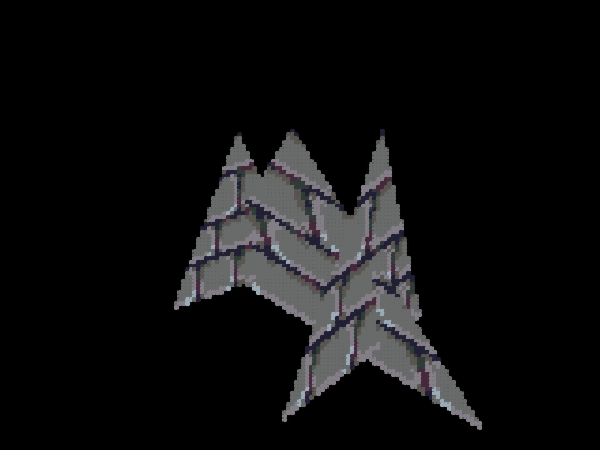
And why are you claiming that raycasting is not full 3D? You are describing a specific type of raycasting, unless I am misunderstanding?
- KryptoScratcher
-
 Scratcher

5 posts
3D on scratch, And how it's professionally accomplished
3D raytracing is confusing, and the code is. Please don't get me on therethis topic is for advanced scratch, please do not get here as a “new scratcher” and start complaining about raytracing or whatever being confusing to you, as it's Fascinating to others who try to learn it

its really not that deep or advanced bruh
- Penthusiast
-
 Scratcher

46 posts
3D on scratch, And how it's professionally accomplished
This is quite a clear and straight to the point explanation! One technique I didn't see you cover is raymarching, which personally is one of my favorite methods, so that might be cool in a future rewrite perhaps. Other then that, it's a great article. Thanks for writing it. 
- glomeromycota
-
 Scratcher
100+ posts
3D on scratch, And how it's professionally accomplished
Nice explanations but I also think you should go over 3d raycasting and raymarching. Also i think sphere tracing is a synonym for raymarching but idk
also “professionally accomplished” is crazy
also “professionally accomplished” is crazy
- GL00B
-
Scratcher
92 posts
3D on scratch, And how it's professionally accomplished
This image is from @avigowq's project, is it not?
And why are you claiming that raycasting is not full 3D? You are describing a specific type of raycasting, unless I am misunderstanding?
yes, I think it's from that project. I found that photo saved in my gallery from long ago, So I just used it.
Also, Did you even read the topic? Did you not see that i listed all the 2D raycasting types? Did you not see that list? or are you here just to argue? if that's the case, then my day is quite busy, so your plans will not quite succeed
- GL00B
-
Scratcher
92 posts
3D on scratch, And how it's professionally accomplished
This is quite a clear and straight to the point explanation! One technique I didn't see you cover is raymarching, which personally is one of my favorite methods, so that might be cool in a future rewrite perhaps. Other then that, it's a great article. Thanks for writing it.I personally don't know how to use raymarching. if you can help me learn it, let me know on my profile!
- GL00B
-
Scratcher
92 posts
3D on scratch, And how it's professionally accomplished
3D raytracing is confusing, and the code is. Please don't get me on therethis topic is for advanced scratch, please do not get here as a “new scratcher” and start complaining about raytracing or whatever being confusing to you, as it's Fascinating to others who try to learn it
its really not that deep or advanced bruh
Say that to yourself, perhaps… this is an old message, why waste your time replying to it? and to others, it's actually an advanced topic, as creating 3D Renderers isn't your everyday scratch routine for the average person.. so to answer the question you didn't ask, yes, it is advanced
- Robostew
-
Scratcher
32 posts
3D on scratch, And how it's professionally accomplished
This image is from @avigowq's project, is it not?
And why are you claiming that raycasting is not full 3D? You are describing a specific type of raycasting, unless I am misunderstanding?
yes, I think it's from that project. I found that photo saved in my gallery from long ago, So I just used it.
Also, Did you even read the topic? Did you not see that i listed all the 2D raycasting types? Did you not see that list? or are you here just to argue? if that's the case, then my day is quite busy, so your plans will not quite succeed
No I couldn't be bothered. Sorry, I bet you have a lot of professional scratch coding to do. Did I make you feel like I was arguing? That's not what I meant at all.
- magicsponge321
-
Scratcher
100+ posts
3D on scratch, And how it's professionally accomplished
What 3d game should I make with this?
https://scratch.mit.edu/projects/1192274975
https://scratch.mit.edu/projects/1192274975
- Ne0shark
-
 Scratcher

35 posts
3D on scratch, And how it's professionally accomplished
What 3d game should I make with this?Heck yeah
https://scratch.mit.edu/projects/1192274975
- magicsponge321
-
Scratcher
100+ posts
3D on scratch, And how it's professionally accomplished
If you're talking about my signature, please comment that on my profileWhat 3d game should I make with this?Heck yeah
https://scratch.mit.edu/projects/1192274975