Discuss Scratch

- Discussion Forums
- » Help with Scripts
- » Displaying Scratch editor HSV colours as graphic effects. (STAMP BASED)
![[RSS Feed]](//cdn.scratch.mit.edu/scratchr2/static/__da70381f846683102550a800dc50ce22__//djangobb_forum/img/feed-icon-small.png "[RSS Feed]")
![[RSS Feed]](http://cdn.scratch.mit.edu/scratchr2/static/__da70381f846683102550a800dc50ce22__//djangobb_forum/img/feed-icon-small.png "[RSS Feed]")
- Thethree13
-
 Scratcher

100+ posts
Displaying Scratch editor HSV colours as graphic effects. (STAMP BASED)
In short, i need a way to convert a Scratch costume editor “hue” “saturation” “brightness”(value) to the graphic effects of “colour”, “brightness” and “ghost”.
white: https://scratch.mit.edu/projects/1154929282 - i did try to make one using a white background but there are numerous issues with this approach (full desaturation just hides the colour so value can't do anything)
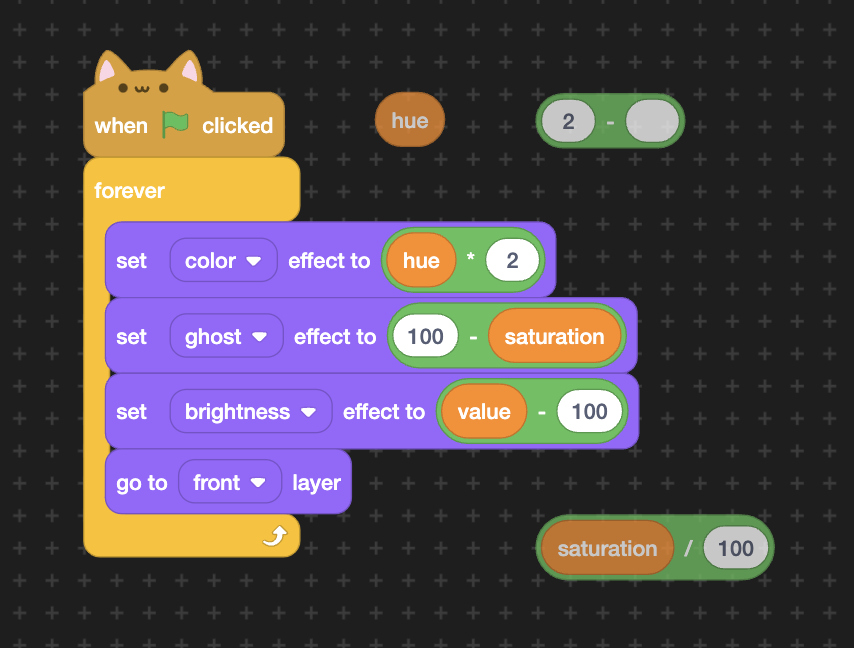
black: https://scratch.mit.edu/projects/1154952409 (i'd recommend playing around with this project if anything confuses you)
how this works:
hue - setting the colour to hue*2 (colour effect ranges from 0-200 and hue is 0-100)
saturation - setting the brightness to the inverse of saturation (at full desaturation the brightness is 100 making it completely white)
brightness/value - setting ghost effect to the inverse of value (so at 0 value the colour is completely invisible on the black background making it black) this doesn't have the issue that white has because the black takes priority, not white
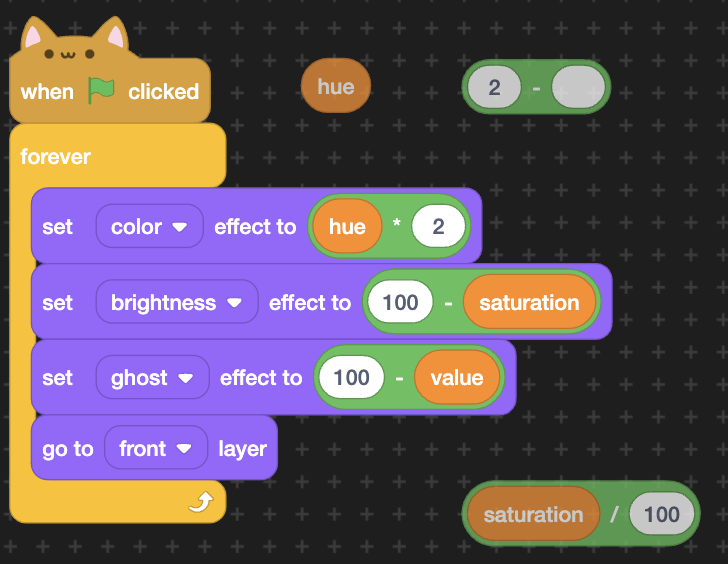
this has an issue, with the saturation slider. the colour seems to be just a bit off, proportional to how much saturation you use (however as saturation increases, it get whiter and therefore harder to see, so it shows best at 30 saturation).
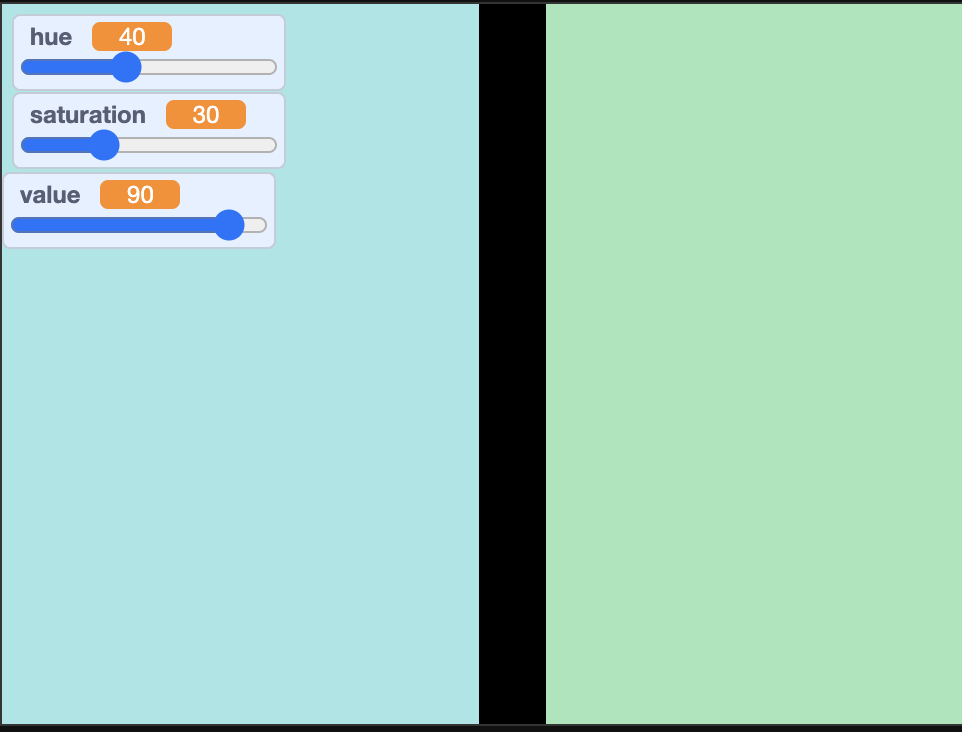
(note that for all of these examples i have set the box on the right to have the exact values of those variables in the scratch art editor, so the values of the two are the same)
my guess is that this is due to the brightness slider actually slightly changing the colour of something rather than simply the brightness. (if you get the average scratch cat and increase the brightness he looks more yellow than orange, and if you decrease brightness he looks more red than orange)
also if you play around and set the saturation to 100 (and change the costume on the right to have the same values as well) you will notice they are the exact same colour, further proving this (as the brightness slider is not in effect here)
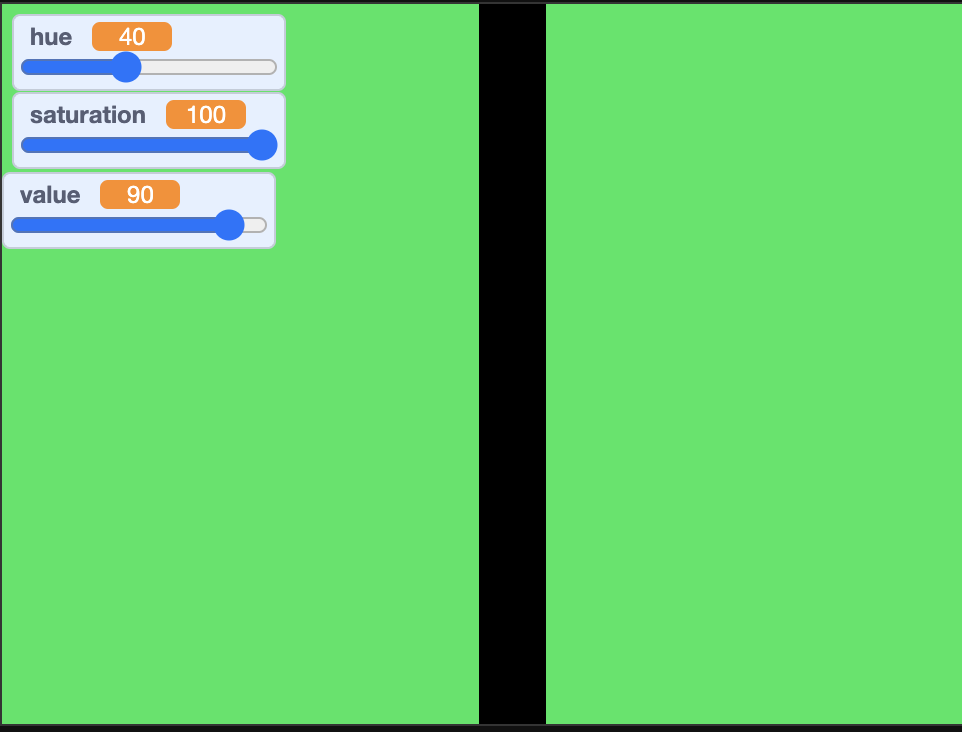
also, this issue does not occur when doing a similar thing with the value slider instead. this is another proof that it's something to do specifically with the brightness effect
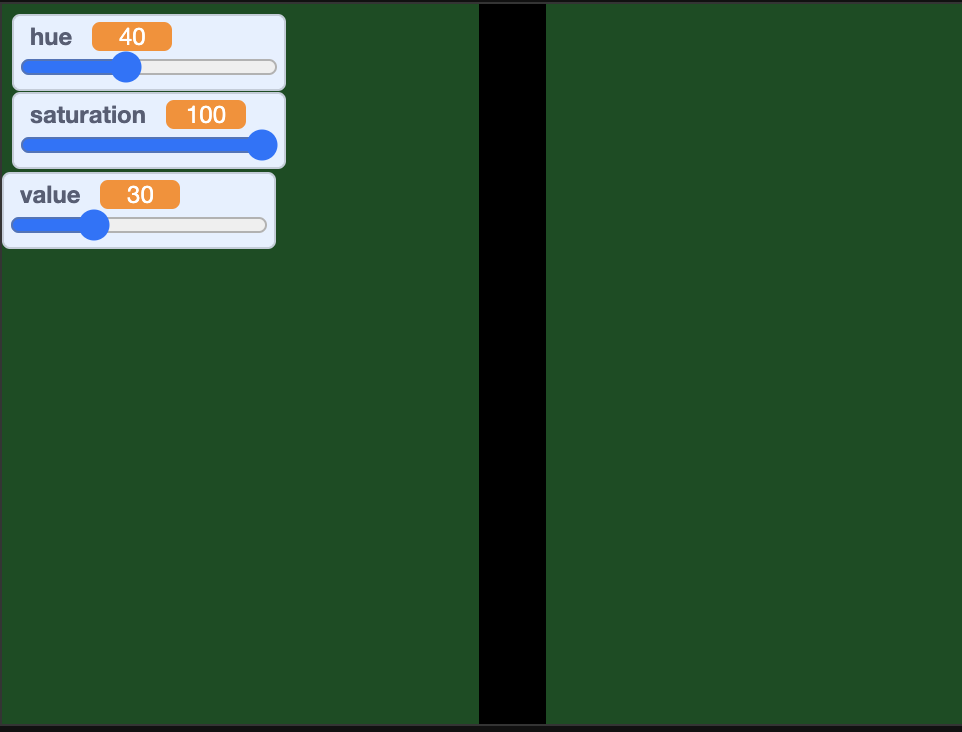
all this clearly points to me finding some other way around other than the brightness effect. however, i cannot simply have multiple ghost effects for white and black. due the constraints of the project i also would rather not overlay two sprites (will halve performance). what do you people suggest i do? any colour math or alternate ideas that could help me out?
(final note. my end project is planned to be stamp-based on purpose, so pen suggestions probably won't work for me)
white: https://scratch.mit.edu/projects/1154929282 - i did try to make one using a white background but there are numerous issues with this approach (full desaturation just hides the colour so value can't do anything)
black: https://scratch.mit.edu/projects/1154952409 (i'd recommend playing around with this project if anything confuses you)
how this works:
hue - setting the colour to hue*2 (colour effect ranges from 0-200 and hue is 0-100)
saturation - setting the brightness to the inverse of saturation (at full desaturation the brightness is 100 making it completely white)
brightness/value - setting ghost effect to the inverse of value (so at 0 value the colour is completely invisible on the black background making it black) this doesn't have the issue that white has because the black takes priority, not white
this has an issue, with the saturation slider. the colour seems to be just a bit off, proportional to how much saturation you use (however as saturation increases, it get whiter and therefore harder to see, so it shows best at 30 saturation).
(note that for all of these examples i have set the box on the right to have the exact values of those variables in the scratch art editor, so the values of the two are the same)
my guess is that this is due to the brightness slider actually slightly changing the colour of something rather than simply the brightness. (if you get the average scratch cat and increase the brightness he looks more yellow than orange, and if you decrease brightness he looks more red than orange)
also if you play around and set the saturation to 100 (and change the costume on the right to have the same values as well) you will notice they are the exact same colour, further proving this (as the brightness slider is not in effect here)
also, this issue does not occur when doing a similar thing with the value slider instead. this is another proof that it's something to do specifically with the brightness effect
all this clearly points to me finding some other way around other than the brightness effect. however, i cannot simply have multiple ghost effects for white and black. due the constraints of the project i also would rather not overlay two sprites (will halve performance). what do you people suggest i do? any colour math or alternate ideas that could help me out?
(final note. my end project is planned to be stamp-based on purpose, so pen suggestions probably won't work for me)
Last edited by Thethree13 (March 31, 2025 12:58:22)
- nembence
-
 Scratcher

500+ posts
Displaying Scratch editor HSV colours as graphic effects. (STAMP BASED)
The last question I've answered
https://scratch.mit.edu/discuss/post/8476533/
https://scratch.mit.edu/discuss/post/8476533/
The brightness effect works by adding the same number to all RGB values, instead of mixing the color with white. Positive brightness effect changes the hue towards yellow/cyan/magenta. You can compensate this by setting the color effect closer to the red/green/blue colors:However, the “hue” variable was 0-360 instead of 0-100 like hereset [distance to R/G/B v] to ((((hue)+(60))mod(120))-(60))
set [color v] effect to (((200)/(360))*((hue)-((distance to R/G/B)*((brightness effect)/(100)))))
- Thethree13
-
Scratcher
100+ posts
Displaying Scratch editor HSV colours as graphic effects. (STAMP BASED)
two questions:
2 - does this entirely compensate for the rgb value changes or does it just get much closer?
The last question I've answered1 - how would i change this script if hue was 100 instead of 360?
https://scratch.mit.edu/discuss/post/8476533/The brightness effect works by adding the same number to all RGB values, instead of mixing the color with white. Positive brightness effect changes the hue towards yellow/cyan/magenta. You can compensate this by setting the color effect closer to the red/green/blue colors:However, the “hue” variable was 0-360 instead of 0-100 like hereset [distance to R/G/B v] to ((((hue)+(60))mod(120))-(60))
set [color v] effect to (((200)/(360))*((hue)-((distance to R/G/B)*((brightness effect)/(100)))))
2 - does this entirely compensate for the rgb value changes or does it just get much closer?
- nembence
-
Scratcher
500+ posts
Displaying Scratch editor HSV colours as graphic effects. (STAMP BASED)
two questions:1 - multiply each “hue” by 360/100:–snip–1 - how would i change this script if hue was 100 instead of 360?
2 - does this entirely compensate for the rgb value changes or does it just get much closer?
set [distance to R/G/B v] to (((((3.6)*(hue))+(60))mod(120))-(60))2 - I think it compensates it entirely
set [color v] effect to (((200)/(360))*(((3.6)*(hue))-((distance to R/G/B)*((brightness effect)/(100)))))
- prezidonplays
-
 Scratcher

35 posts
Displaying Scratch editor HSV colours as graphic effects. (STAMP BASED)
In short, i need a way to convert a Scratch costume editor “hue” “saturation” “brightness”(value) to the graphic effects of “colour”, “brightness” and “ghost”.hey also you can stamp a full black version behind it by using brightness -100 if you want to work with backgrounds that aren't black
white: https://scratch.mit.edu/projects/1154929282 - i did try to make one using a white background but there are numerous issues with this approach (full desaturation just hides the colour so value can't do anything)
black: https://scratch.mit.edu/projects/1154952409 (i'd recommend playing around with this project if anything confuses you)
how this works:
hue - setting the colour to hue*2 (colour effect ranges from 0-200 and hue is 0-100)
saturation - setting the brightness to the inverse of saturation (at full desaturation the brightness is 100 making it completely white)
brightness/value - setting ghost effect to the inverse of value (so at 0 value the colour is completely invisible on the black background making it black) this doesn't have the issue that white has because the black takes priority, not white
this has an issue, with the saturation slider. the colour seems to be just a bit off, proportional to how much saturation you use (however as saturation increases, it get whiter and therefore harder to see, so it shows best at 30 saturation).
(note that for all of these examples i have set the box on the right to have the exact values of those variables in the scratch art editor, so the values of the two are the same)
my guess is that this is due to the brightness slider actually slightly changing the colour of something rather than simply the brightness. (if you get the average scratch cat and increase the brightness he looks more yellow than orange, and if you decrease brightness he looks more red than orange)
also if you play around and set the saturation to 100 (and change the costume on the right to have the same values as well) you will notice they are the exact same colour, further proving this (as the brightness slider is not in effect here)
also, this issue does not occur when doing a similar thing with the value slider instead. this is another proof that it's something to do specifically with the brightness effect
all this clearly points to me finding some other way around other than the brightness effect. however, i cannot simply have multiple ghost effects for white and black. due the constraints of the project i also would rather not overlay two sprites (will halve performance). what do you people suggest i do? any colour math or alternate ideas that could help me out?
(final note. my end project is planned to be stamp-based on purpose, so pen suggestions probably won't work for me)
- Thethree13
-
Scratcher
100+ posts
Displaying Scratch editor HSV colours as graphic effects. (STAMP BASED)
What are you referring to?-snip-hey also you can stamp a full black version behind it by using brightness -100 if you want to work with backgrounds that aren't black
The whole question was about which background would be able to recreate scratch editor colours accurately with colour effects - white or black? There's no need to account for a variable background colour when it's simply the canvas upon which the real “background” is painted.
- g6g6g66g6g
-
 Scratcher

100+ posts
Displaying Scratch editor HSV colours as graphic effects. (STAMP BASED)
If you're still looking, here's a HSVA colour picker that exactly matches pen, which uses a grey sprite on top of a colored sprite. If you have any questions or are curious about anything just let me know.
DEMO
DEMO
Last edited by g6g6g66g6g (Jan. 31, 2026 05:09:24)
- Discussion Forums
- » Help with Scripts
-
» Displaying Scratch editor HSV colours as graphic effects. (STAMP BASED)