Discuss Scratch

- Discussion Forums
- » Advanced Topics
- » Leopard: Edit Scratch projects as JavaScript code
![[RSS Feed]](//cdn.scratch.mit.edu/scratchr2/static/__7ee2f5205e18e01f92a9bb691f7e7e48__//djangobb_forum/img/feed-icon-small.png "[RSS Feed]")
![[RSS Feed]](http://cdn.scratch.mit.edu/scratchr2/static/__7ee2f5205e18e01f92a9bb691f7e7e48__//djangobb_forum/img/feed-icon-small.png "[RSS Feed]")
- dynamicsofscratch
-
 Scratcher

1000+ posts
Leopard: Edit Scratch projects as JavaScript code
(#1031)no
can it also work the other way around? I mean go from JS to sb3?
- Veko_Studio
-
 Scratcher

0 posts
Leopard: Edit Scratch projects as JavaScript code
why is my project not working it only has pen and is made in scratch 3.0
https://scratch.mit.edu/projects/987872461/
https://scratch.mit.edu/projects/987872461/
- AdministratorX86
-
 Scratcher

0 posts
Leopard: Edit Scratch projects as JavaScript code
https://scratch.mit.edu/projects/1025698237/
Cannot read properties of undefined (reading ‘opcode’)
Only extension used is pen.
Made in scratch 3.0
Cannot read properties of undefined (reading ‘opcode’)
Only extension used is pen.
Made in scratch 3.0
- julmik6478
-
 Scratcher

500+ posts
Leopard: Edit Scratch projects as JavaScript code
Translation for
when backdrop switches to [ v]I a sprite:
new Trigger(Trigger.TIMER_GREATER_THAN, { VALUE: () => this.timer - this.stage.costume == “backdrop1” }, this.In a stage:
new Trigger(Trigger.TIMER_GREATER_THAN, { VALUE: () => this.timer - this.costume == “backdrop1” }, this.This in scratch blocks:
when [timer v] > ((timer) - <(backdrop name) = [stage]>
- julmik6478
-
Scratcher
500+ posts
Leopard: Edit Scratch projects as JavaScript code
Translation for
when [any v] key pressed
new Trigger(Trigger.KEY_PRESSED, { key: “any” }, this.myScript)
- julmik6478
-
Scratcher
500+ posts
Leopard: Edit Scratch projects as JavaScript code
I found tutorial for text to speech in javascript, so you can add support for text to speech blocks:
https://dev.to/devsmitra/convert-text-to-speech-in-javascript-using-speech-synthesis-api-223g
https://dev.to/devsmitra/convert-text-to-speech-in-javascript-using-speech-synthesis-api-223g
- julmik6478
-
Scratcher
500+ posts
Leopard: Edit Scratch projects as JavaScript code
You can add support for translate blocks using google translate api.
- julmik6478
-
Scratcher
500+ posts
Leopard: Edit Scratch projects as JavaScript code
Translations for
switch backdrop to [backdrop 1 v] and wait
// In a sprite:
yield* this.stage.costume = “backdrop1”;
// In the stage:
yield* this.costume = “backdrop1”;
switch backdrop to [next backdrop v] and wait
// In a sprite:
yield* this.stage.costumeNumber++;
// In the stage:
yield* this.costumeNumber++;
switch backdrop to [previous backdrop v] and wait
// In a sprite:
yield* this.stage.costumeNumber–;
// In the stage:
yield* this.costumeNumber–;
switch backdrop to [random backdrop v] and wait
// In a sprite:
yield* this.stage.costume = “random backdrop”;
// In the stage:
yield* this.costume = “random backdrop”;
- julmik6478
-
Scratcher
500+ posts
Leopard: Edit Scratch projects as JavaScript code
Translation for
([volume v] of [Sprite1 v])Try
this.sprites.sprite1.audioEffects.volumeor
this.sprites.sprite1.volume
- cs947939
-
 Scratcher

37 posts
Leopard: Edit Scratch projects as JavaScript code
My project is not converting to JS. I've removed all blocks with no translation available and I still get this error: Cannot read properties of undefined (reading ‘name’)
Project link on scratch: https://scratch.mit.edu/projects/1030842840/
Project link on scratch: https://scratch.mit.edu/projects/1030842840/
- Nibblet_A
-
 Scratcher

3 posts
Leopard: Edit Scratch projects as JavaScript code
Hello, I am working on a scratch game, and Leopard keeps saying that there is an error, I have tried it about 5 times, and not worked. I have saved the game on a file and uploaded it, but every time I try it keeps saying that it does not work. What should I do? I am trying to get the code to convert it into C#, so I can make my game without future glitches because when I was making a villager mechanic, the code for moving my player started glitching. i removed some of the code and it worked. I don't know what to do now. So, what should I do?
- ninjaMAR
-
 Scratcher

1000+ posts
Leopard: Edit Scratch projects as JavaScript code
(#1044)What's the error? What's the code?
Hello, I am working on a scratch game, and Leopard keeps saying that there is an error, I have tried it about 5 times, and not worked. I have saved the game on a file and uploaded it, but every time I try it keeps saying that it does not work. What should I do? I am trying to get the code to convert it into C#, so I can make my game without future glitches because when I was making a villager mechanic, the code for moving my player started glitching. i removed some of the code and it worked. I don't know what to do now. So, what should I do?
- Nibblet_A
-
Scratcher
3 posts
Leopard: Edit Scratch projects as JavaScript code
The code is the villager sprite moving
when I receive [start game]
 forever
if <(pick random (backdrop number) to (10)) = [3] then
forever
if <[backdrop number] = [3]> then
show
walk X

if<not <[backdrop number] = [3]>>then
hide
This is about 5 more times. (Not a block)
define walk X
change x by (pick random (-1) to (-10))
wait 5 seconds
change x by (pick random (1) to (10))
forever
if<<touching color [#C3DDF9] ?>>then
change x by ()10

- gdesmedt78
-
 Scratcher

8 posts
Leopard: Edit Scratch projects as JavaScript code
yooooooooo i really want to convert this project https://scratch.mit.edu/projects/911956787/ but leopard isnt letting me
Why?

Why?
- e_d_g_a_r
-
 Scratcher

24 posts
Leopard: Edit Scratch projects as JavaScript code
why cant i convert https://scratch.mit.edu/projects/948573479/? it is from version 3.0 and has no extentions
- PullJosh
-
 Scratcher

1000+ posts
Leopard: Edit Scratch projects as JavaScript code
Hey everyone! I really appreciate everybody posting the errors and issues that they are running into with Leopard. Lots of people have been asking for help, and I haven't always been able to provide enough.
So today we're starting a new program. It's called Leopard Mentors.
I'm assembling a small team of mentors who know JavaScript and are willing to help fellow Scratchers who are trying to convert their projects with Leopard. That way, when you run into an issue while converting a project, there will always be someone available who can help.
The Leopard Mentors will be available to discuss your project with you 1-on-1 on Github.
If you're interested in becoming a mentor, you can do so here. Many Leopard users could benefit from your JavaScript expertise!
With the introduction of this new program, I will also personally be dedicating more time to supporting Leopard users 1-on-1.
P.S. There's another big announcement coming soon. Make sure to watch this space!
So today we're starting a new program. It's called Leopard Mentors.
I'm assembling a small team of mentors who know JavaScript and are willing to help fellow Scratchers who are trying to convert their projects with Leopard. That way, when you run into an issue while converting a project, there will always be someone available who can help.
If you run into an issue with your project on Leopard, you can…
- Continue posting here
- Make a “cleanup crew” request on Github
The Leopard Mentors will be available to discuss your project with you 1-on-1 on Github.
If you're interested in becoming a mentor, you can do so here. Many Leopard users could benefit from your JavaScript expertise!
With the introduction of this new program, I will also personally be dedicating more time to supporting Leopard users 1-on-1.
P.S. There's another big announcement coming soon. Make sure to watch this space!
- PullJosh
-
Scratcher
1000+ posts
Leopard: Edit Scratch projects as JavaScript code
HUGE NEWS!
Today marks the biggest update Leopard has ever received since it was first created.
The Leopard website now provides a custom “Leopard Editor”. It's a JavaScript code editor that is designed to look and feel just like Scratch. To use it, choose the “Leopard Editor” option when converting your project:
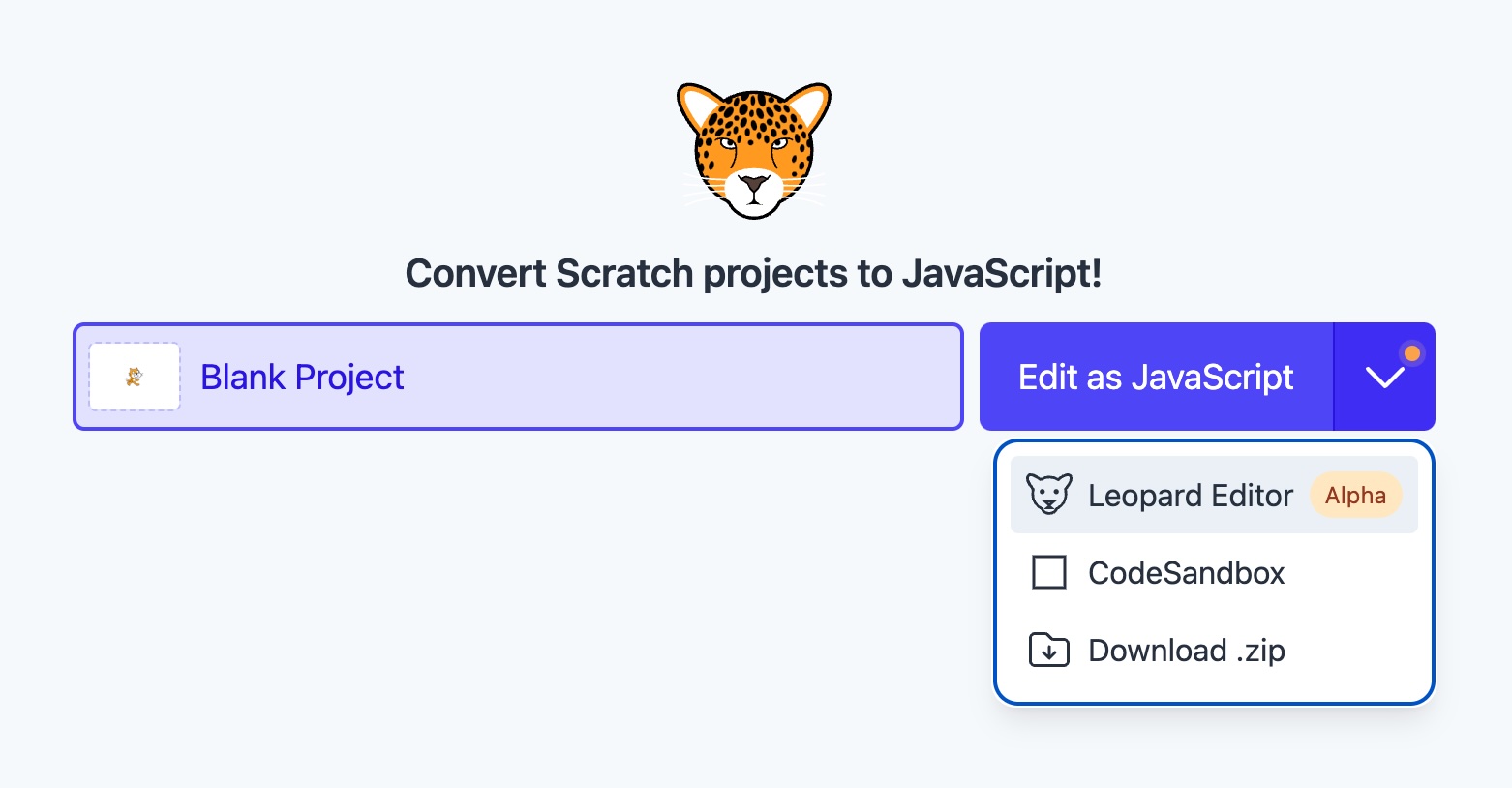
You'll be taken to our new custom editor where you should feel right at home in a Scratch-like interface:

It's Scratch, but for JavaScript! Exactly as Leopard was always meant to be. Give it a try!
Today marks the biggest update Leopard has ever received since it was first created.
The Leopard website now provides a custom “Leopard Editor”. It's a JavaScript code editor that is designed to look and feel just like Scratch. To use it, choose the “Leopard Editor” option when converting your project:
You'll be taken to our new custom editor where you should feel right at home in a Scratch-like interface:
It's Scratch, but for JavaScript! Exactly as Leopard was always meant to be. Give it a try!