Discuss Scratch

- Discussion Forums
- » Bugs and Glitches
- » Fill tool not working on bitmap
![[RSS Feed]](//cdn.scratch.mit.edu/scratchr2/static/__5f750b17a17db0b5d7ffaf5afb2e7e2b__//djangobb_forum/img/feed-icon-small.png "[RSS Feed]")
![[RSS Feed]](http://cdn.scratch.mit.edu/scratchr2/static/__5f750b17a17db0b5d7ffaf5afb2e7e2b__//djangobb_forum/img/feed-icon-small.png "[RSS Feed]")
- PizaGranny8878
-
 Scratcher

26 posts
Fill tool not working on bitmap
My browser / operating system: Windows 7, Brave 1.47.186, No Flash versions detected
The fill tool in bitmap straight up will not work. It doesn't even work partially, it's not filling only parts of what I want to fill, it's just not filling at all. It's not caused by any Scratch extensions / addons / tools. I have no more information than this. Please try to fix this, it is pain to use bitmap like this.
The fill tool in bitmap straight up will not work. It doesn't even work partially, it's not filling only parts of what I want to fill, it's just not filling at all. It's not caused by any Scratch extensions / addons / tools. I have no more information than this. Please try to fix this, it is pain to use bitmap like this.
- EDawg2011
-
 Scratcher

1000+ posts
Fill tool not working on bitmap
Are you trying to fill in a gradient? In bitmap, the fill tool only fills in one specific color and not the whole spectrum of colors in a gradient.
- PizaGranny8878
-
Scratcher
26 posts
Fill tool not working on bitmap
No, I'm trying to fill for a solid color, and it won't do anything at all.
- romskibidi
-
 New Scratcher

100+ posts
Fill tool not working on bitmap
Could you please share a project with the image?
- PizaGranny8878
-
Scratcher
26 posts
Fill tool not working on bitmap
Could you please share a project with the image?No, that can't help, because even if I draw 1 pixel, then try to fill, it doesn't work.
- romskibidi
-
New Scratcher
100+ posts
Fill tool not working on bitmap
No, that can't help, because even if I draw 1 pixel, then try to fill, it doesn't work.I would like to inspect the image.
Last edited by romskibidi (March 5, 2024 17:05:11)
- PizaGranny8878
-
Scratcher
26 posts
Fill tool not working on bitmap
There is no specific
There is no specific image. It's every single image I use.No, that can't help, because even if I draw 1 pixel, then try to fill, it doesn't work.I would like to inspect the image.
- jumpship
-
 Scratcher

100+ posts
Fill tool not working on bitmap
There is no specific image. It's every single image I use.Well, share some example images in a project anyway, please.
Last edited by jumpship (March 5, 2024 21:18:46)
- PizaGranny8878
-
Scratcher
26 posts
Fill tool not working on bitmap
https://scratch.mit.edu/projects/977203256/There is no specific image. It's every single image I use.Well, share some example images in a project anyway, please.
- 54387a
-
 Scratcher

1000+ posts
Fill tool not working on bitmap
That's because apparently, parts of it aren't exactly black. If you're lucky enough, you can fill a huge portion, but there will be some noise that prevents it from fully filling up. If you fill the pixel(s) affected by the noise, only that one will fill because it doesn't match the rest exactly. That means that it's NOT a solid color.https://scratch.mit.edu/projects/977203256/There is no specific image. It's every single image I use.Well, share some example images in a project anyway, please.
- PizaGranny8878
-
Scratcher
26 posts
Fill tool not working on bitmap
Are you not reading these?! I can't even fill one pixel of it!That's because apparently, parts of it aren't exactly black. If you're lucky enough, you can fill a huge portion, but there will be some noise that prevents it from fully filling up. If you fill the pixel(s) affected by the noise, only that one will fill because it doesn't match the rest exactly. That means that it's NOT a solid color.https://scratch.mit.edu/projects/977203256/There is no specific image. It's every single image I use.Well, share some example images in a project anyway, please.
- 54387a
-
Scratcher
1000+ posts
Fill tool not working on bitmap
However, I can fill one of those weird pixels. In case you didn't know, make sure that there's color around the bucket icon so you know it's selected. By the way, the fill tool works differently in vector mode than bitmap mode. Try doing it in the project (but don't save what happened from trying).Are you not reading these?! I can't even fill one pixel of it!That's because apparently, parts of it aren't exactly black. If you're lucky enough, you can fill a huge portion, but there will be some noise that prevents it from fully filling up. If you fill the pixel(s) affected by the noise, only that one will fill because it doesn't match the rest exactly. That means that it's NOT a solid color.https://scratch.mit.edu/projects/977203256/There is no specific image. It's every single image I use.Well, share some example images in a project anyway, please.
- jumpship
-
Scratcher
100+ posts
Fill tool not working on bitmap
The fill tool will only fill the exact color of the pixel you clicked on, not one that is close to it. For example, if you click on #000000, it will fill all pixels around it that are the color #000000 with the color you chose in the costume editor.
Here are some screenshots of different kinds of blacks in that costume:
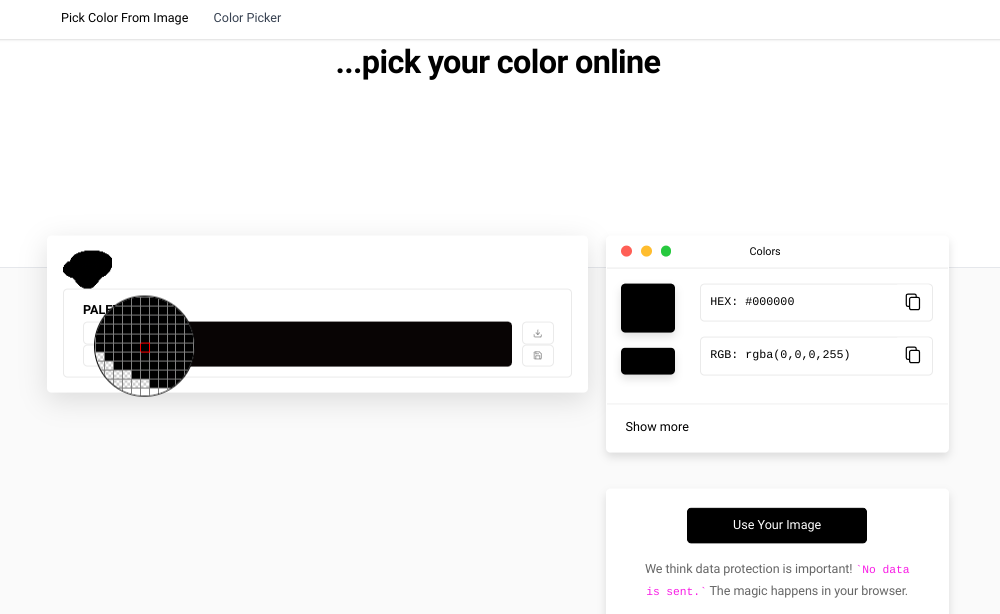
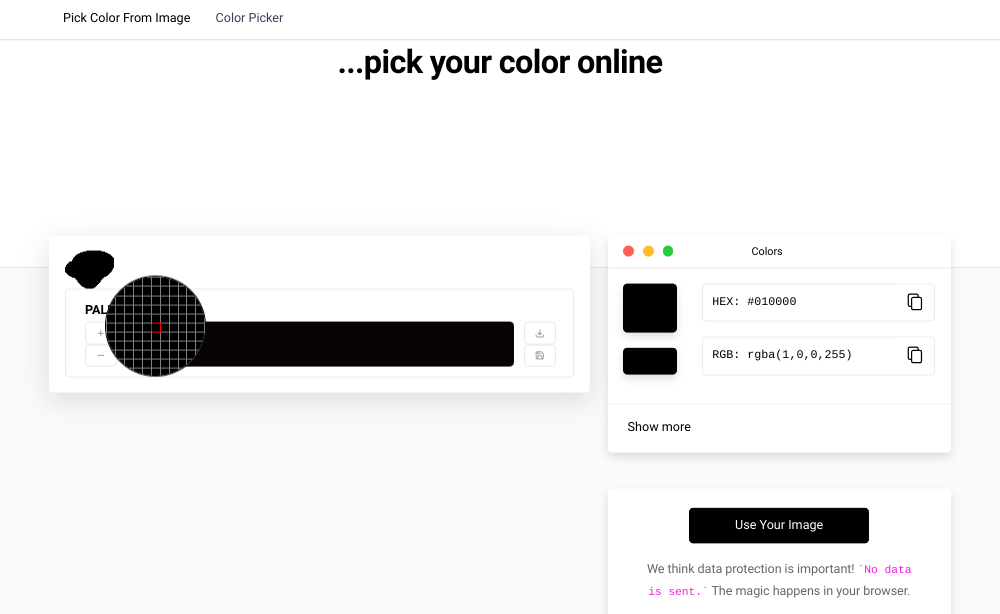
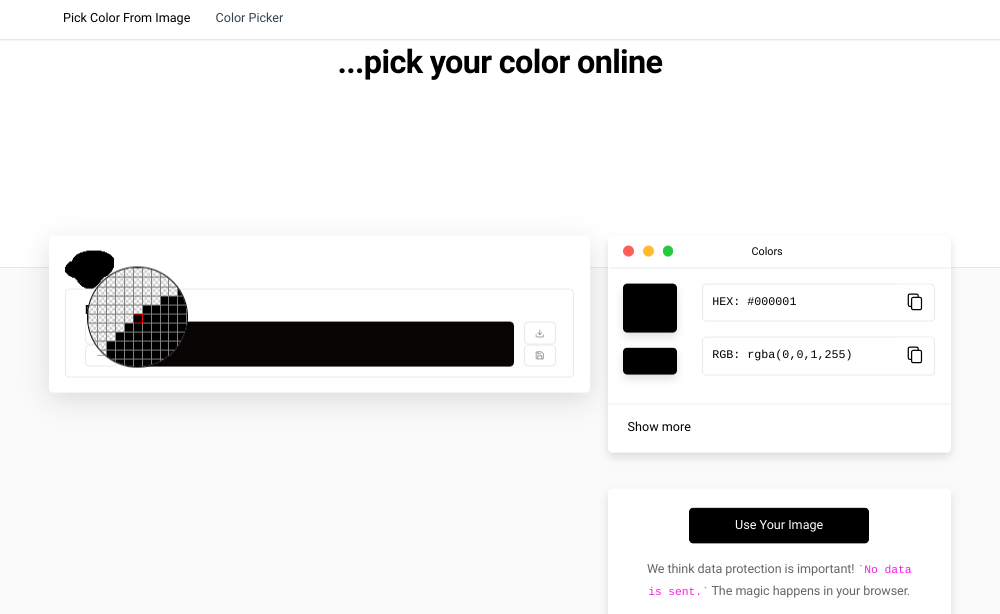
Here are some screenshots of different kinds of blacks in that costume:
- PizaGranny8878
-
Scratcher
26 posts
Fill tool not working on bitmap
The fill tool will only fill the exact color of the pixel you clicked on, not one that is close to it. For example, if you click on #000000, it will fill all pixels around it that are the color #000000 with the color you chose in the costume editor.
Here are some screenshots of different kinds of blacks in that costume:
DO YOU NOT UNDERSTAND WHAT'S HAPPENING? I KNOW HOW TO USE BITMAP DRAWING! I KNOW HOW THE SCRATCH COSTUME EDITOR WORKS! I DO NOT NEED TO BE TOLD HOW TO SELECT SOMETHING! ALSO, READ MY EARLIER POSTS! I CAN'T EVEN FILL 1 PIXEL OF THAT BLOB! YOU CAN STOP TELLING ME THAT IT'S BECAUSE THE BITMAP COSTUME EDITOR DOESN'T HAVE THE EXACT SAME COLORS EVERYWHERE EVEN WHEN YOU DRAW WITH A SOLID COLOR NOW!However, I can fill one of those weird pixels. In case you didn't know, make sure that there's color around the bucket icon so you know it's selected. By the way, the fill tool works differently in vector mode than bitmap mode. Try doing it in the project (but don't save what happened from trying).Are you not reading these?! I can't even fill one pixel of it!That's because apparently, parts of it aren't exactly black. If you're lucky enough, you can fill a huge portion, but there will be some noise that prevents it from fully filling up. If you fill the pixel(s) affected by the noise, only that one will fill because it doesn't match the rest exactly. That means that it's NOT a solid color.https://scratch.mit.edu/projects/977203256/There is no specific image. It's every single image I use.Well, share some example images in a project anyway, please.
- --_Zelix--_
-
 Scratcher

6 posts
Fill tool not working on bitmap
The same problem is happening to me. I have no idea what is causing this. The fill tool worked perfectly fine in bitmap on Firefox and Chrome, but I don't like to use those browsers. I haven't tested it yet, but perhaps it could be a bug with the browser you are using. You may need to switch browsers because for some reason, Scratch hate almost all browsers except for Chrome on specific devices I think.
- romskibidi
-
New Scratcher
100+ posts
Fill tool not working on bitmap
The same problem is happening to me. I have no idea what is causing this. The fill tool worked perfectly fine in bitmap on Firefox and Chrome, but I don't like to use those browsers. I haven't tested it yet, but perhaps it could be a bug with the browser you are using. You may need to switch browsers because for some reason, Scratch hate almost all browsers except for Chrome on specific devices I think.What the OP is talking about is not a bug or a glitch.
- PizaGranny8878
-
Scratcher
26 posts
Fill tool not working on bitmap
so I guess not being able to use fill tool in any capacity at all in bitmap is an intentional addition?The same problem is happening to me. I have no idea what is causing this. The fill tool worked perfectly fine in bitmap on Firefox and Chrome, but I don't like to use those browsers. I haven't tested it yet, but perhaps it could be a bug with the browser you are using. You may need to switch browsers because for some reason, Scratch hate almost all browsers except for Chrome on specific devices I think.What the OP is talking about is not a bug or a glitch.
- Discussion Forums
- » Bugs and Glitches
-
» Fill tool not working on bitmap