Discuss Scratch
- Discussion Forums
- » Questions about Scratch
- » Why does setting your language to Arabic flip the editor?
![[RSS Feed]](//cdn.scratch.mit.edu/scratchr2/static/__ff7229f036c458728e45c39b0751aa44__//djangobb_forum/img/feed-icon-small.png "[RSS Feed]")
![[RSS Feed]](http://cdn.scratch.mit.edu/scratchr2/static/__ff7229f036c458728e45c39b0751aa44__//djangobb_forum/img/feed-icon-small.png "[RSS Feed]")
- brourbeinsus
-
 Scratcher

100+ posts
Why does setting your language to Arabic flip the editor?
So, I was playing around with translations at the bottom of the page and switched to Arabic to see if I know what all the buttons do without me knowing what they say for whatever reason, and went into the editor. It was flipped.
Here is the original:
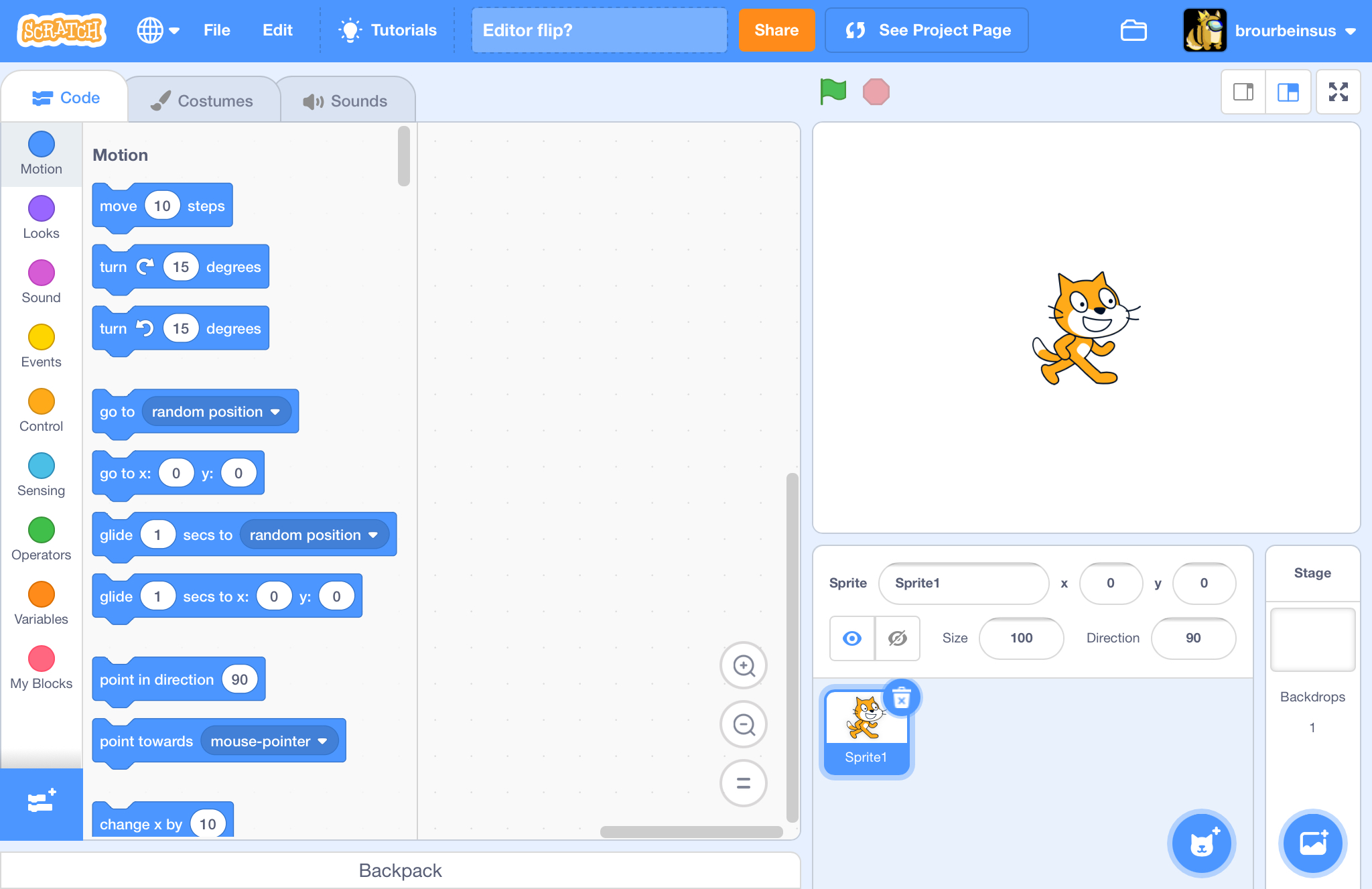
When I went to Arabic I saw this:
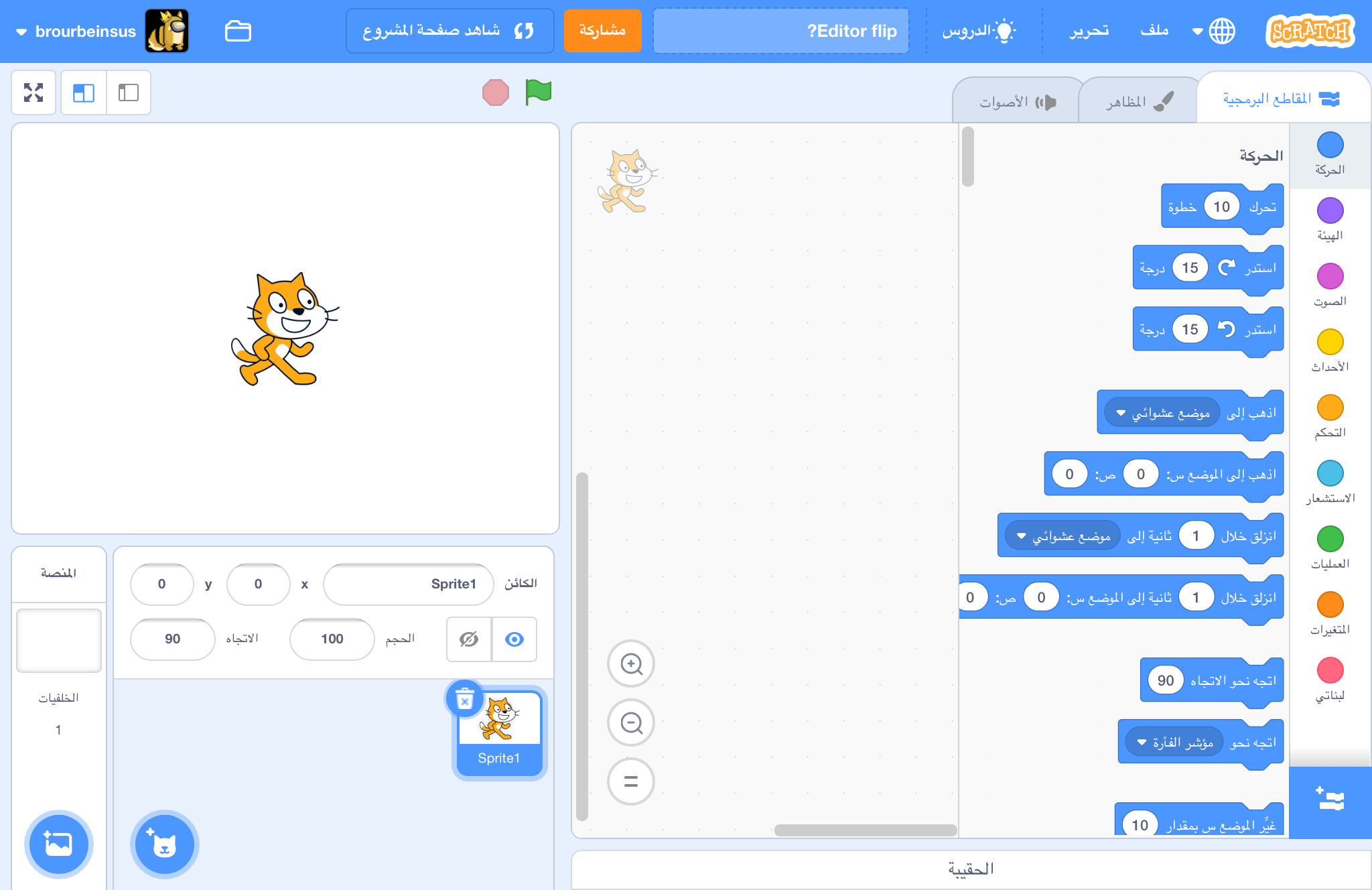
Why does this happen? Is it just a bug? Something else?
Here is the original:
When I went to Arabic I saw this:
Why does this happen? Is it just a bug? Something else?
- CatsUnited
-
 Scratcher

1000+ posts
Why does setting your language to Arabic flip the editor?
Arabic is one of the languages that writes their text right-to-left as opposed to left-to-right. Flipping the interface on websites for rtl languages is a pretty common thing
- Nezon
-
 Scratcher

1000+ posts
Why does setting your language to Arabic flip the editor?
but why cannot they just flip the text before importing the string into a block
- CatsUnited
-
Scratcher
1000+ posts
Why does setting your language to Arabic flip the editor?
but why cannot they just flip the text before importing the string into a blockPeople in English and other left to right reading languages are inclined to look at the left of something first, then move towards the right because of the direction that our sentences move in. The layout of Scratch reflects this in creating a visual clue for how the interface works - there's a selection of blocks in the left, which can be placed in the middle to produce a result on the right.
Arabic is read right to left, so Arabic readers are inclined to look to the right first, then towards the left. The result is that the entire interface is flipped to make it seem natural to Arabic, or other right-to-left readers
- brourbeinsus
-
Scratcher
100+ posts
Why does setting your language to Arabic flip the editor?
Oh yea cuz RTL LTR stuff!
I get it now, no more need to explain

I get it now, no more need to explain

- BrowserExtension
-
 Scratcher

100+ posts
Why does setting your language to Arabic flip the editor?
but why cannot they just flip the text before importing the string into a blockI don't know if you learned this in school, but in some languages text is read from left to right (such as egyptian hieroglyphs), it just probably feels right to the people who speak those languages.
- Barthdry
-
 Scratcher

500+ posts
Why does setting your language to Arabic flip the editor?
It is because Arabic and Hebrew are righten from right to left so they have a habit of seeing a normal webpage in a inverted way so it the editor as well as the letters are from right to left.
- Harakou
-
 Scratcher

1000+ posts
Why does setting your language to Arabic flip the editor?
Oh yea cuz RTL LTR stuff!Glad you found an answer! Since this is resolved, I'll close it to help highlight the answer and prevent future responses. If you need it re-opened, though, you can report this and ask.
I get it now, no more need to explain
- Discussion Forums
- » Questions about Scratch
-
» Why does setting your language to Arabic flip the editor?