Discuss Scratch

- Discussion Forums
- » Show and Tell
- » Profile Picture Creator; With no need to crop your photo!
![[RSS Feed]](//cdn.scratch.mit.edu/scratchr2/static/__5f750b17a17db0b5d7ffaf5afb2e7e2b__//djangobb_forum/img/feed-icon-small.png "[RSS Feed]")
![[RSS Feed]](http://cdn.scratch.mit.edu/scratchr2/static/__5f750b17a17db0b5d7ffaf5afb2e7e2b__//djangobb_forum/img/feed-icon-small.png "[RSS Feed]")
- Project_1001
-
 Scratcher

100+ posts
Profile Picture Creator; With no need to crop your photo!
Profile Picture Creator!
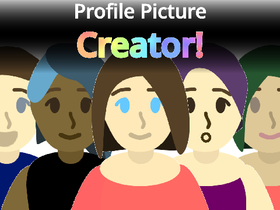
Link: https://scratch.mit.edu/projects/393465614/
Make your own profile picture, with lots of customization, an easy to use menu, and no need to crop your photo after creating!
Features:
Easy to use, with simple menus!
Lots of customization to make your very own profile picture!
No need to crop your picture, so it's very easy to use; no image editing skills needed!
Able to change the background, outfits, accessories, and more!
Add all sorts of things to your appearance, such as glasses & pins!
I'm actively working on this, so please, tell me about any bugs or suggestions!
I'll gladly add suggestions to the project!
Have fun!
Latest Update Notes
Added some more flags!
https://scratch.mit.edu/projects/393465614/
Link: https://scratch.mit.edu/projects/393465614/
Make your own profile picture, with lots of customization, an easy to use menu, and no need to crop your photo after creating!
Features:
Easy to use, with simple menus!
Lots of customization to make your very own profile picture!
No need to crop your picture, so it's very easy to use; no image editing skills needed!
Able to change the background, outfits, accessories, and more!
Add all sorts of things to your appearance, such as glasses & pins!
I'm actively working on this, so please, tell me about any bugs or suggestions!

I'll gladly add suggestions to the project!
Have fun!
Latest Update Notes
Added some more flags!

https://scratch.mit.edu/projects/393465614/
Last edited by Project_1001 (Aug. 29, 2020 14:28:47)
- Project_1001
-
Scratcher
100+ posts
Profile Picture Creator; With no need to crop your photo!
Frequently Asked Questions (FAQ)
This is designed to help people out by answering some frequently asked questions!
If you have any questions about these topics, please ask me.
“How do I save my picture?”
To save your picture, you have 2 options. You can:
- Take a screenshot, and crop your picture using the dark borders as a guide.
- You can use the auto tool. (Easier) Click the “auto” button to stretch out your picture. (this is because Scratch squishes your picture when set to your profile, so by stretching it before, it looks normal as your profile picture.) Once the auto tool is finished, right click the picture (or tap your trackpad with 2 fingers if you're on a laptop), making sure you're not in fullscreen, and click “save image as…”. Your picture should now be downloaded, and you can set it as your profile picture!
If you're using Firefox, the “save image as…” function may result in a blank picture. Take a screenshot (without using the auto adjust) and crop manually instead.
“The auto tool messed up my picture!”
When you set your picture as your profile, Scratch squishes it down to fit in a square. Because of this, the picture looks squished and distorted. The auto tool stretches out the picture, so when it's set as your profile, it looks normal! The “stretched” look after using it is normal.
“Scratch says my image is too big!”
This can be caused by 2 things: either your image's file size being too large, or the actual image size being too big.
First off, try taking a screenshot of your picture instead, and cropping it using the borders. If Scratch still says it's too large, after trying cropping and the auto tool with “save as…”, you may need to compress your image to make it's file size small enough to upload.
“There's no boy option!”
Instead of just complaining about a lack of an option, please give me a suggestion as to what I should add, that's much more helpful!
If you're looking for shorter hair, or facial hair options, you can find those in the hairstyle menu. I tried my best to make the character look androgynous, so anyone is able to make their character look how they want. Many people don't identify as either a male or female, so including an option to “change gender” would be excluding many people from using the project. Gender is a complex spectrum, and just because you look a certain way does not determine your gender.
If you'd like more hairstyles, outfits, etc, please feel free to suggest them to me!
“The accessories are too small!”
You can resize the accessories when dragging, by using the scroll wheel on your mouse, or the up/down arrow keys.
If you don't want an accessory, you can drag it off your avatar with your mouse.
“How do I set what I made to my profile picture?”
Once you have your picture saved, go to your profile on Scratch. Then, hover over your current profile picture and click “Change”. Find your created profile picture on your device, and select it! Your profile picture should now be set.
This is designed to help people out by answering some frequently asked questions!
If you have any questions about these topics, please ask me.

“How do I save my picture?”
To save your picture, you have 2 options. You can:
- Take a screenshot, and crop your picture using the dark borders as a guide.
- You can use the auto tool. (Easier) Click the “auto” button to stretch out your picture. (this is because Scratch squishes your picture when set to your profile, so by stretching it before, it looks normal as your profile picture.) Once the auto tool is finished, right click the picture (or tap your trackpad with 2 fingers if you're on a laptop), making sure you're not in fullscreen, and click “save image as…”. Your picture should now be downloaded, and you can set it as your profile picture!
If you're using Firefox, the “save image as…” function may result in a blank picture. Take a screenshot (without using the auto adjust) and crop manually instead.
“The auto tool messed up my picture!”
When you set your picture as your profile, Scratch squishes it down to fit in a square. Because of this, the picture looks squished and distorted. The auto tool stretches out the picture, so when it's set as your profile, it looks normal! The “stretched” look after using it is normal.
“Scratch says my image is too big!”
This can be caused by 2 things: either your image's file size being too large, or the actual image size being too big.
First off, try taking a screenshot of your picture instead, and cropping it using the borders. If Scratch still says it's too large, after trying cropping and the auto tool with “save as…”, you may need to compress your image to make it's file size small enough to upload.
“There's no boy option!”
Instead of just complaining about a lack of an option, please give me a suggestion as to what I should add, that's much more helpful!
If you're looking for shorter hair, or facial hair options, you can find those in the hairstyle menu. I tried my best to make the character look androgynous, so anyone is able to make their character look how they want. Many people don't identify as either a male or female, so including an option to “change gender” would be excluding many people from using the project. Gender is a complex spectrum, and just because you look a certain way does not determine your gender.
If you'd like more hairstyles, outfits, etc, please feel free to suggest them to me!
“The accessories are too small!”
You can resize the accessories when dragging, by using the scroll wheel on your mouse, or the up/down arrow keys.
If you don't want an accessory, you can drag it off your avatar with your mouse.
“How do I set what I made to my profile picture?”
Once you have your picture saved, go to your profile on Scratch. Then, hover over your current profile picture and click “Change”. Find your created profile picture on your device, and select it! Your profile picture should now be set.
Last edited by Project_1001 (July 13, 2020 18:55:53)


- Willywinwin
-
 Scratcher

4 posts
Profile Picture Creator; With no need to crop your photo!
lol i got the image to 500 x 500
- Willywinwin
-
Scratcher
4 posts
Profile Picture Creator; With no need to crop your photo!
i need to use paint
- jhand17
-
 Scratcher

55 posts
Profile Picture Creator; With no need to crop your photo!
wear is the auto button ?
- Sportzy998
-
 Scratcher

2 posts
Profile Picture Creator; With no need to crop your photo!
Sometimes when i wanna get a profile and i go to Google it says it is too big and i wasted my data

- Sportzy998
-
Scratcher
2 posts
Profile Picture Creator; With no need to crop your photo!
Sorry i meant scratch
- jhand17
-
Scratcher
55 posts
Profile Picture Creator; With no need to crop your photo!
same
Sorry i meant scratchsame
- Hello_MissEclipes
-
 Scratcher

1 post
Profile Picture Creator; With no need to crop your photo!
 When i save it the image is black
 - joyboynoy
-
 Scratcher

1 post
Profile Picture Creator; With no need to crop your photo!
When i save it the image is black
Yeah, its so annoying when that happens

- SamF2010
-
 Scratcher

100+ posts
Profile Picture Creator; With no need to crop your photo!
Me: Hm, maybe this kind of works
computer: rendering..
image: ——– ———-
____ ____
(____) (_____)
)
)
..
\ _______/
me: Why is the image so stretched out??
computer: rendering..
image: ——– ———-
____ ____
(____) (_____)
)
)
..
\ _______/
me: Why is the image so stretched out??
- Roxbooster364
-
 Scratcher

3 posts
Profile Picture Creator; With no need to crop your photo!
make the accessories change and please add a different type of glasses because i always wear glasses an now i have to make my profile pic without my glasses
- MBENTES
-
 Scratcher

4 posts
Profile Picture Creator; With no need to crop your photo!
Frequently Asked Questions (FAQ)Ok
This is designed to help people out by answering some frequently asked questions!
If you have any questions about these topics, please ask me.
“How do I save my picture?”
To save your picture, you have 2 options. You can:
- Take a screenshot, and crop your picture using the dark borders as a guide.
- You can use the auto tool. (Easier) Click the “auto” button to stretch out your picture. (this is because Scratch squishes your picture when set to your profile, so by stretching it before, it looks normal as your profile picture.) Once the auto tool is finished, right click the picture (making sure you're not in fullscreen) and click “save image as…”. Your picture should now be downloaded, and you can set it as your profile picture!
“The auto tool messed up my picture!”
When you set your picture as your profile, Scratch squishes it down to fit in a square. Because of this, the picture looks squished and distorted. The auto tool stretches out the picture, so when it's set as your profile, it looks normal! The “stretched” look after using it is normal.
“Scratch says my image is too big!”
This can be caused by 2 things: either your image's file size being too large, or the actual image size being too big.
First off, try taking a screenshot of your picture instead, and cropping it using the borders. If Scratch still says it's too large, after trying cropping and the auto tool with “save as…”, you may need to compress your image to make it's file size small enough to upload.
“There's no boy option!”
If you're looking for shorter hair, or facial hair options, you can find those in the hairstyle menu. I tried my best to make the character look androgynous, so anyone is able to make their character look how they want. Many people don't identify as either a male or female, so including an option to “change gender” would be excluding many people from using the project. Gender is a complex spectrum, and just because you look a certain way does not determine your gender.
If you'd like more hairstyles, outfits, etc, please feel free to suggest them to me!
“The accessories are too small!”
You can resize the accessories when dragging, by using the scroll wheel on your mouse, or the up/down arrow keys.
If you don't want an accessory, you can drag it off your avatar with your mouse.
- Project_1001
-
Scratcher
100+ posts
Profile Picture Creator; With no need to crop your photo!
Me: Hm, maybe this kind of works
computer: rendering..
image: ——– ———-
____ ____
(____) (_____)
)
)
..
\ _______/
me: Why is the image so stretched out??
As explained in the FAQ post, it stretches it out so it looks normal when “squished” to your profile picture.
- dausmus1
-
 Scratcher

1 post
Profile Picture Creator; With no need to crop your photo!
Hey @Project_1001 can you add more styles for boys and maybe some without the mustache/beard?
- Project_1001
-
Scratcher
100+ posts
Profile Picture Creator; With no need to crop your photo!
Sorry I'm wrong on the link, the right link is this https://scratch.mit.edu/projects/408084428Please don't advertise!
- Project_1001
-
Scratcher
100+ posts
Profile Picture Creator; With no need to crop your photo!
Hey @Project_1001 can you add more styles for boys and maybe some without the mustache/beard?There are the same short hair styles without facial hair as well! Do you have any styles you want me to add?
- Devin_Scratch
-
 Scratcher

25 posts
Profile Picture Creator; With no need to crop your photo!
Honestly it looks better if you just go in photos to crop it and select square plus you only might want part of the image and you're probably gonna have to resize it anyway cuz its big and the auto thing uses pen which is not that good quality.
- Project_1001
-
Scratcher
100+ posts
Profile Picture Creator; With no need to crop your photo!
Honestly it looks better if you just go in photos to crop it and select square plus you only might want part of the image and you're probably gonna have to resize it anyway cuz its big and the auto thing uses pen which is not that good quality.Yeah, you can get some better quality by screenshotting, but with the small size of profile pictures, the slight quality loss isn't noticable.
- Discussion Forums
- » Show and Tell
-
» Profile Picture Creator; With no need to crop your photo!